
Your needs, this model
Does it fit your priorities?
Can the Ripsaw HD pass a 4K60 signal while I capture 1080p60?
That is the use Razer describes: the published figure for 4K60 is passthrough to the display, while 1080p60 is the capture target. Keep the two paths separate in your setup, check that the source and display agree on the intended signal, and do not infer HDR or VRR support from the 4K label.
Explore this need in the finder →Does 4K60 passthrough mean the Ripsaw HD records 4K60?
No. The supported product page identifies 4K60 as the display passthrough path and promotes Full HD 1080p60 capture. The support table is ambiguous about 2160p30 recording, so this guide does not treat it as a 4K60 capture card or rely on that ambiguous row for a buying match.
Explore this need in the finder →Can I mix a microphone and monitor audio through the Ripsaw HD?
Razer lists separate 3.5 mm microphone and auxiliary inputs plus a headphone output, and its package list includes a 3.5 mm audio cable. Its support workflow configures game and headset audio in OBS; plan for the host software and the right analog cable rather than assuming the capture card alone mixes every console-headset path.
Explore this need in the finder →This is a source-based assessment of the exact Ripsaw HD model RZ20-02850, not a hands-on test. The useful distinction is straightforward: Razer documents a Full HD capture target and a separate 4K display-passthrough path. The two numbers describe different jobs.
What the two headline modes mean
Razer's product reference describes recording at 1080p60 while a 4K signal continues through the card to a display, and its US support record lists HDMI 2.0 input/output, USB 3.0, and a 4K60 passthrough ceiling. That makes the Ripsaw HD a candidate for a Windows streaming setup in which the audience feed is Full HD but a compatible television or monitor receives 4K60. It is not an HDMI 2.1 device, and a 4K label is not evidence that it records 4K60, preserves HDR, carries VRR, or passes every possible high-refresh format. Check the source console, cable, display and the exact mode together.
There is an ambiguity worth keeping visible rather than smoothing away: the current Razer support specification says “Max video capture resolution” and then lists both 2160p30 and 1080p60, while Razer's product material emphasizes 1080p60 capture and its US announcement calls 1080p60 the uncompressed maximum. The supported-resolution table also includes 2160p30 and 1440p30. Since those source statements do not clearly explain whether the 2160p30 row is a recording format or another input mode, this review does not use it to match the card as a 4K recorder. A shopper who requires anything beyond 1080p60 capture should get a current written confirmation for the exact driver, app and firmware before relying on it.
A PC-first signal and audio path
The manufacturer lists a Windows 8 64-bit-or-later PC with a free USB 3.0 port, plus specific historical CPU/GPU and memory baselines. Those are dated minimums, not a promise about performance with every current version of a streaming application. Razer lists OBS, Streamlabs OBS and XSplit among compatible tools; its support instructions also explain installing the Ripsaw's drivers through Synapse for passthrough. Confirm that your recording computer has a native USB 3.0 data connection, that the chosen program recognizes the card, and that the current driver package is appropriate for your Windows version. A USB-C socket's shape alone does not prove it carries the needed USB 3.0 data rate.
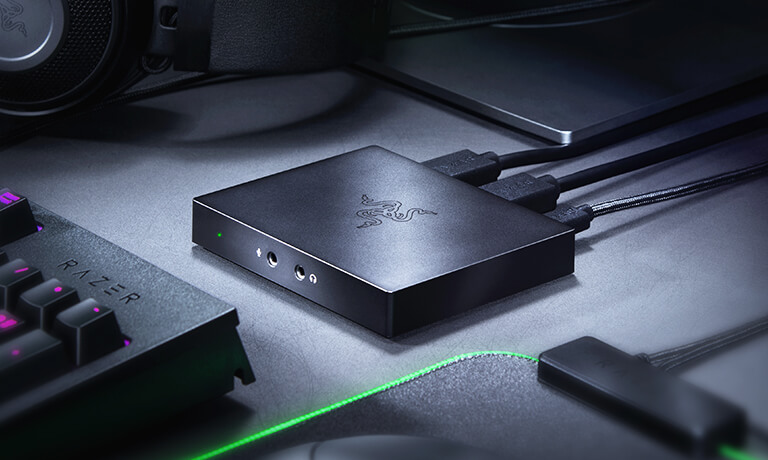
Audio is a more distinctive part of this model than it is on a plain HDMI-only puck. The layout lists a microphone input, auxiliary input and headphone output, while the package list includes a 3.5 mm audio cable. Razer's setup material walks through mixing capture and headset audio in OBS. That can help with a console-and-headset routine, but it adds routing choices: the source's HDMI audio, analog mic/aux feeds, monitoring output and the streaming PC's software mix need to be set deliberately. For some dual-PC headsets, Razer points to software routing or a separate audio splitter. Do not assume a 3.5 mm jack automatically captures every console-chat channel.
Protected sources and limits
Razer's troubleshooting guidance tells PlayStation users to disable HDCP for capture. That is a practical boundary, not a signal-conversion feature: protected video from a source that will not disable HDCP is not a documented capture use. Razer also recommends checking the console's output and the PC's USB connection when an image is missing. The source cannot establish whether a particular app update, operating-system change or game console setting has altered the path, so verify the target setup rather than treating an old support article as a compatibility guarantee.
The Ripsaw HD is best compared with an ordinary 1080p60 external card, not with the high-refresh or HDR models in the library. It is closer in capture ceiling to the earlier NZXT Signal HD60 than to the Signal 4K30, whose manufacturer manual lists 4K30 recording and 1080p120 modes. Razer's analog audio connections may matter for a particular headset chain; the NZXT cards instead use their HDMI audio path and USB-C host connection. None of those distinctions is a substitute for checking a precise cabling diagram.
Who should consider it
Consider the Ripsaw HD if the plan is one unencrypted HDMI source, Windows, USB 3.0, OBS or another listed program, and a 1080p60 capture target with 4K60 display passthrough. Look elsewhere if the hard requirement is 4K60 recording, HDR capture, VRR, 4K120, or a newer console/display mode whose exact timing is not in Razer's documentation. This assessment records the model as a current manufacturer reference because Razer continues to publish its product and support pages; that status does not establish a new US retail offer.
Before choosing an offer
- Check that the label or listing identifies RZ20-02850 Ripsaw HD, not the older Ripsaw RZ20-01780 or the separate Ripsaw X.
- Confirm the intended file is 1080p60 and the display path is a supported 4K60 mode; do not transfer the pass-through ceiling to the recording file.
- Verify the package contains the card, USB Type-C-to-Type-A cable, HDMI cable and 3.5 mm audio cable, especially for a used or open-box offer.
- Check HDCP settings, the available USB 3.0 port, current Razer driver/Synapse instructions, current OBS/XSplit support and the computer's actual CPU/GPU capacity.
- Because the source table is ambiguous about 2160p30, obtain model-specific confirmation before buying for any 4K recording workflow.
The captured evidence supports a bounded 1080p60 / 4K60-pass-through assessment, not a performance score or a claim that a particular console, game, headset or PC was tested here.
Key specifications
Key details at a glance
| Signal input | hdmi_2_0_unencrypted |
|---|---|
| HDMI generation | HDMI 2.0 |
| Confirmed capture formats | Razer emphasizes uncompressed 1080p60 capture. Its current support table also lists 2160p30 and 1440p30 among supported video resolutions, but the table's maximum-resolution line is ambiguous against the product page's Full HD capture statement; no 4K30 matcher plan is assigned. |
| Confirmed passthrough formats | 4K60 |
| Computer connection | External USB 3.x host link; check this model's stated generation and port rate |
| Named compatible software | OBS Studio / Streamlabs OBS / XSplit / Razer Synapse for driver/firmware support |
| HDR recording | No hdr recording mode is documented in the reviewed exact-model sources. |
Use the exact model’s instructions for operating limits, supplied equipment and version differences.
Sources for this review
Sources for this assessment

Check your complete signal path
Choose the source format, desired captured signal, passthrough target, computer connection and software together. A single device must support that whole arrangement.