
Your needs, this model
Does it fit your priorities?
Can the GC575 capture 4K144?
AVerMedia lists up to 4K144 capture only in Streaming Center on Windows. Its FAQ matrix shows which HDMI input modes feed that capture output; do not assume a 4K144 source/display path from a format headline alone.
Explore this need in the finder →Does 4K60 capture preserve HDR in the file?
No. The GC575 matrix marks 4K60 capture as SDR; its 4K60 HDR/VRR display passthrough is a separate path. The matrix identifies HDR recording at 4K30 and selected lower-resolution modes instead.
Explore this need in the finder →Can I record 1440p240 while sending 1440p240 to the monitor?
Do not assume that same-rate pairing: the FAQ matrix lists 1440p240 capture when the input passthrough is 4K144 or 4K120, not from a 1440p240 input. Check the exact source column and capture output before choosing.
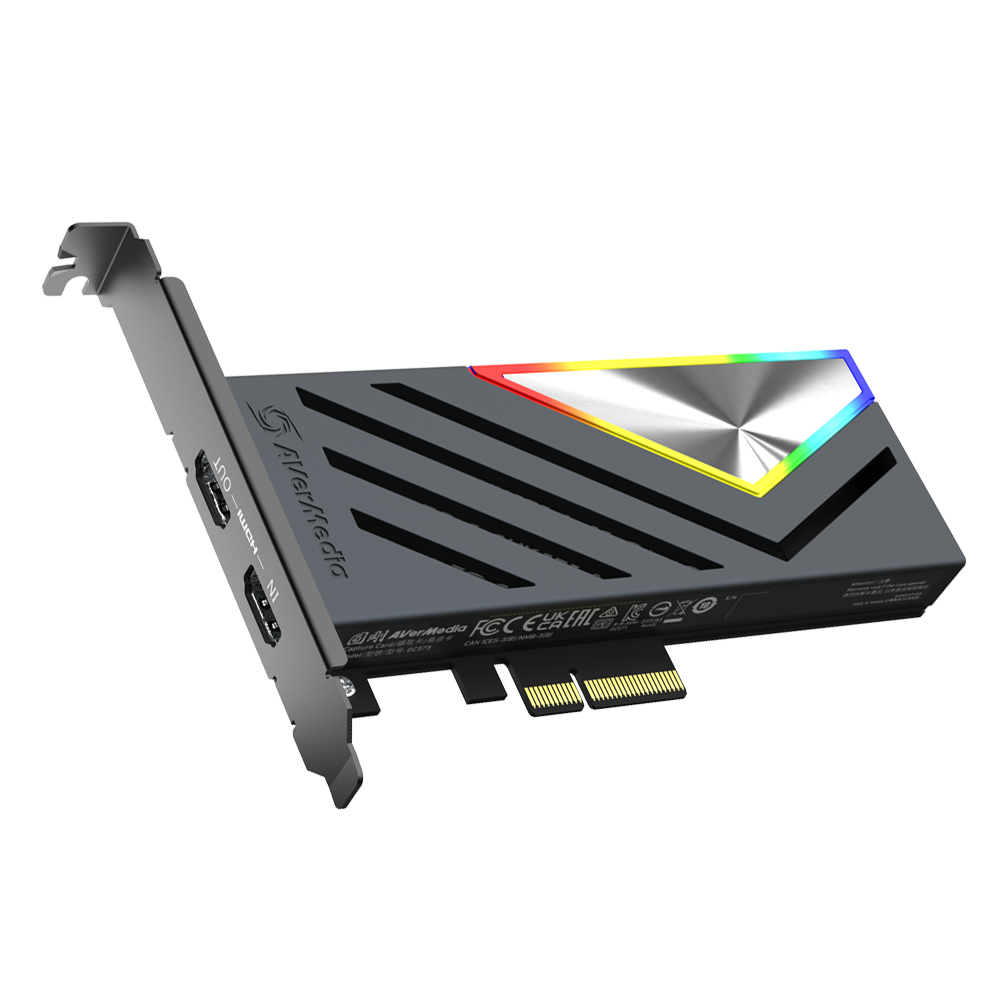
Explore this need in the finder →The Live Gamer 4K 2.1 GC575 is AVerMedia’s internal HDMI 2.1 capture card for a Windows desktop. Its headline—4K144 passthrough and capture up to 4K144—needs careful unpacking: the manufacturer limits 4K144 recording to Streaming Center, restricts the supported input-to-capture combinations in a model-specific table, and warns that a display using DSC can reduce the passthrough ceiling to 4K120. This assessment is based on current manufacturer material, not hands-on use or performance testing.
What the GC575 adds to the signal path
Compared with AVerMedia’s HDMI 2.0 GC573 and GC571, the GC575 uses HDMI 2.1 in/out and a PCIe Gen 3 x4 host connection. A desktop with a suitable electrical slot is therefore part of the purchase, as is a current Windows x64 setup; it is not a portable USB option. The official GC575 specification page lists 4K144, 3440×1440 at 120 Hz, 1440p240 and 1080p360 passthrough with HDR/VRR support. It gives a maximum capture resolution of 4K144, with 4K144 capture available only in Streaming Center. The page also describes 4K120 capture as an added Streaming Center mode.
That wording should not be read as a universal simultaneous maximum. AVerMedia’s GC553G2/GC575 resolution matrix maps input/passthrough mode columns to capture outputs and marks whether a cell can be SDR or SDR/HDR. For example, 4K144 capture is listed from a 4K144 input, while 4K120 capture is listed from 4K144 or 4K120 input. The 4K60 capture cells are SDR; a 4K60 display path with HDR does not make the captured file 4K60 HDR. The table instead marks HDR capture in several lower recording modes, including 4K30 and selected 1440p/1080p outputs. Check the exact source/display column and capture row rather than pairing separate maxima by intuition.
Where this model is a strong shortlist candidate
The GC575 is the AVerMedia choice to examine when a Windows desktop, internal PCIe slot and HDMI 2.1 chain are all acceptable, especially for high-refresh display passthrough or a specifically supported 4K120/144 capture setup. Its matrix offers more useful planning detail than a single maximum number because it makes the source mode part of the answer. The manufacturer says the 4K144 capture route uses Streaming Center; an OBS plug-in is also named, but that does not transfer every Streaming Center-only mode to OBS. Test your intended app workflow against the latest driver and software documentation before buying for an exact mode.
For audio, AVerMedia lists 5.1-channel capture in Streaming Center and Streaming Center Plug for OBS on Windows, while LPCM is stereo. That distinction matters if a multichannel recording is essential; a broad “surround sound” label does not establish every codec or application route. Protected HDCP content is not supported for capture, recording or streaming. Ordinary unencrypted HDMI is the relevant source scope.
Installation limits and compatibility checks
PCIe Gen 3 x4 is the physical and electrical requirement to check in the desktop manual. Confirm that the intended slot has the required lanes, is not disabled or bandwidth-shared in a way that conflicts with the graphics card, and leaves room for the card. The product is specified for Windows, not macOS or iPadOS. A 2026 quick-start guide documents the internal installation and HDMI 2.1 connections; the manufacturer recommends using the supplied cables and checking that both source and display support the intended HDMI path.
DSC is a material caveat for a 4K144 display chain: AVerMedia warns that the maximum pass-through may become 4K120 with a DSC monitor. That limitation is about the display path and should not be confused with the separate capture ceiling. Verify the source console or PC, display input, HDMI cable, color format, refresh rate, HDR state and capture application as one planned setup.
GC575 versus the GC573 and GC571
The older GC573 is an HDMI 2.0 PCIe Gen 2 x4 card with a documented 4K60 HDR capture/pass-through route and lower 1440p144 and 1080p240 ceilings; it may be a better fit if 4K120/144 display modes are unnecessary. The GC571 trades those higher recording modes for a PCIe Gen 3 x1 card with 4K30 capture and up to 1080p120 capture, while its 4K60 figure belongs to passthrough. Compare the separately authored GC573 assessment and GC571 assessment before choosing between these distinct boards.
AVerMedia’s US listing identifies the product as GC575, but current price, stock, latency, image quality and sustained behavior were not independently verified. Check the exact card, package and current software requirements at the seller. This is a research-based fit assessment, not a claim of ownership, testing or measured performance.
Key specifications
Key details at a glance
| Signal input | hdmi_2_1_unencrypted |
|---|---|
| HDMI generation | HDMI 2.1 |
| Confirmed capture formats | 4K144 SDR (Streaming Center only, selected input modes) / 4K120 SDR (Streaming Center only, selected input modes) / 4K60 SDR / 4K30 SDR/HDR / 1440p240 SDR / 1440p144 SDR / 1440p120 SDR / 1440p60 SDR/HDR / 1080p240 SDR / 1080p120 SDR/HDR / 1080p60 SDR/HDR |
| Confirmed passthrough formats | 4K144 HDR/VRR / 4K120 HDR/VRR / 1440p240 HDR/VRR / 1080p360 HDR/VRR / 3440x1440p120 HDR/VRR / 4K60/4K30 and other modes in source matrix |
| Computer connection | Pcie |
| Named compatible software | AVerMedia Streaming Center (Windows) / AVerMedia Streaming Center Plug for OBS Studio (Windows) / OBS Studio with the supported plug-in/workflow / AVerMedia Assist Central Pro for settings/updates / AVerMedia Gaming Utility (documented support tool) |
| HDR recording | The model-specific matrix distinguishes sdr-only capture cells from cells that can be sdr or hdr. it shows hdr at 4k30, 1440p60, 1080p120 and 1080p60 for supported input combinations, but not 4k60 hdr. 4k120/144 capture is separately limited to streaming center. |
| VRR passthrough | Yes |
| Analog audio input | Hdmi 2.1 audio. the current product page supports 5.1 multi-channel capture in streaming center and its obs plug-in on windows; lpcm is stereo. no separate analog microphone input is listed. |
Use the exact model’s instructions for operating limits, supplied equipment and version differences.
Sources for this review
Sources for this assessment
- AVerMedia US GC575 Live Gamer 4K 2.1 listing; exact product and Shopify variant SKU GC575
- AVerMedia Live Gamer 4K 2.1 GC575 technical product specification and supported software
- AVerMedia GC553G2/GC575 supported passthrough-versus-capture matrix and capture-format table
- AVerMedia Live Gamer 4K 2.1 GC575 User Manual (2023), device, installation and requirements
- AVerMedia GC575 Quick Start Guide (2026), PCIe installation, package and current specifications
- Official US GC575 main product image from the exact US product listing

Check your complete signal path
Choose the source format, desired captured signal, passthrough target, computer connection and software together. A single device must support that whole arrangement.