
Your needs, this model
Does it fit your priorities?
Can the GC571 record a 4K60 file?
No. Its current product technical page and US datasheet state a maximum capture resolution of 2160p30. The 4K60 claim is the HDMI pass-through path; the US product listing contains a contradictory 4K60-capture marketing bullet, which is not used as the technical ceiling.
Explore this need in the finder →What does the GC571 offer for high-frame capture?
The official user manual and US listing describe capture up to 1080p120. This is not the same as the card’s 1080p240 display-passthrough maximum. AVerMedia’s current technical page also lists 4K30 as the top capture resolution.
Explore this need in the finder →Can I combine 4K60 passthrough with a specific capture rate?
AVerMedia publishes the pass-through and capture ceilings, but the reviewed current product page and US datasheet do not publish a supported capture-versus-input mode matrix. This assessment does not certify a particular simultaneous capture/passthrough pairing; check the exact source, display and capture mode with AVerMedia before buying for that combination.
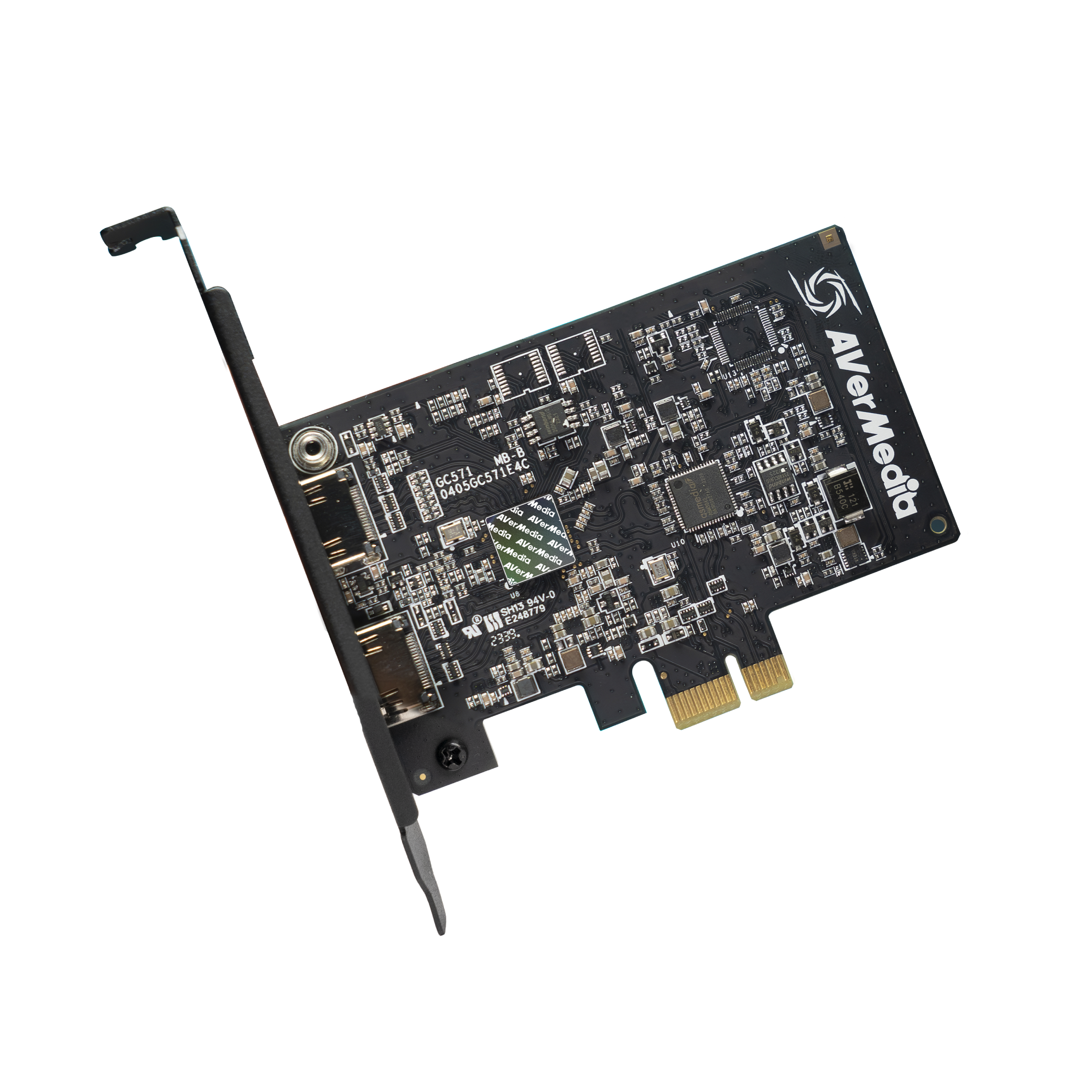
Explore this need in the finder →AVerMedia’s Live Streamer ULTRA HD GC571 is an internal HDMI 2.0 capture card with a PCIe Gen 3 x1 connection. It is easy to misread because the official US listing promotes 4K60 passthrough and also contains a conflicting 4K60-capture bullet. The current technical specification and US datasheet state a maximum capture resolution of 2160p30; the manufacturer’s US listing separately describes 1080p120 high-frame capture. The 4K60 figure is therefore treated here as a display passthrough mode, not a recording promise.
The mode difference that matters
The current GC571 technical page specifies HDMI 2.0 input/output, PCIe Gen 3 x1, maximum 2160p30 capture, and passthrough up to 2160p60 HDR/VRR, 1440p60 HDR/VRR and 1080p240 HDR/VRR. The page also describes capture of signals up to 1080p120. These are useful separate ceilings, but AVerMedia does not publish a current capture-versus-input matrix in the reviewed material. This assessment does not claim that 1080p120 capture or 4K30 capture necessarily operates simultaneously with a particular passthrough mode.
There are two documentation conflicts worth keeping visible. First, the US store page’s detailed promotional text says the device can “capture and stream” 4K60 with OBS, whereas the technical page and US datasheet cap capture at 4K30. The 2024 user guide’s specification table also says 4K30, although a nearby sentence under its 4K30 heading contains an isolated 2160p60 phrase. I use the repeated model-specific specification-table and datasheet value, not the contradictory promotional line. Second, the older manual lists 1440p144 passthrough, while the current product page and US datasheet list 1440p60. The current technical page value is used for this comparison; check with AVerMedia if that older 1440p144 claim is decisive.
When the x1 card may suit a desktop
The GC571 is worth comparing when a desktop has a suitable PCIe Gen 3 x1 slot and a 4K30 or 1080p120 recording ceiling is adequate. Its lower profile board and 62-gram listed weight distinguish it from the larger x4 GC573 and GC575, but dimensions do not prove fit in a particular case. Confirm slot placement, physical clearance, graphics-card sharing, and the computer’s current operating-system and processor/GPU requirements. It is not an external laptop capture accessory.
For a user who prioritizes a smooth game display, its separate passthrough ceilings may be relevant: the product page names 4K60 HDR/VRR and 1080p240 HDR/VRR output. If the recording target is 4K60, the GC571 is not the documented choice in the reviewed specification. If the recording target is 1080p120, the official manual and listing describe this capture mode, but it should not be confused with 1080p240 passthrough. Confirm the exact source, display and capture combination with the manufacturer because the current material reviewed does not resolve every simultaneous mode pair.
Software, HDR and source restrictions
AVerMedia’s US listing names OBS and its product page describes Streaming Center. The specification exposes P010/HDR video format, but the sources reviewed do not provide a resolution-specific HDR recording matrix. That is not enough evidence to recommend the GC571 for a particular HDR capture requirement such as 1080p120 HDR or 4K60 HDR. A HDR-capable passthrough path and a P010 format label do not establish the exact captured HDR mode. Treat HDR file capture as unconfirmed until the current source and app documentation specify the combination.
Protected HDCP video is not a suitable capture source. Check the source device’s output settings, chosen application, driver, HDMI cable and audio route before purchase. The product technical page lists Windows 10/11 x64 desktop requirements and includes an HDMI 2.0 cable and quick-start guide. Verify the package and support terms of the specific offer; no current price or inventory check is part of this assessment.
GC571, GC573 or GC575?
These are three different internal cards rather than one interchangeable “4K” family tier. GC571 pairs an x1 host connection with a conservative 4K30 recording ceiling and 4K60 display passthrough. GC573 moves to PCIe Gen 2 x4 and HDMI 2.0 with a published 4K60 HDR capture/passthrough route, subject to a more demanding Windows/GPU tier. GC575 is HDMI 2.1 and PCIe Gen 3 x4 for supported 4K120/144 and high-refresh display plans, but its higher-rate capture is app- and mode-specific. Compare the exact target capture rate and display path rather than buying by the shared “4K” label.
The review is based on manufacturer pages, manuals and a US datasheet; no personal ownership, hardware testing, latency measurement or viewer experience is claimed. AVerMedia may change software and specifications, so confirm the current product page and exact mode pairing before committing to this model.
Key specifications
Key details at a glance
| Signal input | hdmi_2_0_unencrypted |
|---|---|
| HDMI generation | HDMI 2.0 |
| Confirmed capture formats | 4K30 maximum capture (not 4K60) / 1080p120 high-frame capture / lower supported modes |
| Confirmed passthrough formats | 4K60 HDR/VRR / 1440p60 HDR/VRR per current technical page / 1080p240 HDR/VRR |
| Computer connection | Pcie |
| Named compatible software | OBS Studio (named in the official US store description) / AVerMedia Streaming Center / AVerMedia Assist Central Pro / Gaming Utility for configuration |
| HDR recording | The device exposes p010 (hdr) and firmware notes hdr color capture from playstation sources, but the reviewed sources do not provide a model-specific hdr capture resolution/mode table. no named hdr recording mode is included in the matcher. |
| VRR passthrough | Yes |
| Analog audio input | Hdmi 2.0 audio input and output/pass-through. no separate analog audio/microphone input is listed. |
Use the exact model’s instructions for operating limits, supplied equipment and version differences.
Sources for this review
Sources for this assessment
- AVerMedia US GC571 Live Streamer ULTRA HD listing; exact product and Shopify variant SKU GC571
- AVerMedia Live Streamer ULTRA HD GC571 technical product specification and current supported platform
- AVerMedia GC571 User Guide (2024), high-frame capture, system requirements and hardware installation
- AVerMedia GC571 US TAA/NDAA datasheet, input/output, conservative recording ceiling and package
- AVerMedia GC571 Quick Start Guide, PCIe installation and port identity
- Official US GC571 main product image from the exact US product listing

Check your complete signal path
Choose the source format, desired captured signal, passthrough target, computer connection and software together. A single device must support that whole arrangement.