
Your needs, this model
Does it fit your priorities?
Can the GC570 record a 4K source while passing video to my display?
No 4K recording path is documented: AVerMedia lists up to 1080p60 for both the GC570's capture and its HDMI display passthrough. The supported input timing list includes 1080p, 1080i, 720p, 576p, 480p and 480i; HDCP-protected video is excluded. The 1080p60 limits do not make this a 4K/HDR/high-refresh card.
Explore this need in the finder →Does the GC570 need an internal card slot, and what should I check on my motherboard?
Yes. It is an internal PCI Express Gen 2 x1 card, not an external USB capture unit. Confirm a suitable free slot and card clearance in the actual motherboard manual; AVerMedia's Ryzen/x470 example shows how another installed device can change PCIe lane allocation. A 3.5 mm audio input is not a second video channel.
Explore this need in the finder →Is OBS on Windows 11 24H2 a safe assumption for this older GC570?
No blanket guarantee is supported. AVerMedia names OBS for GC570, but its support notices say the retired StreamEngine can malfunction with OBS or Streaming Center on Windows 11 24H2 and list GC570 as affected; another exact-model FAQ documents a GC570 black-screen issue on 24H2. The manufacturer instructs users to remove AVerMediaEngine if present. Check the exact Windows build and application/driver path before buying; no current software security support or successful setup is promised.
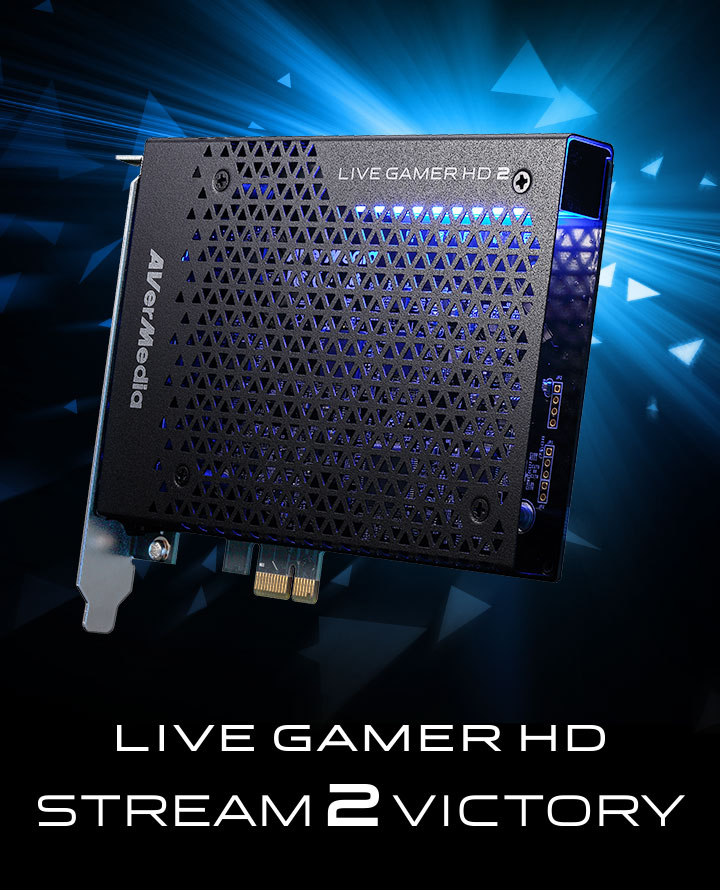
Explore this need in the finder →The AVerMedia Live Gamer HD 2 GC570 is an earlier, internal PCIe card for one HDMI source. Its practical ceiling is Full HD, not 4K. This is a document-based assessment of the exact GC570, not a hands-on test or performance measurement. It should not be confused with the separate, dual-input Live Gamer DUO GC570D.
What it records—and what it only passes to a display
AVerMedia's GC570 specification page lists up to 1080p60 for maximum recording and separately for HDMI pass-through. Its setup guide shows one source connected to HDMI IN and a monitor connected to HDMI OUT. That is a straightforward console-or-PC-to-capture-PC arrangement when Full HD is enough. The maximum numbers describe the separate capture and display paths; they do not imply a 4K recording mode or any undocumented high-refresh combination.
The manufacturer's supported input timing list names 1080p, 1080i, 720p, 576p, 480p and 480i. The 2017 datasheet and current page both say HDCP-protected signals cannot be viewed, recorded or streamed. That matters for protected media playback: a connector that fits is not proof that a protected source will appear. HDR capture, HDR pass-through and VRR support are not established in the reviewed GC570 specification, so do not treat a missing line as a supported feature. If the project requires 4K capture, HDR recording, or display modes above 1080p60, choose a model whose exact mode table covers that path instead.
One video input, plus separate audio connections
There is one HDMI video input, one HDMI display output, a 3.5 mm audio input and a 3.5 mm audio pass-through output. The analog jack is an audio path, not an extra camera or console input. The manufacturer's materials describe HDMI audio and analog line-in use, including a mixer or sound-card feed. For a simple HDMI source, digital audio can travel with the video; if you use the analog input, plan the audio cabling and capture application's device selection separately.
AVerMedia's model-specific OBS setup FAQ uses a Live Gamer HD2 video device and a separate digital audio input, then configures monitoring. That is a useful reminder that video preview, audio capture and audio monitoring may be distinct OBS sources. It is not proof that every operating-system or OBS version behaves the same way, and the older StreamEngine dependency is an important caveat below.
Internal PCIe installation is the main fit check
The card uses PCI Express Gen 2 x1. It belongs inside a desktop, so it is a poor match for a laptop or a small computer without an accessible, compatible expansion slot. Check the motherboard manual for the slot's electrical lane assignment and what changes when the graphics card or an M.2 device is installed. AVerMedia's PCIe support example describes lane allocation on one Ryzen/x470 arrangement; it is not a universal rule that the GC570 needs an x16 slot. It is a reason to check your exact board rather than assume any open connector will work. Also allow for the case's card length and adjacent-slot clearance; published dimensions are about 125 × 151 × 21.5 mm.
The source docs describe the card as driver-free for typical plug-and-play setup, but an older PCIe card is not the same as a trouble-free modern software chain. AVerMedia's device-detection FAQ recommends trying another free PCIe slot if the card is not recognized. Check the exact used board's condition, a free slot, room around the bracket and how your system assigns lanes before treating the nominal x1 interface as a compatibility guarantee.
OBS is documented, but Windows 11 24H2 needs special caution
AVerMedia names OBS, RECentral and XSplit in its product materials, and its GC570-filtered downloads page lists Windows 10/11 software. That is evidence of a supported workflow, not a promise for every application release. The same support site flags issues that change the buying calculation: an exact-model FAQ describes a GC570 black-screen issue on Windows 11 24H2, and a separate software notice says StreamEngine compatibility problems may make OBS or Streaming Center malfunction on 24H2. GC570 is among the listed models; AVerMedia says StreamEngine has been unpublished and will not receive updates, and tells users to uninstall AVerMediaEngine if present.
The downloads page also records RECentral 4 v4.7.114.1 for Windows 10/11 with a 24H2 multichannel-audio note, while stating that security-update support ended on August 31, 2026. That entry does not cancel the separate StreamEngine warning or establish a universally working driver/app combination. If this is for a Windows 11 machine, read the current GC570 notices and verify which AVerMedia components are installed before buying; for a new build, factor legacy software support into the choice rather than relying on the old “plug and play” slogan.
US identity, package, and comparison checks
US retail records tie the product to the exact model. Best Buy lists the black Live Gamer HD 2 as model GC570, retailer SKU 6111629, and says it is no longer available in new condition. B&H identifies manufacturer part GC570 and UPC 795522965233. Those records do not establish formal end-of-life status, a present offer or the contents of a particular used seller's box. AVerMedia's original product-page and Quick Guide list the card, HDMI cable, 3.5 mm audio cable and quick guide; B&H's included-items list names the card and two cables. The Amazon listing I inspected names GC570 in its title but its “What's in the box” field says only “Capture Card.” Check the actual seller, condition, cables, included documentation and warranty instead of assuming older package lists still apply.
The GC570D is not a suffix variant of the same board: it is a distinct dual-HDMI PCIe x4 product with different port capabilities, and its separate assessment explains those differences. The GC570 is the narrower choice only when one unencrypted HDMI source, 1080p60 capture/pass-through and an internal PCIe path satisfy the job—and when its software/OS caveats are acceptable.
Key specifications
Key details at a glance
| Signal input | hdmi_unencrypted |
|---|---|
| Confirmed capture formats | Up to 1080p60; manufacturer lists supported source timings of 1080p, 1080i, 720p, 576p, 480p and 480i. |
| Confirmed passthrough formats | HDMI display passthrough up to 1080p60; this is a display path, not 4K or 1080p120 capture. |
| Computer connection | Pcie |
| Named compatible software | OBS Studio (named in manufacturer specification and GC570-specific setup FAQ) / AVerMedia RECentral 3 (2017 guide) and RECentral 4 (GC570 download page) / XSplit (2017 manufacturer datasheet) |
| Analog audio input | Hdmi audio or a 3.5 mm analog audio input; the board has one video input, not two hdmi channels. |
Use the exact model’s instructions for operating limits, supplied equipment and version differences.
Sources for this review
Sources for this assessment
- AVerMedia Live Gamer HD 2 GC570 technical specifications
- AVerMedia Live Gamer HD 2 GC570 datasheet (2017)
- AVerMedia Live Gamer HD 2 GC570 Quick Guide
- Best Buy US Live Gamer HD 2 black record
- B&H US AVerMedia Live Gamer HD 2 GC570 product record
- AVerMedia GC570 downloads and Windows software support
- AVerMedia GC570 black-screen troubleshooting for Windows 11 24H2
- AVerMedia StreamEngine compatibility notice for GC570 and Windows 11 24H2
- AVerMedia GC570 OBS Studio setup FAQ
- AVerMedia GC570 device-detection and PCIe setup FAQ
- AVerMedia PCIe lane-sharing FAQ for Live Gamer HD 2 GC570
Check your complete signal path
Choose the source format, desired captured signal, passthrough target, computer connection and software together. A single device must support that whole arrangement.