
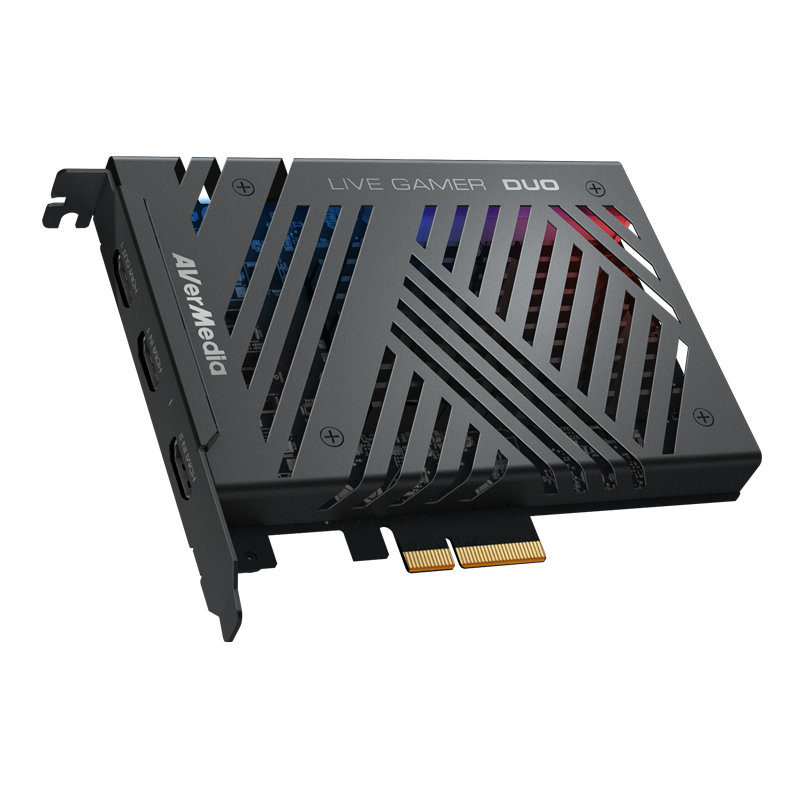
Your needs, this model
Does it fit your priorities?
Can both GC570D HDMI sources be recorded at once?
AVerMedia's US listing says the dual-input card can record both HDMI sources simultaneously at up to 1080p60. The port details still differ: Input 1 is HDMI 2.0 and supports 1080p60 HDR recording, while Input 2 is HDMI 1.4 with a 1080p60 ceiling and no HDR recording claim.
Explore this need in the finder →Can GC570D record a 4K60 source in 4K?
No 4K recording mode is listed. Input 1 accepts source signals up to 2160p and can downscale to a 1080p60 recording path; the 2160p60 HDR maximum refers to HDMI pass-through, not capture.
Explore this need in the finder →What should be checked before installing GC570D?
Confirm a desktop PCIe x4 Gen 2 slot, physical clearance, the motherboard's lane-sharing notes and the graphics-card arrangement. AVerMedia warns that some x4 and M.2 slots share bandwidth with the GPU; a laptop or USB-only host is not a substitute.
Explore this need in the finder →The Live Gamer DUO GC570D is an internal, two-input HDMI capture card for a Windows desktop with an available PCI Express x4 Gen 2 connection. It is not one interchangeable HDMI pair: Input 1 is HDMI 2.0, Input 2 is HDMI 1.4, and the card has one HDMI 2.0 pass-through output. Those port details come from AVerMedia's technical specifications and its US product listing. That makes it an unusual fit for a creator who wants a game or PC feed and a camera feed on the same card, but it also means that the socket chosen for each source changes the mode ceiling.
Two sources, two different capture paths
AVerMedia specifies recording up to 1080p60 from either input and the US product listing says the two inputs can be recorded simultaneously. Input 1 is the higher-bandwidth path: its supported incoming signals include 2160p, 1440p and 1080p, and AVerMedia lists 1080p60 HDR recording for that port. Input 2 accepts signals up to 1080p and has a 1080p60 recording ceiling, without an HDR-recording claim in the specification. Do not read the two connectors as identical just because both can supply a 1080p60 feed. If your primary requirement is an HDR recording, it belongs on Input 1; if a secondary camera only needs 1080p60 SDR, Input 2 is the more constrained port. The 2025 quick guide also diagrams the physical input/output connections.
This dual-input layout is different from a single-port USB dongle: the retail page describes simultaneous capture of both HDMI sources at 1080p60. It does not mean that each input independently gets the other port's HDR capability, or that the dual-input recording mode raises either port above 60 fps. It is also not a replacement for a switcher when you need more than two source connectors or a particular production workflow. The product material establishes the inputs and recording ceilings, not how a particular streaming scene, camera menu or third-party encoder will behave.
Do not combine the display and capture maxima
The HDMI output can pass through a source signal up to 2160p60 HDR, 1440p144 or 1080p240. Those are display-path figures, not recording targets: the GC570D's maximum recording remains 1080p60, with HDR recording limited to Input 1. Its on-board processing can downscale a 4K input to 1080p and convert the frame rate to 60 fps before the signal reaches the PC while leaving the display pass-through path unaffected, according to AVerMedia's product documentation. That separation can make sense when a high-refresh display matters more than preserving the same refresh rate in the recorded file. It is not a promise that every possible input timing, HDR conversion and software setting works together without checking the model's input/output notes.
AVerMedia also says the card does not capture HDCP-protected video. That is relevant for cameras, games and presentations that deliver ordinary unencrypted HDMI, but it rules out treating the card as a way to record protected playback. The published pass-through figures should be checked against the source, display, cable and motherboard setup rather than assumed to be a guaranteed end-to-end mode.
Desktop fit and software
Installation is the main tradeoff. The device occupies a PCIe x4 Gen 2 connection in a desktop; it is not a laptop or USB option. AVerMedia's system requirements list Windows 10/11, a desktop-class processor and graphics card, and note that some PCIe x4 and M.2 slots may share bandwidth with the graphics card. Before ordering, check the motherboard manual for the slot's electrical lanes, clearance and lane-sharing behavior. The metal bracket and card size also need to fit the case, and a second free HDMI input on a computer does not substitute for the required PCIe slot.
AVerMedia names its recording software and OBS as supported examples, while the current model-specific support page exposes software and driver downloads. The same hardware description does not establish matching app behavior for every OS, encoder or simultaneous-input configuration. Confirm that the particular software version you intend to use can enumerate both inputs and choose the desired audio/video sources. The box listing includes the card, one HDMI 2.0 cable and a quick guide; it does not imply that all cables, camera mounts, adapters or audio gear for a two-source setup are included.
Who should shortlist it
The GC570D is worth considering when a Windows desktop has a suitable PCIe slot, both sources output unencrypted HDMI, two feeds are useful, and 1080p60 capture is enough. It is particularly differentiated by the combination of two physical HDMI inputs, an Input 1 HDR option and a separate high-refresh pass-through output. A buyer who needs 4K recording, HDR recording from either port, an external USB host link, macOS or a laptop should look elsewhere in the reviewed library. A single-source camera workflow may also be better served by a smaller USB unit that does not require opening a desktop.
This is a source-based assessment of specifications and setup constraints, not a hands-on test. I did not install the card, test simultaneous recording, measure latency or picture quality, or verify a particular motherboard, camera or app combination. Check the exact card revision, the motherboard's shared-lane notes, the source's HDMI output and the required software mode before deciding that the headline passthrough number fits your complete chain.
Key specifications
Key details at a glance
| Signal input | hdmi_2_0_unencrypted / hdmi_1_4_unencrypted |
|---|---|
| Confirmed capture formats | Input 1: 1080p60 maximum; HDR recording listed / Input 2: 1080p60 maximum; no HDR recording claim in the technical specification |
| Confirmed passthrough formats | HDMI 2.0 output: up to 2160p60 HDR, 1440p144, or 1080p240; these are display-path maxima, not capture resolutions |
| Computer connection | Pcie |
| Named compatible software | AVerMedia Streaming Center/RECentral / OBS Studio / Streamlabs / vMix / XSplit Broadcaster |
| HDR recording | 1080p60 hdr recording is listed for input 1 only. no hdr recording mode is attributed to input 2. |
| Analog audio input | Hdmi audio; 5.1/7.1-channel lpcm pass-through is listed. |
Use the exact model’s instructions for operating limits, supplied equipment and version differences.
Sources for this review
Sources for this assessment
Check your complete signal path
Choose the source format, desired captured signal, passthrough target, computer connection and software together. A single device must support that whole arrangement.