
Your needs, this model
Does it fit your priorities?
Does SDI 4K Pro capture 4K60?
Magewell identifies one-channel 4Kp60 capture and its throughput-specific table includes selected 4K60 modes. Check the precise pixel-format row and host path: 20 Gbps is the maximum-performance connection, while the lower USB columns and Mac table have different ceilings. The SDI loop-through's 4K60 specification is not used as proof of a capture/display pairing.
Explore this need in the finder →Can SDI 4K Pro replace an HDMI capture card?
No. The reviewed model has 12G-SDI BNC input and loop-through, not HDMI. Use it for a source that actually provides a supported SDI signal; any conversion must be checked as a separate device and link.
Explore this need in the finder →Does the SDI 4K Pro document simultaneous 4K60 capture and loop-through?
The manufacturer separately documents 4Kp60 capture and 4K60 SDI loop-through, but the reviewed materials do not give a combined mode table. The assessment therefore records the loop-through and capture in separate operating plans rather than promising that both maxima apply simultaneously in every format.
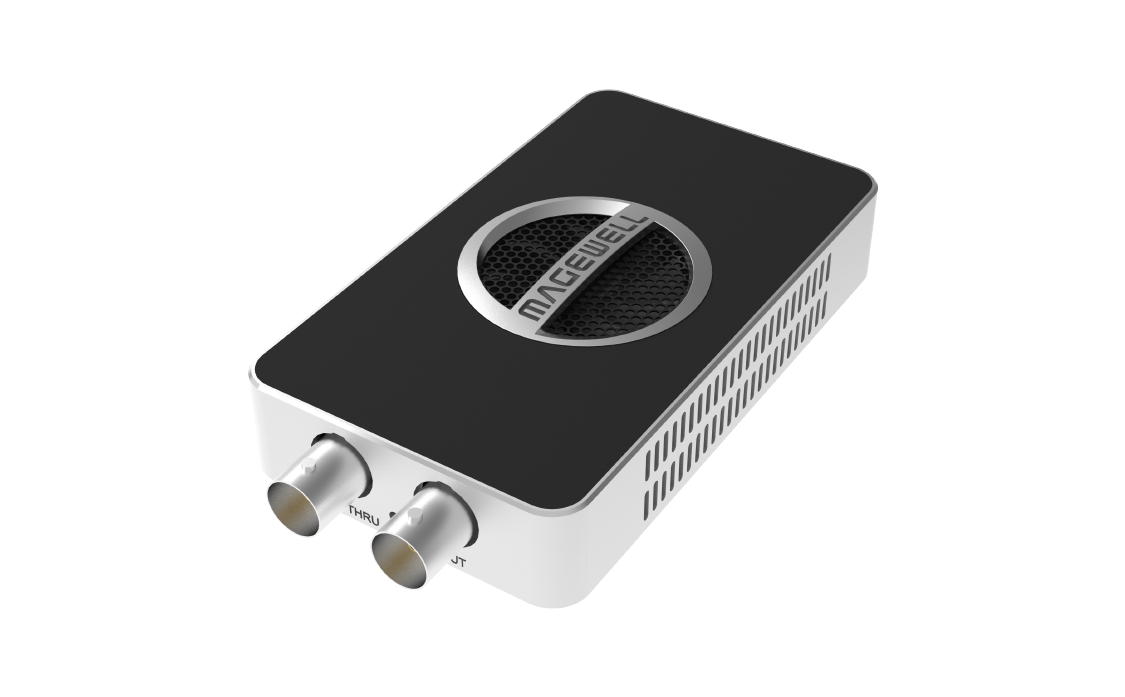
Explore this need in the finder →The USB Capture SDI 4K Pro is Magewell's external, single-channel SDI member of the 20 Gbps USB 3.2 Gen 2x2 Pro line. The exact product page identifies part 32160 and SKU 321600000. Its BNC input and SDI loop-through are intended for a broadcast-style signal path, not an HDMI source. This assessment is based on the manufacturer pages and mode tables; it is not a hands-on test.
12G-SDI input is not the same as 4K60 in every setup
Magewell specifies a 12G-SDI input and loop-through capable of up to 4096×2160 at 60 fps, 10-bit 4:2:2. The product page describes one-channel 4Kp60 capture, and its detailed table also includes lower-raster high-refresh choices. Those are distinct capabilities: a production switcher can continue through the BNC loop while the computer receives a capture stream, but the maximum input, capture and loop-through rows should not be combined into an undocumented HDR or exact display/recording pairing. The assessment therefore treats the input/loop maximum and capture modes as separate pieces of evidence.
For Windows and Linux, Magewell publishes capture tables divided by USB throughput and pixel format. At the maximum 20 Gbps Gen 2x2 link, the table reaches 4K60 in selected formats and includes high-rate lower-resolution entries such as 1440p240 and 1080p240. The lower-bandwidth columns step down; the 5 Gbps table, for example, does not establish the same 4K60 and 240-fps combination. Check the exact mode row and color format for the source timing. These are alternatives a user selects, not streams recorded simultaneously.
Confirm the computer link and operating system
This is a USB device rather than an internal PCIe card. The product page lists Windows, Linux, Mac and Chrome OS and includes OBS among the compatible applications. The model-specific tables matter more than the broad OS list. Windows/Linux documentation is split by 20, 10 and 5 Gbps USB links; the Mac table tops out at 10 Gbps and has its own supported formats. A Mac cannot use the device's 20 Gbps USB 3.2 Gen 2x2 mode. Use the actual data rate of the host port and cable, not the connector shape or a Thunderbolt label alone. Magewell lists two USB cables with the unit, rated for the faster USB-C host link and a 10 Gbps alternative; verify the offered package rather than assuming an adapter or hub preserves bandwidth.
The manufacturer lists OBS as compatible, but that is not evidence that every capture format is exposed in every app and operating system. Select the supported format in the current driver/utility, then confirm that the target production software accepts it. No HDR recording mode is assigned here: the reviewed SDI Pro product and technical sources do not state an HDR capture workflow. Likewise, do not infer HDR display passthrough from the 10-bit 4:2:2 SDI input specification.
Plan the SDI side of the chain
The BNC connectors make this model materially different from USB Capture SDI 4K Plus (part 32100), which is a 6G-SDI model with a lower 4K30 input/capture ceiling, and USB Capture SDI Plus (part 32050), which is a different non-4K product. Before choosing a Pro, check the source output's SDI standard and timing, the signal routing destination, and whether the required BNC cabling is already available. The loop-through is SDI, not an HDMI monitor output; conversion belongs elsewhere in the signal chain.
The specification's 10-bit input detail can matter to a camera or switcher workflow, but it does not promise a particular recording codec, bit depth in OBS, audio delay or color-management result. Embedded SDI audio is available, and the technical materials list analog audio connections. Confirm how the chosen application selects and synchronizes the video and audio devices rather than assuming the card replaces a production mixer.
Who should shortlist it
Compare the SDI 4K Pro when the existing source is 12G-SDI, the desired computer capture mode is documented in the relevant OS/USB table, and an external USB installation is preferable to a PCIe card. It is not the answer for HDMI without a separately validated converter, and it is not a 4K120/144 capture device. Its 4K60 capability depends on the exact mode and high-bandwidth host path; if the computer only offers 5 Gbps, do not treat the 20 Gbps headline as available. Check part 32160 / SKU 321600000, current driver applicability, package, seller warranty and return terms. Neither a current product page nor a firmware listing guarantees a particular offer's condition or availability. This review makes no price, stock, rating or testing claim.
Key specifications
Key details at a glance
| Signal input | sdi |
|---|---|
| Confirmed capture formats | One-channel 4Kp60 capture is identified by the manufacturer. Windows/Linux and macOS tables list OS- and throughput-specific alternatives; selected 20 Gbps modes include 4K60 and lower-raster high-frame-rate capture. Check the exact pixel-format row. |
| Confirmed passthrough formats | SDI loop-through up to 4096x2160p60, 10-bit 4:2:2. No HDMI output and no unverified simultaneous capture/loop-through combination is asserted. |
| Computer connection | External USB 3.x host link; check this model's stated generation and port rate |
| Named compatible software | OBS Studio / USB Capture Utility / Capture Express / VLC / XSplit / Zoom Rooms / Microsoft Teams / GStreamer / QuickTime Player / software using DirectShow, V4L2 or AVFoundation |
| HDR recording | Hdr capture is not established by the reviewed sdi 4k pro product or technical sources. |
| Analog audio input | The sdi signal carries embedded audio; the technical specifications also list analog audio connections. the reviewed material does not establish a particular application's audio synchronization or mixing behavior. |
| Cables listed in the box | Manufacturer page lists a USB-C to USB-C cable rated for up to 20 Gbps and a USB-C to USB-A cable rated for up to 10 Gbps. |
Use the exact model’s instructions for operating limits, supplied equipment and version differences.
Sources for this review
Sources for this assessment
- Magewell USB Capture family comparison, ten named entries
- USB Capture SDI 4K Pro product page: exact model, part and interfaces
- USB Capture SDI 4K Pro technical specifications
- USB Capture SDI 4K Pro Windows/Linux capture modes by USB throughput
- USB Capture SDI 4K Pro macOS capture modes by USB throughput
- B&H US model listing identifies Magewell MFR 321600000
- Exact USB Capture SDI 4K Pro manufacturer image

Check your complete signal path
Choose the source format, desired captured signal, passthrough target, computer connection and software together. A single device must support that whole arrangement.