
Your needs, this model
Does it fit your priorities?
Can the USB Capture HDMI Plus record a 4K60 file?
No 4K60 recording mode is documented. Magewell calls this a one-channel 2K capture device and specifies 4Kp60 4:2:0 input with automatic downscaling to 2K for recording or streaming. Its detailed output table lists 1080p up to 60 fps and selected 720p up to 120 fps. The display can receive the higher loop-through signal while capture is a separate, lower mode.
Explore this need in the finder →How is HDMI Plus different from HDMI 4K Plus?
The official pages identify separate products and part numbers: HDMI Plus is 32040 / SKU 320400000 with HDMI 1.4 and 2K capture, while HDMI 4K Plus is 32090 / SKU 320900000 with HDMI 2.0 and capture up to 4K30. Both list an HDMI loop-through path, but neither product page establishes 4K60 recording. Check the exact SKU and input/capture table instead of relying on the similar names.
Explore this need in the finder →What audio connections and cables are listed for HDMI Plus?
Magewell lists HDMI embedded audio, a 3.5 mm microphone input, and a 3.5 mm headphone output that can monitor source or host audio. The technical specification names one 63 cm USB 3.0 cable. Check the actual package and any required HDMI leads or optional repeater separately; the Mini Repeater is not listed as included.
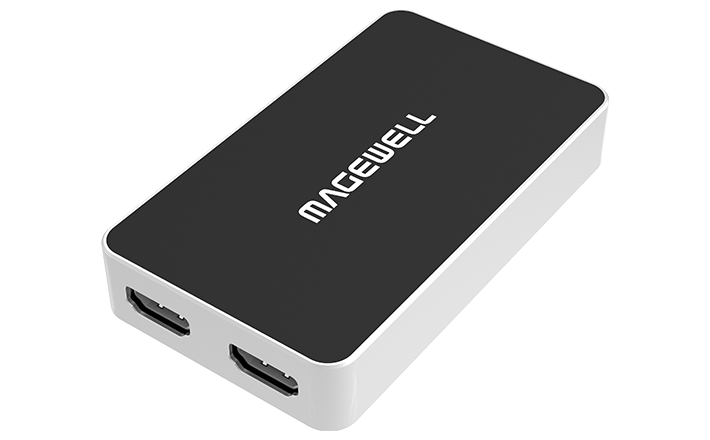
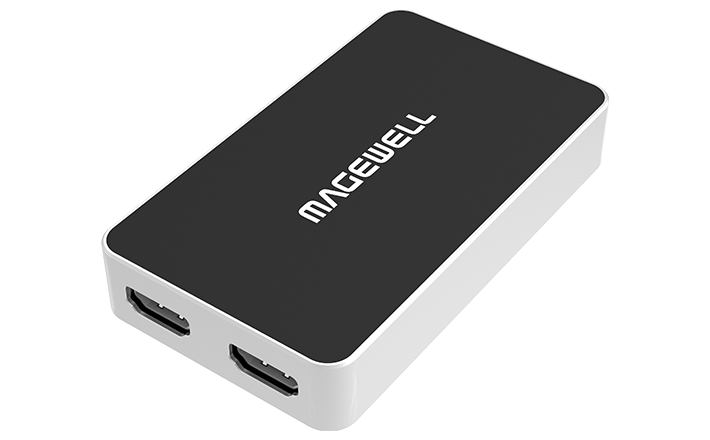
Explore this need in the finder →The Magewell USB Capture HDMI Plus is an external, single-channel HDMI capture device, part 32040 and SKU 320400000. Its most useful distinction is not a 4K recording claim: it accepts a high-resolution HDMI source and can send a loop-through signal to a display while scaling the stream sent to the computer. The manufacturer calls it a 2K capture device. This is a source-based assessment of the published model data, not a hands-on test or a claim about a particular seller.
What its “4K” label means
Magewell lists an HDMI 1.4 input and a separate HDMI loop-through. The technical specification supports input and loop-through up to 4096×2160 at 30 fps in 4:4:4 or 4:2:2, or up to 4096×2160 at 60 fps in 4:2:0. The product page describes using a 4Kp60 4:2:0 source and automatically downscaling it to 2K for recording or streaming. That is a sensible arrangement when the display must retain a 4K signal but the computer only needs a lower stream. It is not a 4K60 recording path.
The table makes the recording distinction clearer. It lists capture up to 2048×2160, with 1080p modes through 60 fps and 720p modes through 120 fps; the capture rate depends on USB bandwidth and the device’s internal operating frequency. Do not convert the broad “up to 120 fps” statement into 1080p120. The published high-rate example is 720p120. The device does not document HDR capture, and the manufacturer does not present it as a high-refresh 4K record card.
Compare it to HDMI 4K Plus by exact part
Names in this family are close. USB Capture HDMI Plus (32040, SKU 320400000) is distinct from USB Capture HDMI 4K Plus (32090, SKU 320900000). The HDMI Plus uses the HDMI 1.4 interface generation and is described as 2K capture; the HDMI 4K Plus uses HDMI 2.0 and documents 4K30 capture. Both have an HDMI loop-through, USB 3.0 host connection and 3.5 mm audio ports, but their supported source formats and capture ceilings differ. If a listing says only “Magewell HDMI Plus” or omits the part number, ask for a clear label photo or manufacturer documentation before assuming which device it is.
Host, audio and package checks
The manufacturer lists USB 3.0, with compatibility for USB 2.0 and USB 3.1 Gen 1. That compatibility does not guarantee the same mode on a slower port. Windows, Linux, Mac and Chrome OS are listed, as are OBS Studio, USB Capture Utility, Capture Express and common video applications. The material reviewed here does not supply a complete mode table by operating system or app, so a Windows 1080p60 OBS arrangement is more defensible than carrying a Windows maximum into an unlisted host setup. For Mac, confirm the current OS, app and supported capture mode rather than taking the product-family compatibility line as proof of an identical workflow.
HDMI embedded audio enters with the video. The front-panel connections include a 3.5 mm microphone input and headphone output, which can monitor source or host audio. This is useful if a separate analog microphone or headset-monitor path is needed, but it adds audio-device selections to the software setup. The unit is about 98.1 × 56.8 × 17 mm and its technical specification lists maximum consumption around 4.5 W. Those figures describe the device, not required desk or cable clearance.
Magewell lists one 63 cm USB 3.0 cable with the capture box. The Mini Repeater 4K HDMI appears as optional, not as a standard included accessory; HDMI source and display leads are not listed as in-box cables. Check the seller’s exact package, revision, return terms and authorized sales route. The July 2026 firmware listing names HDMI Plus Rev C, but an update notice is not a statement about stock or warranty on an older used unit.
Who should compare it
This model is worth comparing when an HDMI input, 4K60 4:2:0 loop-through and lower-resolution USB capture solve the actual signal path. It is not the right match if the need is 4K60 recording, 4K HDR capture or 1080p120. A production user should also compare the SDI Plus: that separate SKU accepts SDI and uses line-level audio ports, rather than HDMI. For any exact listing, verify part 32040, the USB 3.0 cable, cable and optional accessories, computer/app compatibility and regional warranty. The official compatibility entries do not substitute for testing the source and display chain you intend to use.
Key specifications
Key details at a glance
| Signal input | hdmi_1_4_unencrypted |
|---|---|
| HDMI generation | 1.4 |
| Confirmed capture formats | Up to 2048×2160 raster and up to 120 fps in selected modes; the detailed mode table lists 1080p up to 60 fps and 720p up to 120 fps. 4K60 is an input/loop-through figure, not a capture format. |
| Confirmed passthrough formats | HDMI input and loop-through support up to 4096×2160 at 60 fps in 4:2:0; the product page specifically describes downscaling that 4K input to a 2K recording/streaming output. |
| Computer connection | External USB 3.x host link; check this model's stated generation and port rate |
| Named compatible software | OBS Studio / USB Capture Utility / Capture Express / VLC / XSplit / Zoom Rooms / Microsoft Teams |
| HDR recording | Hdr capture is not established in the reviewed product and technical specifications. |
| Analog audio input | Hdmi embedded audio and a 3.5 mm microphone input; the headphone jack can monitor source or host audio. |
| Cables listed in the box | One USB 3.0 cable, 63 cm, listed in the technical specification. |
Use the exact model’s instructions for operating limits, supplied equipment and version differences.
Sources for this review
Sources for this assessment
Check your complete signal path
Choose the source format, desired captured signal, passthrough target, computer connection and software together. A single device must support that whole arrangement.