
Your needs, this model
Does it fit your priorities?
Is USB Capture HDMI Gen 2 the same as HDMI 4K Plus?
No. HDMI Gen 2 is part 32060 / SKU 320600000, uses an HDMI 1.4a input and its detailed capture table lists 1080p60 and selected 720p120 modes. HDMI 4K Plus is part 32090 / SKU 320900000, has an HDMI 2.0 input/loop-through and a separate capture table that reaches 4K30. Check the exact SKU and review rather than matching the word 'HDMI'.
Explore this need in the finder →Does the product's 120 fps maximum mean 1080p120 capture?
The detailed output list shows 1080p through 60 fps and selected 720p modes through 120 fps. The product page's broad maximum is not a guarantee of 120 fps at every raster. The reviewed mode table does not document 1080p120 for this model.
Explore this need in the finder →Can the Gen 2 device send HDMI onward to my display?
The product page lists one HDMI input and a USB 3.0 host connection; it does not list a second HDMI video output. Magewell shows the Mini Repeater 4K HDMI as optional equipment, but that does not establish a built-in display passthrough path. Choose a device with a documented loop-through if keeping a direct monitor connection is essential.
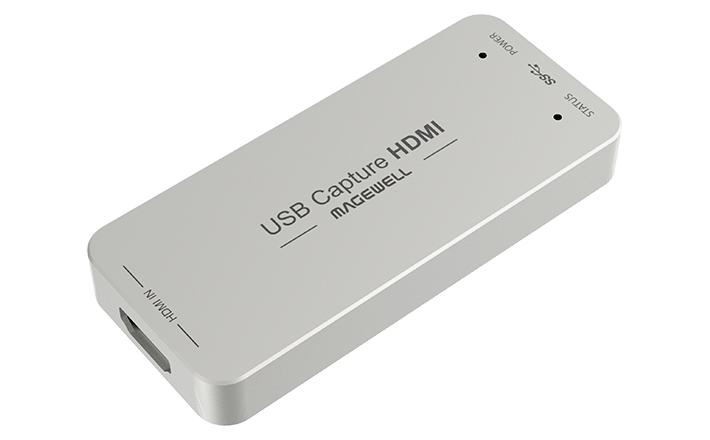
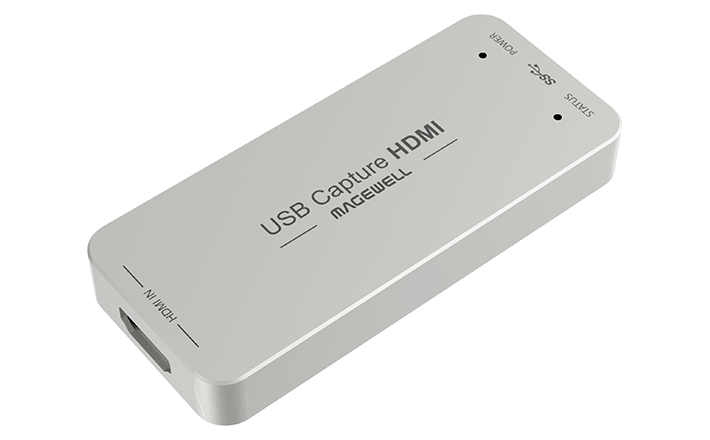
Explore this need in the finder →The Magewell USB Capture HDMI Gen 2 is a single-channel HDMI-to-USB capture device, part 32060 and SKU 320600000. It is easy to confuse with the HDMI Plus, HDMI 4K Plus and HDMI 4K Pro because all four names begin similarly, but they are separate model rows with different parts and signal paths. The Gen 2 page lists HDMI input with embedded audio, a USB 3.0 computer connection and a compact dongle body. This review is based on manufacturer documentation rather than testing or ownership.
Use the detailed table, not the family maximum
The technical specification identifies HDMI 1.4a and a maximum input signal of 2048×1080 at 60 fps. Its detailed capture-output table lists 1080p through 60 fps, selected 720p modes through 120 fps and standard-definition formats. The product page also presents a broader frame-rate ceiling, but that maximum does not apply to every raster. In particular, the reviewed table does not establish 1080p120 capture. A lower 720p mode and a full 1080p mode are not interchangeable just because both can appear in a maximum frame-rate summary.
The output is the captured stream sent to software; it is not a monitor feed. Magewell’s product page describes one HDMI input and USB capture output, with no separate video loop-through connector. The optional Mini Repeater 4K HDMI is listed as an accessory, not as a built-in output or included display cable. If your console or computer must stay connected to a display through the capture device, select a model whose exact product page shows that pass-through path. The HDMI Gen 2 should not be treated as a 4K recorder or a display splitter.
Check the actual HDMI signal and host link
The device captures one unencrypted HDMI source with embedded audio. The technical sheet names an HDMI 1.4a receiver, supported input color formats and a custom EDID control. Those features help describe the input boundary, but they do not guarantee that every source negotiates the timing a particular stream or video-call app expects. Confirm the source’s resolution, refresh rate, audio setting and copy-protection status before choosing the capture unit.
Magewell specifies a USB 3.0 output that is compatible with USB 2.0 and USB 3.1 Gen 1. Its table warns that the actual frame rate can depend on USB bandwidth and internal working frequency. A USB-C adapter, hub or dock may alter the data route; a connector that physically fits is not proof of the bandwidth needed for a chosen mode. The documented Windows/USB 3.0/OBS 1080p60 arrangement is a conservative comparison case. For a mode near the upper limit, check the host port, app format and exact table rather than extrapolating from the connector label.
Compatibility has operating-system limits
The manufacturer lists Windows, Linux, Mac and Chrome OS, and names OBS Studio, VLC, XSplit, Capture Express and the Magewell capture utility among compatible applications. The technical page also lists Windows DirectShow/audio APIs, Linux V4L2/ALSA and macOS capture APIs. These listings support platform compatibility, but they do not make every capture mode available in every application or prove a Mac-specific resolution and frame-rate ceiling. The mode plan used in this assessment is Windows/USB 3.0/OBS. For Mac, check the current application, OS version and source timing; this review does not transfer the Windows mode table as a guaranteed Mac result.
HDMI embedded audio is a practical part of a call or stream setup. Magewell documents capture of up to two-channel HDMI audio, but the application still needs the correct audio endpoint and sync setting. If an external microphone or mixer is part of the workflow, decide whether it should be recorded as a separate software source rather than assume that the embedded feed will be combined automatically.
Package, revision and physical setup
The product page lists the capture unit and a 63 cm USB 3.0 cable. It shows the Mini Repeater 4K HDMI as optional. A short included USB lead may be convenient on a desk, but the needed port position and cable route depend on the computer and source placement. The published unit dimensions are 92.2 × 40.2 × 12.3 mm, with maximum power consumption around 2.5 W; those are specifications, not physical measurements from this review.
The current download center names HDMI Gen 2 Rev D in its firmware applicability list. This tells you that the manufacturer has a revision-specific firmware reference; it does not tell you the hardware revision in a used listing. Confirm the part number and revision label, cable condition, exact package, seller return terms and current firmware instructions. No price, stock, rating, independent test result or customer experience is asserted here.
Who should compare it
Compare this Gen 2 model when a single HDMI source must reach Windows/OBS over USB and a documented 1080p60 capture mode is sufficient, or when selected 720p120 capture is the relevant target. It is not the choice for an essential 1080p120 file, 4K capture, HDR recording or a built-in display passthrough connection. For 4K input/output paths, compare exact HDMI 4K-family parts separately; similar model names do not mean the same recording ceiling. The value of this device depends on a specific source-to-host chain, not on a generic “120 fps” badge.
Key specifications
Key details at a glance
| Signal input | hdmi_1_4_unencrypted |
|---|---|
| HDMI generation | 1.4a |
| Confirmed capture formats | The detailed table lists 1080p23.98 through 1080p60, 720p23.98 through 720p120, 720x576p25 and 720x480p30. The product's broad input-resolution ceiling is not a 4K recording claim. |
| Confirmed passthrough formats | |
| Computer connection | External USB 3.x host link; check this model's stated generation and port rate |
| Named compatible software | OBS Studio / USB Capture Utility / Capture Express / VLC / XSplit / GStreamer / Zoom Rooms / Microsoft Teams |
| HDR recording | Hdr file capture is not documented in the reviewed model-specific sources. |
| Analog audio input | Hdmi embedded audio; technical specifications list up to two-channel iec 60958 audio capture. |
| Cables listed in the box | USB 3.0 cable, 63 cm |
Use the exact model’s instructions for operating limits, supplied equipment and version differences.
Sources for this review
Sources for this assessment
Check your complete signal path
Choose the source format, desired captured signal, passthrough target, computer connection and software together. A single device must support that whole arrangement.