
Your needs, this model
Does it fit your priorities?
What USB connection is needed for the highest HDMI 4K Pro capture modes?
Magewell names USB 3.2 Gen 2x2 at up to 20 Gbps as the maximum-performance host link and supplies a USB-C to USB-C cable rated for it. A second USB-C to USB-A cable is rated up to 10 Gbps; the Mac table offers 10 or 5 Gbps paths, not 20 Gbps. Check the computer port's actual data rate and the exact mode table, not just the connector shape.
Explore this need in the finder →Does HDMI 4K Pro record 4K60?
The manufacturer calls it a one-channel 4Kp60 capture device and its supported-format table includes 4K60. Highest-fidelity capture is tied to the 20 Gbps USB 3.2 Gen 2x2 path; the lower USB columns and Mac table have different format ceilings. This assessment does not infer 4K120/144 recording from the device's lower-resolution high-frame-rate modes.
Explore this need in the finder →Can I record HDMI HDR in OBS with this card?
Do not assume so. Magewell's short FAQ says 10-bit HDR capture requires software that directly implements the feature through Magewell's SDK; it explicitly excludes standard UVC compatibility. OBS is listed among compatible capture applications, but the reviewed sources do not establish an OBS HDR/SDK workflow. Confirm a named SDK-capable application, OS, input format and USB tier before treating HDR as a requirement.
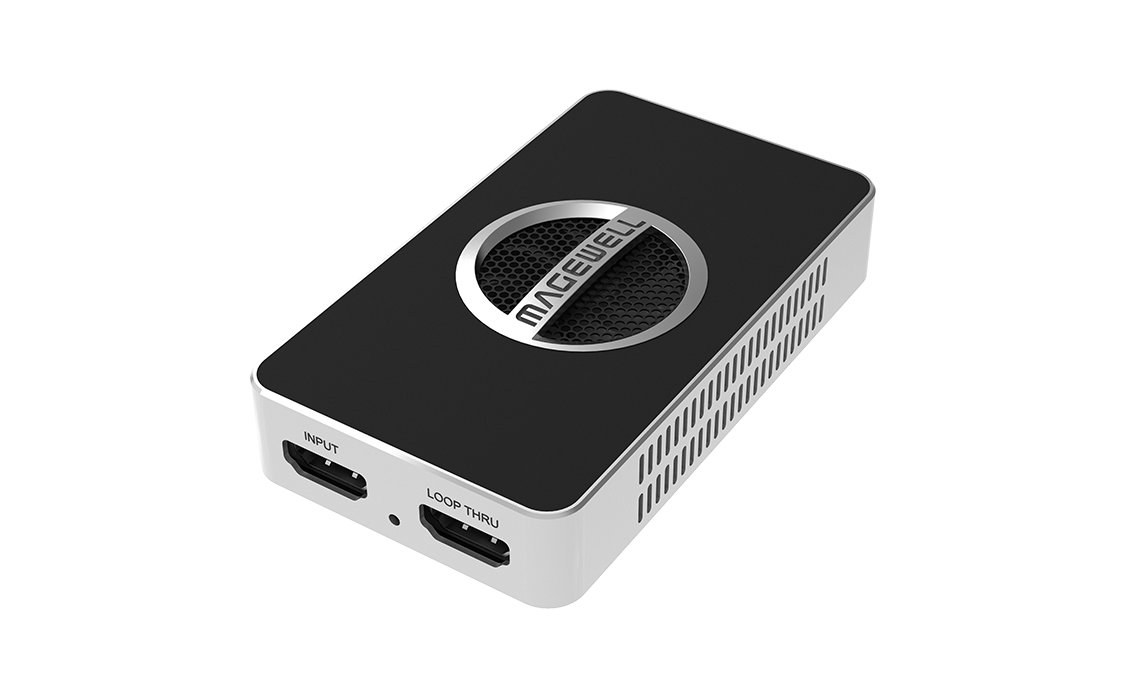
Explore this need in the finder →The USB Capture HDMI 4K Pro is an external, single-channel HDMI capture device with a 20 Gbps USB 3.2 Gen 2x2 host connection and HDMI loop-through. It is a different tier from Magewell's USB Capture HDMI 4K Plus: the Pro is built around a one-channel 4Kp60 capture path, while the Plus's 4K figure belongs to a lower-rate capture mode. This is a source-based assessment of the model documents, not a hands-on test.
Choose the capture stream separately from the display path
Magewell lists HDMI 2.0 input and loop-through through 4096×2160 at 60 fps, with 4:4:4 support on that path. Its product page calls the Pro a 4Kp60 capture device as well. The distinction is useful but easy to overread: a 4K60 source or loop-through figure does not establish every possible simultaneous capture-and-display pairing. This assessment treats 4K60 capture and 4K60 loop-through as separately documented functions; it does not promise that every color format, display feature or HDR mode can be combined with either one.
The official capture-mode tables vary by operating system and host USB throughput. Magewell's Windows/Linux table includes 4K60 in selected formats at 10 or 20 Gbps, and shows lower-resolution high-frame-rate choices such as 1440p240 and 1080p240 in the 20 Gbps column. At 5 Gbps the documented range is narrower; for example, 1080p120 is present in the cited NV12 row, while 1080p240 and 4K60 are not. Treat those as separate selectable formats and inspect the exact pixel format in the source table rather than assuming one maximum applies to every mode.
USB speed is a real requirement
The maximum-performance link is USB 3.2 Gen 2x2 Type-C at up to 20 Gbps. The shape of a USB-C socket or a computer's Thunderbolt branding does not prove the host is providing that USB mode. Magewell's tables also describe 10 Gbps and 5 Gbps paths, but the available capture choices change. On Mac, the reviewed table tops out at 10 Gbps; it includes 4K60 in NV12, 1440p150 in NV12 and 1080p240 in NV12 at that tier. Its 5 Gbps column is more limited, including 1080p120 in NV12 but not 4K60. Check the actual computer, cable, adapter or hub path and the app's available format before treating a nominally compatible port as sufficient.
The product page lists both an approximately 80 cm USB-C to USB-C cable rated up to 20 Gbps and an approximately 80 cm USB-C to USB-A cable rated up to 10 Gbps. The included cable does not upgrade a slower host port. The exact model page lists Windows, Linux, macOS and Chrome OS support and names OBS among compatible applications, but OS listing alone is not a guarantee that every pixel format is exposed by every app.
HDR needs a separate software path
Magewell's short FAQ is explicit that 10-bit HDR capture requires a capture application that directly implements the feature through Magewell's SDK. Standard UVC compatibility is not an HDR capture route. OBS is among the general compatible applications, but the reviewed pages do not establish that an ordinary OBS/UVC workflow records HDR on this product. The card also has an HDMI loop-through, but the cited sources do not establish HDR passthrough as a supported claim. If HDR is essential, confirm the named SDK-enabled software, operating system, input mode and USB bandwidth first; otherwise treat the Pro as an SDR/UVC capture candidate.
Connections, audio and offer checks
The case has one HDMI input and one HDMI loop-through. Audio can arrive embedded over HDMI; the specification also describes a 3.5 mm microphone input and headphone output. Those connections are useful in a compact setup, but they do not establish a particular audio-mixer route, latency or synchronization result. The listed package includes the unit, two USB cables and an HDMI cable. Confirm the actual listing contents and return policy, especially for used or open-box offers. Magewell's current model page and firmware record establish a maintained technical reference, not a particular seller's stock, warranty or physical hardware revision.
Who should shortlist it
Consider the Pro if the source is unencrypted HDMI, the host has the necessary USB data rate, and a 4Kp60 capture or documented high-refresh lower-resolution mode is important. It is a poor match for 4K120/144 capture: the model's source input and product-page maximum are 4K60, not those higher rates. It is also not a simple HDR-over-OBS promise. Compared with HDMI 4K Plus (part 32090), the Pro's USB bandwidth and 4K capture ceiling are higher; compared with HDMI Plus (part 32040), it is a separate HDMI generation and model family. Confirm the exact printed model and SKU 321500000, the selected USB path and desired pixel format before ordering. No price, customer rating, independent benchmark or hands-on experience is implied.
Key specifications
Key details at a glance
| Signal input | hdmi_2_0_unencrypted |
|---|---|
| HDMI generation | HDMI 2.0 |
| Confirmed capture formats | Model page calls this a one-channel 4Kp60 capture device; technical table includes 4096x2160/3840x2160 through 60 fps. Exact high-rate formats depend on OS, USB throughput and pixel format; Windows/Linux 20 Gbps tables include 1440p240 and 1080p240, while 10 Gbps and 5 Gbps tables have lower ceilings. |
| Confirmed passthrough formats | HDMI input/loop-through up to 4096x2160p60, 4:4:4. No 1440p144, 4K120/144/240, 8K60, HDR-passthrough or VRR claim is assigned from the reviewed sources. |
| Computer connection | External USB 3.x host link; check this model's stated generation and port rate |
| Named compatible software | OBS Studio / USB Capture Utility / Capture Express / VLC / XSplit / Zoom Rooms / Microsoft Teams / GStreamer / QuickTime Player / software using DirectShow, V4L2 or AVFoundation / MWCapture SDK (HDR capture only when the selected capture software directly implements the SDK feature) |
| HDR recording | Magewell says 10-bit hdr sources can be captured only by software that directly supports the feature through its sdk; standard uvc compatibility does not provide hdr capture. no ordinary obs/uvc hdr plan is claimed. |
| Analog audio input | Up to eight channels of hdmi-embedded audio; a 3.5 mm microphone jack accepts a two-channel iec60958 stream, and a 3.5 mm headphone jack can output captured/host audio. |
| Cables listed in the box | One approximately 80 cm USB-C to USB-C cable rated for up to 20 Gbps / One approximately 80 cm USB-C to USB-A cable rated for up to 10 Gbps / One HDMI cable; length not stated in the reviewed source |
Use the exact model’s instructions for operating limits, supplied equipment and version differences.
Sources for this review
Sources for this assessment
- Magewell USB Capture family comparison, ten named entries
- USB Capture HDMI 4K Pro product page: exact model, SKU and interfaces
- USB Capture HDMI 4K Pro technical specifications
- USB Capture HDMI 4K Pro Windows/Linux capture-mode table by USB throughput
- USB Capture HDMI 4K Pro macOS capture-mode table by USB throughput
- Short FAQs about USB Capture HDMI 4K Pro: SDK-only HDR capture and cables
- Magewell USB Capture download center and current firmware applicability
- USB Capture Plus & Pro user manual
- B&H US listing for USB Capture HDMI 4K Pro, MFR 321500000
- Exact USB Capture HDMI 4K Pro manufacturer image

Check your complete signal path
Choose the source format, desired captured signal, passthrough target, computer connection and software together. A single device must support that whole arrangement.