
Your needs, this model
Does it fit your priorities?
Does AIO 4K Plus handle both HDMI and SDI at 4K60?
No. Magewell documents 2160p60 capture over HDMI 2.0 but 2160p30 through 6Gbps SDI. Both connectors feed one channel. If the source is SDI at 4K60, the Plus is not a supported match; do not apply the HDMI number to its SDI port.
Explore this need in the finder →What is needed for HDR capture at 4K60?
The Plus lists HDR10, and Magewell documents an HDR-capable EDID plus Capture Express/SDK route. The reviewed sources establish 4K60 HDMI capture and HDR10 support separately, but do not confirm simultaneous 4K60 HDR recording. OBS is listed as compatible, but OBS HDR capture is not established either. Verify the exact input mode, revision, EDID, app, encoder and output file with Magewell before treating this as a fit.
Explore this need in the finder →Does the card pass the live source to a monitor?
No built-in HDMI or SDI loop-through is listed for AIO 4K Plus. It has one selected capture input. Plan a separate splitter/output route when a display must continue receiving the live signal.
Explore this need in the finder →Scope: this assessment is for Magewell Pro Capture AIO 4K Plus, part 11140 / SKU 111400000, not the original AIO 4K (11170). The “Plus” changes the HDMI generation, capture ceiling and HDR support. I reviewed Magewell’s exact product and specification pages, its AIO brochure and model-specific news material; a U.S. authorized dealer page was used only as an identity bridge. No card was installed or tested, and that identity evidence does not establish a live offer, revision, condition or current stock.
Two connectors, one active channel
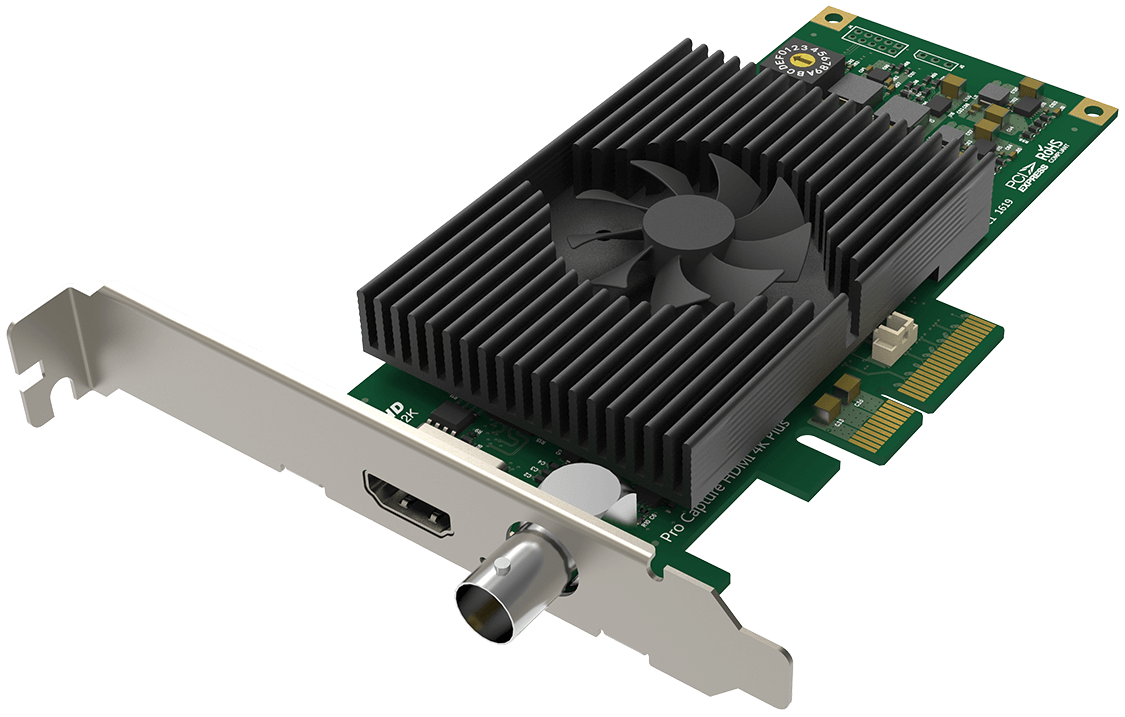
The card has a single capture channel with an HDMI input and an SD/HD/3G/6G-SDI input. Treat these as alternative ways to feed the channel, not as two simultaneous recordings. The card uses PCIe Gen2 x4 and is available with a low-profile bracket, making it a desktop or appropriate PCIe expansion-host component rather than a USB accessory. It has no listed HDMI or SDI loop-through. A monitor that must continue receiving the live source needs a separate split or output in the signal chain.
Its most useful model-specific capability is HDMI 2.0 capture up to 4096 × 2160 at 60fps. The same headline rate does not carry over to the SDI connector: Magewell’s own comparison material describes 2160p60 over HDMI 2.0 and 2160p30 via 6Gbps SDI. For a 4K60 SDI source, this is not a match. That distinction is especially important because both connectors sit on the same product and the generic technical sheet discusses both together. Build the plan around the exact source interface and rate instead of reading “4K60” as a universal card-wide input guarantee.
Windows, PCIe and application choices
Magewell lists Windows, Linux and Mac compatibility and includes OBS among supported software. The concrete conservative plan is a Windows workstation with a compatible electrical PCIe Gen2 x4 link, one unencrypted HDMI 2.0 source, 4K60 SDR capture and OBS. Magewell’s pages do not provide an app-by-app, operating-system-by-operating-system matrix for every capture mode; Mac or Linux buyers should verify the driver, application, signal format and intended rate as a complete chain rather than extrapolating the Windows plan. OBS compatibility alone is not a performance benchmark.
There is also a lower-bandwidth 1080p60 plan for HDMI or SDI. The technical specification gives a generic maximum frame-rate statement with resolution and PCIe qualifications, but it does not mean the highest rate applies to 4K. A stable mode depends on the card, source timing, host, driver, application, color format and recording pipeline. Confirm the actual source output and destination codec before selecting a capture mode; the model page does not remove those system constraints.
HDR is a separate capture path, not an OBS checkbox
The Plus product page identifies HDR10 input support, but HDR capture requires more than a label on the board. Magewell’s Capture Express documentation explains that an HDR-capable EDID must be imported for an HDR source; without the required EDID, the source may deliver SDR. Magewell’s HDR capture guidance and SDK release notes identify HDR-capable paths through Capture Express or the Capture SDK, including capture/record support in the SDK sample. I therefore keep HDR separate from the ordinary OBS plan: the reviewed sources do not establish OBS HDR capture for this card. HDR10 metadata also does not guarantee that a particular encoder, editor, monitor or resulting file will preserve the expected image. Confirm the EDID, source mode, software path, encoder and playback chain together.
One important limit is less obvious than the HDMI-versus-SDI split: Magewell's materials establish 4K60 capture over HDMI 2.0 and HDR10 support, but the reviewed sources present those as separate capabilities and do not specify a simultaneous 4K60 HDR capture mode. Magewell's HDR guidance calls for HDR-capable EDID and its Capture Express or SDK path; that documents an HDR workflow, not the exact raster/rate combination. I therefore would not shortlist the AIO 4K Plus as a confirmed 4K60 HDR recorder without written confirmation for the offered revision, application, encoder and file path. The same caution applies before extrapolating to SDI or OBS.
Fit, tradeoffs and pre-purchase checks
Compared with the base AIO 4K, the Plus is the relevant choice when the HDMI source must be captured at 4K60 or an HDR10 workflow is needed. Compared with an HDMI-only 4K card, it also adds an SDI input, while retaining one-channel selection and no output. It does not act as a switcher, dual-channel recorder or display pass-through card. If monitoring the source is part of the plan, budget a separate distribution path.
Before buying, check that the listed item is exactly part 11140 / SKU 111400000, that the offered board fits the intended PCIe slot and case profile, and that the package includes the appropriate bracket. Match source interface to rate: HDMI 2.0 for the documented 4K60 route; SDI at 4K30 for the documented 6G route. For HDR, check the source’s unencrypted output, the EDID file, the card/driver revision, and whether the chosen app and encoder support the desired HDR recording format. Those checks are more consequential than treating “Plus” as a general promise of higher performance in every connection mode.
Key specifications
Key details at a glance
| Signal input | One HDMI 2.0 input and one SD/HD/3G/6G-SDI input feeding one capture channel; select one source. No video output is listed. |
|---|---|
| HDMI generation | HDMI 2.0 |
| Confirmed capture formats | Up to 4096x2160. Model-specific Magewell material documents 2160p60 over HDMI 2.0 and 2160p30 over 6G-SDI. Generic maximum-rate statements remain qualified by PCIe bandwidth and pixel clock and are not extended to every mode. |
| Confirmed passthrough formats | |
| Computer connection | Pcie gen2 x4 |
| Named compatible software | OBS Studio / Magewell Capture Express / Magewell Capture SDK / VLC / XSplit / vMix / Wirecast |
| HDR recording | Magewell documents an hdr10 capture express/sdk workflow that requires hdr-capable edid; the reviewed sources do not establish that hdr capture and the model's 4k60 hdmi mode operate together, nor do they establish obs hdr capture. |
| VRR passthrough | No |
| Analog audio input | Embedded hdmi or sdi audio; check application and operating-system audio configuration. |
| Cables listed in the box |
Use the exact model’s instructions for operating limits, supplied equipment and version differences.
Sources for this review
Sources for this assessment
- Magewell Pro Capture bounded family list
- Magewell Pro Capture AIO 4K Plus official product page, exact identity and inputs
- Magewell Pro Capture AIO 4K Plus technical specifications
- Magewell Pro Capture AIO 4K Plus technical datasheet
- Magewell AIO Capture Cards brochure
- Magewell news: AIO 4K Plus HDMI 4K60 vs 6G-SDI 4K30
- Magewell news: Pro Capture AIO 4K family 4K-rate distinction
- Coremicro U.S. authorized-dealer identity bridge for part 11140
- Magewell support note: HDCP-encrypted HDMI cannot be captured
- Magewell HDMI capture HDR guidance
- Magewell Capture Express user manual V3.5
- Magewell SDK release notes
- Exact Magewell Pro Capture AIO 4K Plus product-page image

Check your complete signal path
Choose the source format, desired captured signal, passthrough target, computer connection and software together. A single device must support that whole arrangement.