
Your needs, this model
Does it fit your priorities?
Is HD60 X still sold and supported?
Elgato's current US product page marks HD60 X discontinued and says it is no longer sold directly there, while also stating that Elgato Studio and firmware support continue. The support resolution article labels it Legacy/EOL and cautions that older guidance may not reflect newer software. That distinction matters: product support is not proof of present retailer stock, warranty eligibility or the condition of a specific used unit. Check the seller, return terms, exact SKU and the current app notes before relying on an older card.
Explore this need in the finder →Can HD60 X record 4K60 while passing 4K60 to a display?
No 4K60 recording capability is documented for HD60 X. Elgato's own comparison says the older model captured 4K at up to 30 fps, while its technical page lists 2160p30 capture and up to 2160p60 passthrough. Those are different paths. A 4K60 display target can be relevant even when the recording is lower, but do not assume that a specific source, HDR mode, app and capture format are paired unless the compatibility chart confirms them.
Explore this need in the finder →What should I check before choosing HD60 X for HDR or high refresh?
Its HDMI 2.0 output is specified for up to 4K60 HDR10 passthrough, 1440p120 and 1080p240, with VRR support. Windows HDR capture is listed only up to 1080p60. The legacy guidance identifies a Windows capture-utility/GPU requirement for HDR, while macOS does not support HDR recording. Check the active software and exact input/capture row; a passthrough ceiling is not a recording promise.
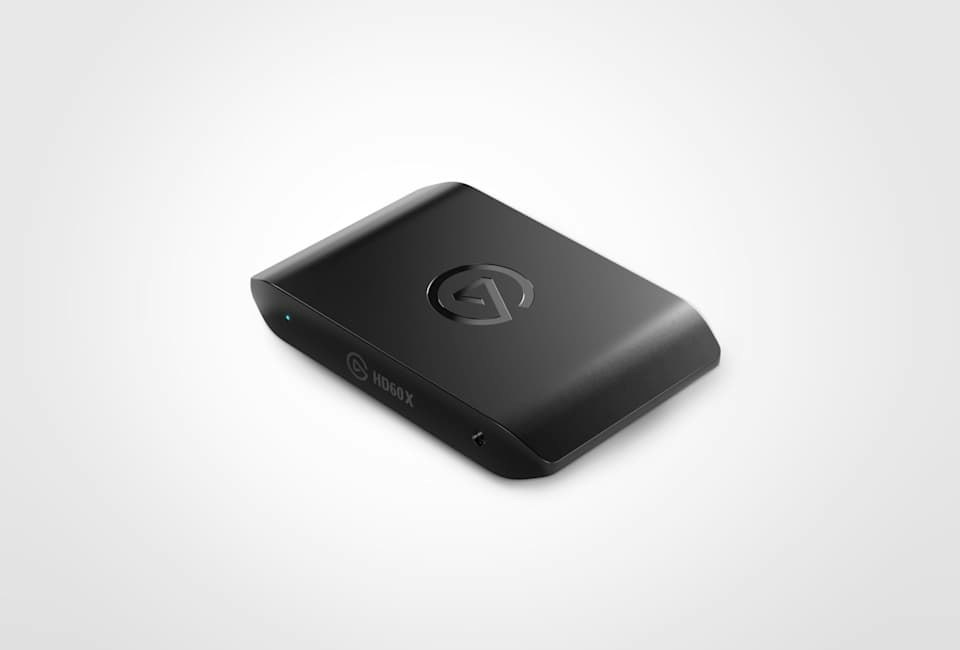
Explore this need in the finder →Elgato Game Capture HD60 X is an external HDMI 2.0 capture device for unencrypted sources. Its published ceilings combine high-refresh passthrough with more modest recording modes; they are not one interchangeable resolution list. Elgato now marks the product discontinued and its support article labels it Legacy/EOL, so this assessment is most useful when identifying an existing card or checking an exact older offer. It is based on manufacturer documentation, not hands-on testing.
Separate the image on the display from the captured file
HD60 X has HDMI input and passthrough output plus a USB-C 3.0 host link. Elgato's technical material lists passthrough up to 2160p60, 1440p120 and 1080p240, with HDR10 up to 4K60 and variable-refresh-rate support. That makes its output path more ambitious than its capture path. The hardware capture list includes 2160p30, 1440p60 and lower modes; Elgato's comparison with the newer 4K S also notes capture up to 1080p120, while the support matrix warns that software affects available formats. A 4K60 display signal is not a 4K60 recording. Elgato's technical specifications and its supported-resolution matrix are the right references for a planned input/capture pairing. The latter is explicitly legacy guidance, so confirm its version and the selected application before treating a cell as a current guarantee.
What “discontinued but supported” does and does not mean
The current US product page says Elgato has stopped selling HD60 X directly, while also saying the device remains supported in Elgato Studio with firmware updates. The support center separately labels the model Legacy/EOL and cautions that legacy guidance may not reflect current hardware or software. These statements can coexist: continuing support does not establish new retail stock, a seller's warranty, the condition of an individual unit or how long a particular application version will retain its mode. If you are evaluating a used or remaining-stock listing, verify the printed SKU, condition, cables, return policy and current compatibility notes. No retailer availability is claimed here.
Modes, HDR and software need exact checking
Elgato lists the card as an HDMI 2.0 device with a 5 Gbps USB 3.0 connection. The resolution page says available capture formats can vary by software. In the Windows matrix, HDR10 capture is available only on Windows and requires a compatible graphics card; the older technical article names Elgato 4K Capture Utility for HDR recording. The newer product page names Elgato Studio and OBS among supported software, but that broad compatibility statement is not proof that every legacy HDR mode works in every current app. Mac support is listed, but HDR recording is not supported there. Treat 4K60 HDR passthrough and up-to-1080p60 Windows HDR recording as separate capabilities.
Audio and connection details
The card includes a 3.5 mm TRS stereo line input in addition to HDMI audio. That is a useful distinction from simpler capture devices, but it is not a complete headset or party-chat solution by itself: determine how a console, headset, adapter and recording app will route game and voice audio. The listed package includes a 180 cm USB-C-to-USB-A cable and a 150 cm HDMI 2.0 cable. Elgato's system page calls for a USB 3.0 port and lists separate Windows, Mac and iPad requirements; a USB-C connector on the computer alone does not confirm its data rate. Connect directly to the host and check the exact operating-system and app requirements rather than assuming a hub or dock will behave the same way.
Where it sits beside Neo and 4K S
Game Capture Neo is the simpler Full HD option: Elgato lists 1080p60 capture, up to 4K60 HDR passthrough, and no VRR or analog line input. HD60 X adds higher capture-rate options in some modes, a 3.5 mm input and VRR passthrough, but it is the older HDMI 2.0 model and is no longer sold directly by Elgato. The newer 4K S raises the capture ceiling to 4K60 and 1440p144; it is the successor Elgato currently recommends on the HD60 X product page. For HDMI 2.1 high-refresh capture, 4K X and the internal PCIe 4K Pro are separate, higher-capability designs rather than versions of this card. These differences matter more than a product name that still sounds “next gen.”
Who should keep it on the shortlist?
HD60 X is worth investigating when you already own it, when a specific older offer has been independently checked, or when its documented passthrough and 1080p-class recording envelope fits a Windows or Mac USB setup. It is a poor choice when the recording itself must be 4K60, when a currently supported product lifecycle is essential, or when a Mac user requires HDR in the captured file. A source that uses protected HDMI is outside the stated input scope. Before relying on any high-refresh or HDR combination, match the source mode, display, capture row, software, operating system and host GPU together.
Evidence note: The product page, technical specification, system requirements and support matrix were checked on 2026-10-29. No capture, latency, image-quality, reliability or retailer-stock test was performed.
Key specifications
Key details at a glance
| Signal input | hdmi_2_0_unencrypted |
|---|---|
| HDMI generation | HDMI 2.0 |
| Confirmed capture formats | 4K30 SDR / 1440p60 SDR / 1080p120 SDR / 1080p60 SDR / 1080p60 HDR (Windows only) / 1080p30 / 1080i / 720p60 / 576p / 480p |
| Confirmed passthrough formats | 4K60 HDR10 / 1440p120 / 1080p240 / VRR |
| Computer connection | USB-C host link (USB 3.0 / 5 Gbps) |
| Named compatible software | Elgato Studio (current support page) / OBS Studio (Windows/macOS) / Elgato 4K Capture Utility 1.7.6+ (legacy Windows HDR path) |
| HDR recording | Up to 1080p60 hdr on windows; the legacy technical article names 4k capture utility, so verify the current app/mode pairing. |
| VRR passthrough | Yes |
| Analog audio input | 3.5 mm trs stereo line-in |
| Cables listed in the box | USB-C-to-USB-A USB 3.0 cable, 180 cm / HDMI 2.0 cable, 150 cm |
Use the exact model’s instructions for operating limits, supplied equipment and version differences.
Sources for this review
Sources for this assessment
Check your complete signal path
Choose the source format, desired captured signal, passthrough target, computer connection and software together. A single device must support that whole arrangement.