
Your needs, this model
Does it fit your priorities?
Can Game Capture Neo record 4K gameplay?
No. Elgato lists 1080p60 as Neo's maximum recording resolution and its current comparison table marks 4K capture unavailable. The 4K60 HDR number describes passthrough to a display: Elgato explicitly describes playing in 4K60 HDR while recording a 1080p60 file. Choose a different card if the captured file itself must be 4K, HDR, or higher frame rate than 1080p60.
Explore this need in the finder →What does Game Capture Neo pass through while recording?
Elgato documents up to 4K60 HDR passthrough and describes that display path alongside 1080p60 capture. The product uses HDMI 2.0 and USB 3.0, so do not read the 4K60 display figure as a 4K recording mode. Elgato's comparison also lists lower passthrough ceilings at 1440p and 1080p, and does not list VRR or HDR capture for Neo. Check the source output and display input if your setup depends on a precise refresh or HDR behavior.
Explore this need in the finder →Can I use Game Capture Neo with an iPad and a headset microphone?
Elgato supports a USB-C iPad workflow, but the current product page says a third-party capture app such as Camo Studio is required and the manual recommends a compatible USB-C cable or adapter rather than a hub. Elgato also notes that iPad supports only one audio source at a time, so this path cannot capture console audio and microphone audio simultaneously. If separate voice and game tracks matter, plan a different audio route or use a host/app setup that supports it.
Explore this need in the finder →Elgato Game Capture Neo is a compact external HDMI 2.0 capture device sold in black and white finishes. Its clearest use case is a simple, unencrypted HDMI workflow where a 1080p60 recording is enough but the display should retain a higher-resolution signal. Elgato lists passthrough up to 4K60 HDR and capture up to 1080p60. Those are different outputs: the 4K figure is not a 4K recording claim. This is an evidence-based assessment of the listed device, not a hands-on test.
A deliberately modest capture ceiling
Neo receives unencrypted HDMI, passes a signal to an HDMI display and sends a capture feed to a computer or tablet through USB 3.0. Elgato's product comparison makes the central tradeoff explicit: Neo can let you play at 4K60 HDR while recording at 1080p60. The source page lists lower passthrough ceilings at 1440p60 and 1080p60, and the manual's supported capture modes include 1080p30, 1080i, 720p60 and standard-definition formats below the 1080p60 maximum. That is enough for Full HD streams and clips, but not for a 4K archive, high-frame-rate capture above 60 fps or a 1440p recording. If the finished file matters more than the image seen on the monitor, select by the capture column rather than the pass-through headline.
The current comparison with Game Capture 4K S is especially useful. Both products use HDMI 2.0 and a 5 Gbps USB-C device connection, but 4K S records up to 4K60, supports higher capture rates, includes VRR passthrough and has a 3.5 mm analog audio input. Elgato lists none of those features for Neo. The difference is functional, not a finish or bundle distinction. HD60 X is another HDMI 2.0 external product, but Elgato now marks it discontinued; it offers a different mix of higher capture-rate modes, VRR and analog audio. Check the exact per-mode limits before comparing them.
HDR on the display is not HDR in the file
Elgato lists HDR10 passthrough up to 4K60, but its own 4K S/Neo comparison marks Neo's HDR capture as unavailable. Do not choose it for a Windows HDR master simply because the display remains in HDR. The same comparison also lists VRR as not available on Neo. If variable refresh, HDR capture, party-chat line-in or high-refresh recording is essential, a more capable model should be considered. For standard Full HD recording while the monitor receives a supported higher-resolution signal, Neo's simpler envelope may avoid paying for capture capacity that will not be used.
Host, software and audio limits
The current US listing specifies Windows 10 (64-bit) or newer, macOS 12, iPadOS 17 or newer, a USB 3.0 port, and system-specific CPU, GPU and memory requirements. The box list names a 100 cm USB-C-to-USB-A 3.0 cable. A USB-C-to-C cable or suitable adapter for a USB-C host is not listed as included, and the manufacturer's manual recommends a direct host connection rather than a USB hub. The captured HDMI source still needs its own cable; do not assume one is in the package. Elgato names Studio and OBS for desktop workflows, while the iPad page requires a third-party app such as Camo Studio. An app being generally compatible does not guarantee the same mode, audio route or controls on each operating system.
Neo has no 3.5 mm analog audio input. HDMI carries source audio, but that is not interchangeable with a separate headset microphone or console chat feed. Elgato also notes an iPad-specific limitation: the iPad app path supports one audio source at a time, so it cannot capture console audio and microphone audio simultaneously. A creator who needs distinct voice and game tracks should plan a different signal chain before purchase.
Black and white are finishes, not separate capture systems
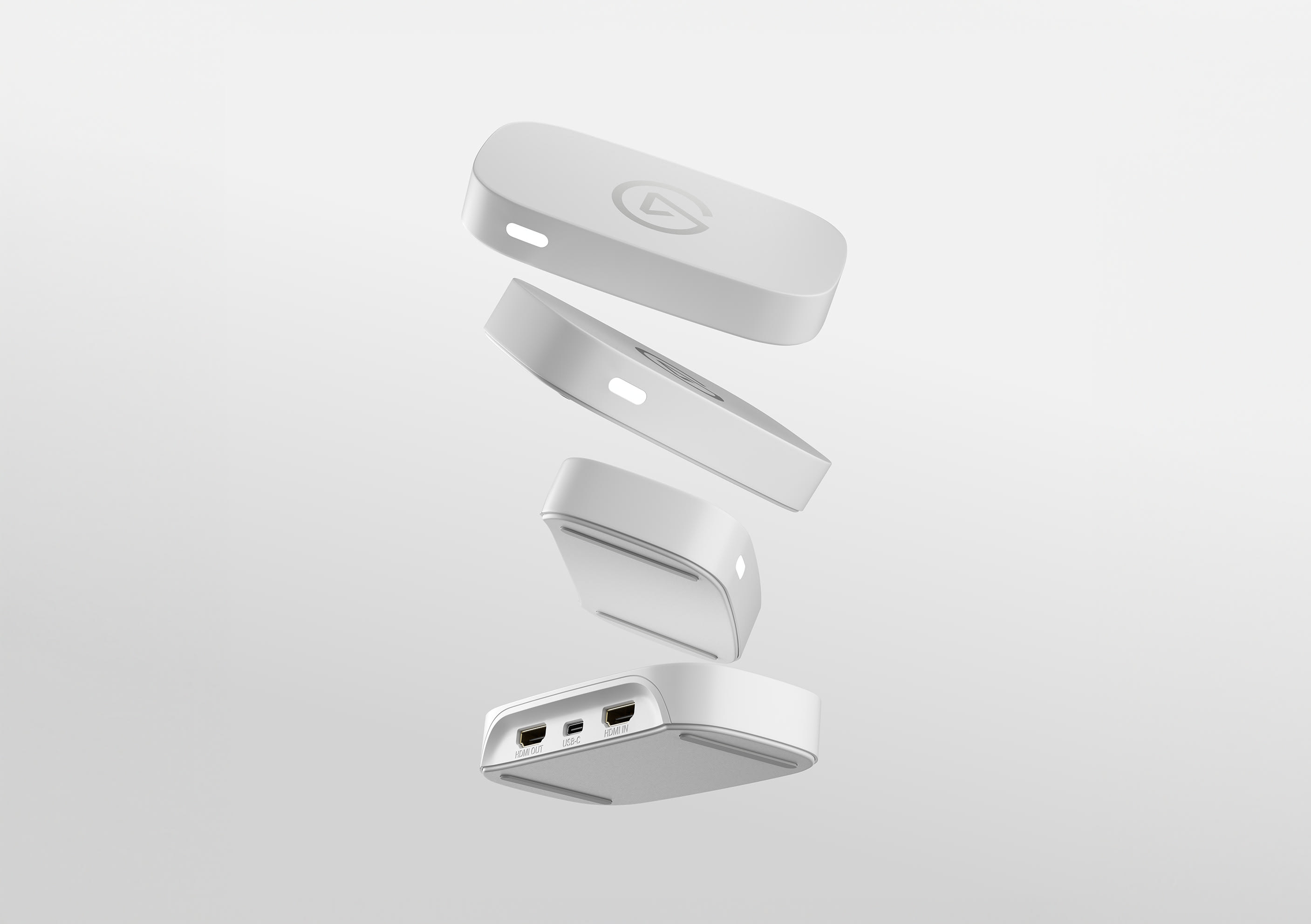
Elgato's US pages identify the white edition as SKU 10GBI9901 and the black edition as 10GBI9911. The pages show the same device dimensions, 90 g weight, ports and mode ceiling; no functional difference between finishes was found. The assessment therefore treats these as color variants of one product rather than separate models. The image above is the manufacturer's white-finish product artwork, with the HDMI output, USB-C connection and HDMI input visible. Match the exact color and SKU on any offer you inspect.
Who is it for?
Shortlist Neo if the actual requirement is external USB capture from unencrypted HDMI at up to 1080p60, you do not need HDR in the recording, and you value a 4K60 HDR display path more than a high-resolution file. It may suit a basic stream, tutorial capture or console clip workflow when a supported host app is available and a separate audio plan is unnecessary. Look elsewhere if 4K capture, HDR recording, VRR, 1440p120 passthrough, 1080p240 capture or an analog chat connection is non-negotiable. A camera-focused user should also verify monitoring and audio routing rather than assuming this console-oriented pass-through card is a generic camera input solution.
For iPad, check the exact USB-C adapter, app and audio arrangement before ordering. For any desktop, confirm USB 3.0 data capability, OS version, app support and the source signal. If the offer is for the black model, verify 10GBI9911; if it is white, verify 10GBI9901. The manufacturer product page showed color variants as sold out during the 2026-10-29 check, but that is a time-specific observation, not a current retailer-stock claim.
Evidence note: The current US product page, user manual, black-finish listing and Elgato's model comparison were checked on 2026-10-29. No performance, latency, video-quality, reliability or stock test was performed.
Key specifications
Key details at a glance
| Signal input | hdmi_2_0_unencrypted |
|---|---|
| HDMI generation | HDMI 2.0 |
| Confirmed capture formats | 1080p60 SDR / 1080p30 / 1080i / 720p60 / 576p / 480p |
| Confirmed passthrough formats | 4K60 HDR10 / 1440p60 / 1080p60 |
| Computer connection | USB-C host link (USB 3.0 / 5 Gbps) |
| Named compatible software | Elgato Studio / OBS Studio / QuickTime (Mac) / Camo Studio or compatible third-party capture app (iPadOS) |
| HDR recording | Not listed; elgato's comparison table marks hdr capture as unavailable for neo. |
| VRR passthrough | No |
| Analog audio input | No 3.5 mm analog line-in |
| Cables listed in the box | USB-C-to-USB-A USB 3.0 cable, 100 cm |
Use the exact model’s instructions for operating limits, supplied equipment and version differences.
Sources for this review
Sources for this assessment
Check your complete signal path
Choose the source format, desired captured signal, passthrough target, computer connection and software together. A single device must support that whole arrangement.