
Your needs, this model
Does it fit your priorities?
Can the 4K60 S+ record to an SD card without my computer?
Yes. Elgato documents standalone recording to SD card, including 4K60 HDR capture, with the supplied power adapter and no PC USB connection. Choose an exFAT or FAT32 card rated UHS Class 3/V30 or better; 1 TB is the largest size the manufacturer says it tested. To transfer clips, remove the card and use a card reader. The card is a separate package check, not an established included item.
Explore this need in the finder →Can I record 4K60 HDR and keep a 4K60 HDR display path?
The manufacturer lists up to 4K60 HDR capture, standalone 4K60 HDR-to-SD recording, and up to 4K60 HDR passthrough. For a Windows PC workflow, use a USB 3.0 port, the power supply, an eligible host and the legacy 4K Capture Utility or a verified OBS configuration. The SD-card route avoids encoding on a PC, but it has no 1440p or above-60-Hz modes. Verify the source, display and selected record format rather than treating separate maximum labels as a universal app guarantee.
Explore this need in the finder →Will it capture directly on a Mac or pass through a 1440p high-refresh signal?
No direct macOS capture mode is documented, and the supported-resolution article explicitly excludes 1440p input/capture and frame rates or refresh rates over 60. You can record to SD in standalone mode and then read the card on a Mac, but that is not live Mac capture. For 1440p/120-or-higher or Mac workflows, compare a current model with an exact supported-mode table and the required host connection before buying.
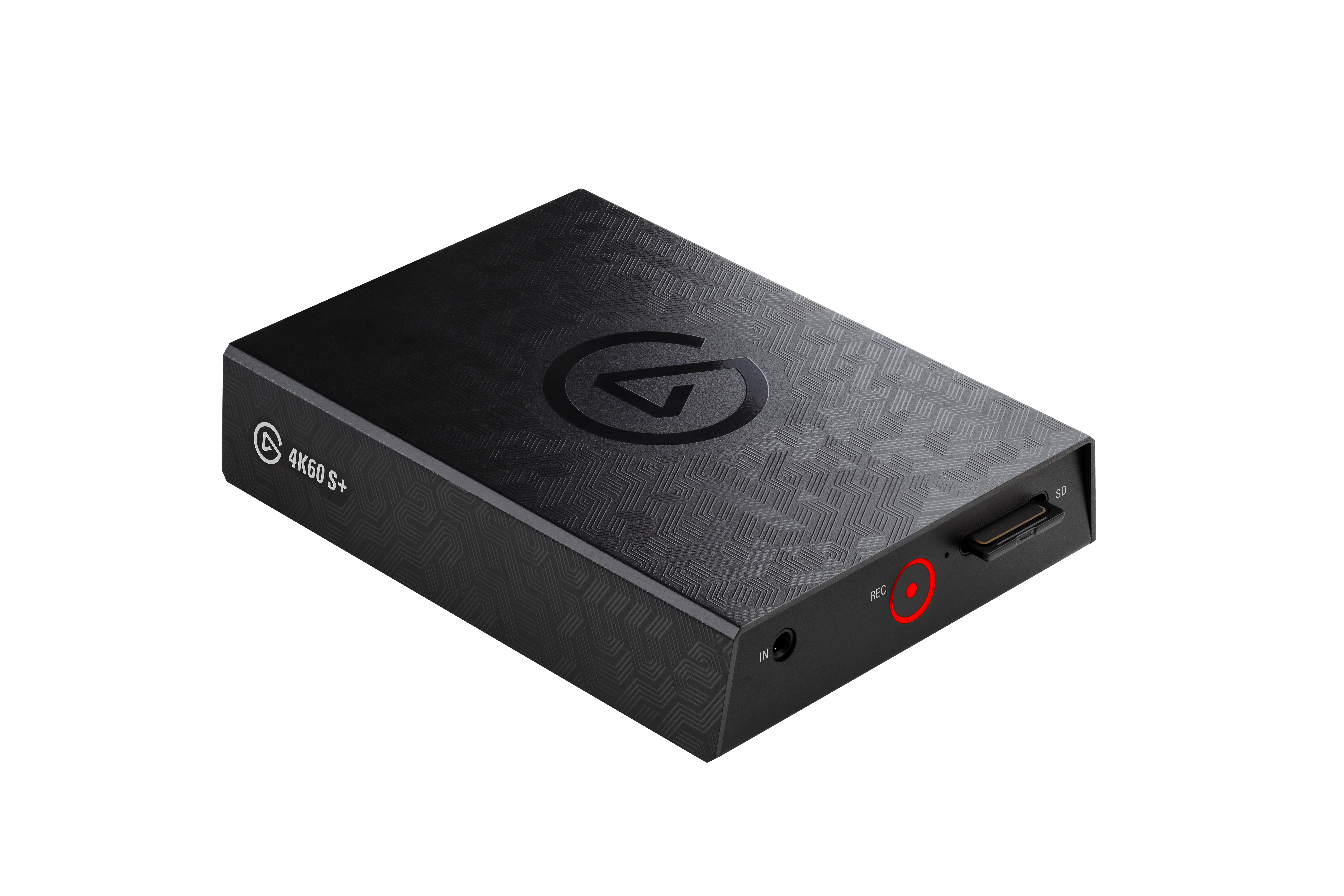
Explore this need in the finder →The Elgato Game Capture 4K60 S+ is an earlier, external HDMI device built around one unusual combination: it can encode up to 4K60 HDR onboard, record directly to an SD card without a computer, or send video to a Windows PC over USB 3.0. A separate HDMI output carries a display signal through the box. That combination is still useful for a console or event workflow that values self-contained recording, but it is not the same product as Elgato’s later-named 4K S, and it is a poor fit for a Mac-first or high-refresh setup.
What the S+ actually captures
Elgato specifies an unencrypted HDMI 2.0 input, HDMI 2.0 output, USB-C for data and a separate USB-C power input. Its on-board encoder is rated up to 200 Mb/s for 4K60 AVC/H.264 SDR and up to 140 Mb/s for 4K60 HEVC/H.265 HDR. This is capture hardware, not a general HDMI splitter: the source must not use HDCP-protected output. The manufacturer’s resolution guide lists common 480p, 576p, 720p, 1080p and 2160p modes, but explicitly rules out 1440p capture and frame or refresh rates above 60.
Capture and display pass-through are separate jobs. Elgato describes a 4K60 HDR10 output path and 4K60 HDR recording; that does not make this a high-refresh card. If the display must receive 1440p144, 1080p240 or newer HDMI 2.1 formats, this model is outside the documented range. Do not choose it from a “4K” label alone: check both the format recorded and the format reaching the monitor.
Two mutually exclusive recording workflows
For PC capture, the setup guide connects the S+ to a Windows computer over USB 3.x and says to keep the power supply connected. Elgato documents OBS Studio alongside its 4K Capture Utility, while the device itself handles encoding. The USB preview has about 250 milliseconds of latency in Elgato’s setup article, so it should not be confused with a direct low-latency display path; use the HDMI output for play-through when the wiring plan calls for it. The archived PC requirements name Windows 10, a USB 3.0 port, 8 GB of RAM, a sixth-generation Core i5 or Ryzen 7, and a GeForce GTX 10-series-or-better GPU. These are legacy requirements, not a promise of compatibility with every modern Windows build or OBS release.
Standalone recording works differently. Insert a supported SD card, connect the supplied power adapter and record from the device; Elgato says not to connect the PC USB cable in this mode. The input signal determines the saved resolution and frame rate, and an HDR input is recorded as HEVC/H.265. Elgato recommends exFAT or FAT32 and UHS Class 3/V30 media; FAT32 splits larger recordings into 4 GB segments. At the default 80 Mb/s 4K rate, the manufacturer estimates roughly 36 GB per hour, while the bitrate can be adjusted. Cards up to 1 TB are listed as tested, not as a guarantee for every card. To get files onto a computer, remove the card and use a reader; plugging the S+ into a Mac is not a transfer shortcut.
Where the documentation draws hard lines
Elgato’s support material says the device cannot connect directly to macOS. A Mac can read files from the SD card after recording, but it cannot be treated as the live USB host. The supported-resolution page also says no 1440p input/capture, no rates above 60 fps and no refresh above 60 Hz. It captures HDR10, not Dolby Vision, HDR10+ or HLG. Its multi-app support page excludes the 4K60 S+, so do not assume one feed can be opened by several applications at once. A 3.5 mm TRS line input is available for line-level audio, but it is not a microphone jack.
Legacy status matters more than a headline mode
Elgato lists production as stopped in November 2022. Its current legacy notice says valid warranties and support continue, but no new inventory, spare parts, driver development or firmware updates are planned, and future compatibility with new operating systems and third-party software is not guaranteed. The 4K Capture Utility itself is also listed as legacy software with development stopped in March 2026. That does not prove an individual unit or a particular app has failed; it means the buyer should verify the exact computer, application version, seller condition, return terms and warranty instead of assuming ongoing updates.
Elgato’s technical page lists the device, power supply, two USB 3.0 Type-C cables and a Premium High Speed HDMI 2.0 cable in the original box. It does not establish that any used or open-box seller still has them, and the reviewed package list does not name an SD card. Confirm the printed “4K60 S+” label and every supplied cable before ordering. The exact US retail SKU was not established in the sources reviewed.
Assessment
The strongest case for the 4K60 S+ is specific: standalone 4K60 HDR recording, an onboard encoder and 4K60 display passthrough in a self-contained HDMI 2.0 workflow. The same documentation makes the limits clear: 60-fps ceiling, no direct Mac capture, SD-card workflow details, and discontinued software/hardware development. It is an earlier reference worth comparing only when that standalone path matters and the exact system and offer have been checked. This is a document-based assessment, not a hands-on test or a claim about current availability.
Key specifications
Key details at a glance
| Signal input | hdmi_2_0_unencrypted |
|---|---|
| HDMI generation | HDMI 2.0 |
| Confirmed capture formats | 4K60 SDR / 4K60 HDR10 / 1080p60 / 1080p30 / 720p60 / 720p30 / 576p50 / 480p60 |
| Confirmed passthrough formats | 4K60 HDR10 / 1080p60 / 720p60 |
| Computer connection | USB-C host link (USB 3.0 / 5 Gbps) |
| Named compatible software | Elgato 4K Capture Utility v1.7 or later for Windows 10 / OBS Studio on Windows |
| HDR recording | Up to 4k60 hdr10 hevc/h.265 via the onboard encoder; the legacy windows pc workflow requires the documented windows 10/4k capture utility and host conditions. standalone hdr recording selects hevc/h.265 from the hdr input. |
| Cables listed in the box | Two USB 3.0 Type-C cables / Premium High Speed HDMI 2.0 cable |
Use the exact model’s instructions for operating limits, supplied equipment and version differences.
Sources for this review
Sources for this assessment
- Elgato Game Capture 4K60 S+ — Technical Specifications
- Elgato Game Capture 4K60 S+ — Supported Resolutions
- Elgato Game Capture 4K60 S+ — All About SD Card Use
- Elgato Game Capture 4K60 S+ — Configuring Standalone Recording
- Elgato Game Capture 4K60 S+ — System Requirements
- Elgato Game Capture 4K60 S+ — Windows 10 Is Supported, macOS is not Supported
- Game Capture 4K60 S+ — Xbox Series X/S Setup
- Elgato Game Capture 4K60 S+ — Standby mode
- Elgato Game Capture 4K60 S+ — Quick Start Guide
- OBS Project — Video Capture Devices with HDR support
- Elgato Capture Devices — Device comparison
- Which Elgato Capture Device Is Right For You?
- Elgato 4K Capture Utility — Recording and playback of HDR video
- Elgato Capture Devices and Multi App Support
- Elgato Legacy and End-Of-Life Products
Check your complete signal path
Choose the source format, desired captured signal, passthrough target, computer connection and software together. A single device must support that whole arrangement.