
Your needs, this model
Does it fit your priorities?
Can the 4K60 Pro MK.2 record HDR while I keep a 4K60 display path?
Elgato documents 4K60 Pro MK.2 4K60 HDR10 capture and HDMI passthrough. The HDR recording route uses 4K Capture Utility on Windows and HEVC/H.265; for the documented 4K60 HDR path the manufacturer specifies an NVIDIA GTX 1050-class-or-better GPU. Confirm the x4 PCIe lane, actual source/display formats and exact app/driver. The utility is legacy, so current compatibility is not guaranteed by the old system table.
Explore this need in the finder →Does OBS preserve an HDR source as an HDR recording on the MK.2?
Not on the documented ordinary OBS path. Elgato's internal PCIe guide says an HDR input is tone-mapped to SDR for OBS, and Elgato Studio needs to be closed for that route. Elgato separately documents 4K Capture Utility HDR recording with Stream Link converting the signal for other third-party apps in a Windows 10 Multi App setup; that two-app path uses legacy software and a specific driver minimum. Check which program is writing the file and whether you want HDR or SDR before treating the route as suitable.
Explore this need in the finder →Is 1440p144 capture and display passthrough a guaranteed plug-and-play mode?
No. Elgato lists 1440p144 capture and passthrough, but warns that such high-refresh timings are not industry-standard, may not work perfectly and can require a custom or edited EDID. The card is also an earlier HDMI 2.0 PCIe model; confirm the exact source, display, slot bandwidth, app and card firmware. The documented maximum pixel clock is not a guarantee for every resolution/frame-rate combination.
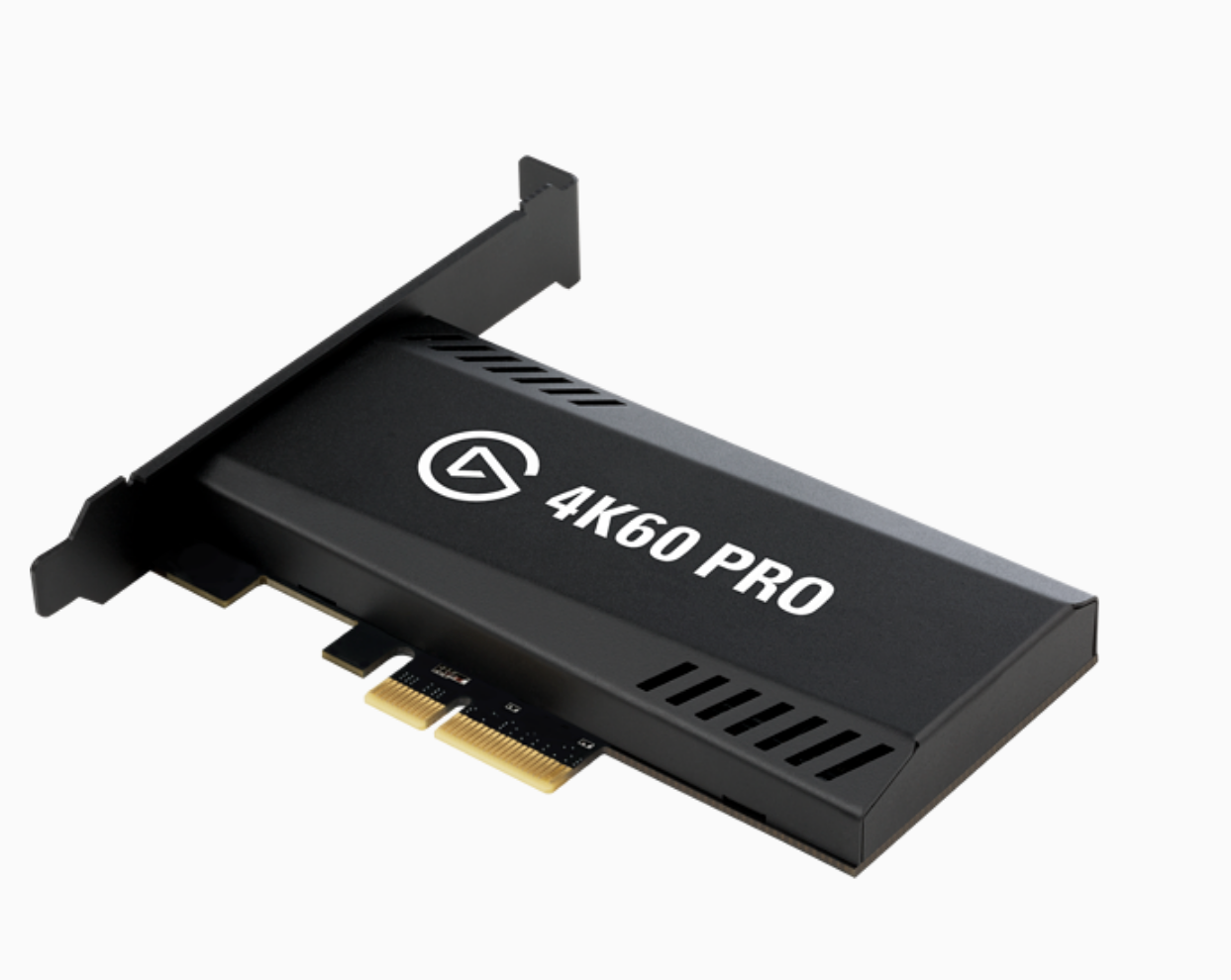
Explore this need in the finder →The Elgato Game Capture 4K60 Pro MK.2 is an earlier, internal PCIe capture card built around unencrypted HDMI 2.0. Its distinctive case is 4K60 HDR10 capture and display passthrough from a Windows desktop—not an external, laptop-friendly device, and not the same board as the original 4K60 Pro. The route looks capable on paper, but it also depends on an available PCIe 2.0 x4 lane, application-specific settings and legacy software that no longer receives development.
Start by separating the MK.2 from the original
The model suffix changes the buying decision. Elgato's comparison page describes the MK.2 as the smaller, newer board and identifies HDR recording, on-device HDR-to-SDR tone mapping and Multi App access as MK.2 additions. It says both versions share published resolution and refresh-rate ceilings; that does not make their HDR paths equivalent. The original card does not record HDR, while the MK.2 has a Windows 4K Capture Utility route for HDR files. A listing that drops “MK.2” or reuses a generic 4K60 Pro photo does not establish which board is offered. Compare the actual board and seller's included items before treating a used listing as this model.
Elgato specifies a PCIe 2.0 x4 interface, one unencrypted HDMI 2.0 input and one HDMI 2.0 output. The output carries a display signal; it is not another capture input. Unencrypted means the card is not a way to record HDCP-protected material. The technical sheet names up to 2160p60 HDR10 input, up to 140 Mbps AVC/H.264 at 2160p60, and up to 105 Mbps HEVC/H.265 for HDR recording. These are manufacturer's software-path ceilings, not measurements from a test.
Capture and passthrough answer different questions
For a straightforward 4K60 setup, the source feeds the card's HDMI input and the output continues to a display; software then records or streams a separate capture signal. Elgato lists 4K60 HDR10 input and passthrough, as well as 4K60 SDR capture. The advertised top rates should not be read as a promise for every combination of console, GPU, display, cable, color mode and recording application. The supported-mode table covers several source/capture combinations and explicitly says not every timing has been verified.
Higher frame rates are a specialized rather than universal advantage. Elgato lists 1080p240 and 1440p144 capture/passthrough formats, and says a 1440p144 timing can work. It cautions that high-refresh formats do not always use industry-standard timing, may behave imperfectly and may require a custom or edited EDID. Even a signal below the stated 600 MHz pixel-clock ceiling is not guaranteed. If a stable, fixed 60 Hz chain is essential, the card's higher-rate table alone does not remove the need to verify the exact source and monitor.
HDR recording is a Windows software path
Elgato documents 10-bit HDR capture on Windows 10/11 through its 4K Capture Utility. Its HDR instructions call for an HDR10 source, 4K Capture Utility 1.6 or newer, and an NVIDIA GTX 1050-class-or-better GPU for the 4K60 HDR recording path; HDR is recorded in HEVC/H.265. The 4K Capture Utility system page's CPU, dual-channel memory and GPU tables are explicitly for that application. They should not be treated as a universal minimum for every third-party program, nor as a current compatibility guarantee.
OBS has a different result. Elgato's internal-card OBS guide says an HDR input is automatically tone-mapped to SDR for OBS, so the OBS output is not an HDR recording of the source. Elgato says to close Elgato Studio for this OBS tone-mapping route. For multi-application HDR capture, Elgato's separate instructions say the same HDR signal reaches other apps; Stream Link is required to convert that signal for third-party apps that expect SDR. Multi App is documented for Windows 10 with a minimum MK.2 driver, and per-app conversion can add host workload. The related 4K Capture Utility and Stream Link software are legacy. This is a useful split workflow only if its exact software versions and the intended SDR/HDR outputs have been checked.
Check the slot and software before looking at a used offer
Elgato specifies a physical x4, x8 or x16 slot with at least PCIe 2.0 x4 bandwidth. A long slot is not proof of four available electrical lanes: check the motherboard manual, lane sharing, GPU/M.2 configuration, card clearance and bracket height. The model-specific software page supports Elgato Studio and 4K Capture Utility on Windows 10/11 and names OBS among compatible Windows software; it expressly says this card does not support macOS. The older Game Capture HD application is not compatible with the MK.2. The exact performance and compatibility of a particular PC and current app build are not established by those statements.
Elgato's firmware notes say VRR passthrough was added with firmware 19.08.08, requiring 4K Capture Utility 1.7.9 and MK.2 driver 1.1.0.198.1. That is a version-dependent feature, not something a buyer should assume from a bare “4K60 Pro” title or a photo. Elgato's legacy notice says production stopped in May 2024 and that drivers and firmware will not receive further development; it also records that 4K Capture Utility development stopped in March 2026. A secondhand board's firmware, exact retail SKU, condition, warranty and seller package are not determined by the model support pages.
Assessment
The MK.2's strongest case is a carefully checked Windows desktop that can use PCIe 2.0 x4 and specifically needs 4K60 HDR capture or a known HDMI 2.0 high-refresh path. It is not a safe blind upgrade from the original 4K60 Pro, a Mac capture card, or proof that a current PC/software stack will work. Confirm the exact suffix, software route, slot bandwidth, signal timing and actual included card and cables. This is a desk-based assessment of manufacturer documentation; it does not claim ownership, hands-on testing, measured performance, current inventory, price or seller experience.
Primary sources: Elgato's MK.2 technical specifications, system requirements, supported resolutions, original-versus-MK.2 comparison, software compatibility, internal PCIe/OBS setup, Multi App and HDR notes, HDR recording instructions, firmware changelog and legacy lifecycle notice.
Key specifications
Key details at a glance
| Signal input | hdmi_2_0_unencrypted |
|---|---|
| HDMI generation | HDMI 2.0 |
| Confirmed capture formats | 4K60 HDR10 through 4K Capture Utility on Windows / 2160p60 SDR / 1440p144 (nonstandard timing; custom or edited EDID may be needed) / 1080p240 / 1080p120 / 1080p60 / Other documented SD/HD formats |
| Confirmed passthrough formats | 2160p60 / 4K60 HDR10 / 1440p144 (nonstandard timing; custom or edited EDID may be needed) / 1080p240 / Other documented SD/HD formats |
| Computer connection | Pcie |
| Named compatible software | Elgato Studio for Windows 10/11 / Elgato 4K Capture Utility 1.6.1 or newer for Windows 10/11; legacy and no longer developed / OBS Studio and other Windows software, with application-specific requirements / Stream Link when using the documented HDR-to-SDR multi-app workflow; legacy software |
| HDR recording | 10-bit hdr10 recording through elgato 4k capture utility on windows; the documented 4k60 hdr path uses hevc/h.265 and requires an nvidia gtx 1050-class-or-better gpu. hdr capture is not available on macos. |
| VRR passthrough | Yes |
Use the exact model’s instructions for operating limits, supplied equipment and version differences.
Sources for this review
Sources for this assessment
- Elgato Game Capture 4K60 Pro MK.2 – Technical Specifications
- Elgato Game Capture 4K60 Pro MK.2 — System Requirements
- Elgato Game Capture 4K60 Pro MK.2 – Supported Resolutions and Frame Rates
- Elgato Game Capture 4K60 Pro MK.2 – What are the differences between it and the older model?
- Elgato Game Capture 4K60 Pro MK.2 – What Elgato Software Can It Use?
- Elgato Game Capture 4K60 Pro MK.2 – Recording HDR gameplay with 4K Capture Utility
- Elgato Capture Devices and Multi App Support
- Elgato internal PCIe Capture Card – OBS Studio Setup
- Installing Elgato Game Capture 4K60 Pro MK.2
- Elgato Game Capture 4K60 Pro MK.2 - Firmware Update
- Elgato Legacy and End-Of-Life Products
Check your complete signal path
Choose the source format, desired captured signal, passthrough target, computer connection and software together. A single device must support that whole arrangement.