
Your needs, this model
Does it fit your priorities?
Can 4K X pass through 4K144 while recording 4K144?
Elgato’s current matrix lists 4K144 SDR passthrough and 4K144 SDR capture together for a 4K144 input. The exact codec and software still matter: the MJPG table lists 4K144 over both 5 and 10 Gbps USB, while higher-bandwidth codecs need the right port. A display using DSC may be limited to 4K120, and DSC capture is not supported. Verify the source, monitor and selected OBS format before treating this as a guaranteed setup.
Explore this need in the finder →Will 4K X record HDR if the gaming display stays in HDR?
Elgato lists HDR10 passthrough and Windows HDR capture, but the recording can be a lower mode than the display signal. Its table includes 4K30, 1440p60 and 1080p120 HDR capture according to input and format. HDR capture is not available on macOS; HDR input is tone-mapped to SDR there. Check the Windows GPU and application requirements for the exact encoder.
Explore this need in the finder →Can I use the X with a USB-C iPad instead of a Windows desktop?
Elgato lists USB-C iPad support with its Capture app, so the external interface is more flexible than the PCIe 4K Pro. The source still needs HDMI, and you may need a source-side adapter. The reviewed sources do not provide a complete iPad resolution/codec table, so do not assume its desktop 4K144 modes apply unchanged.
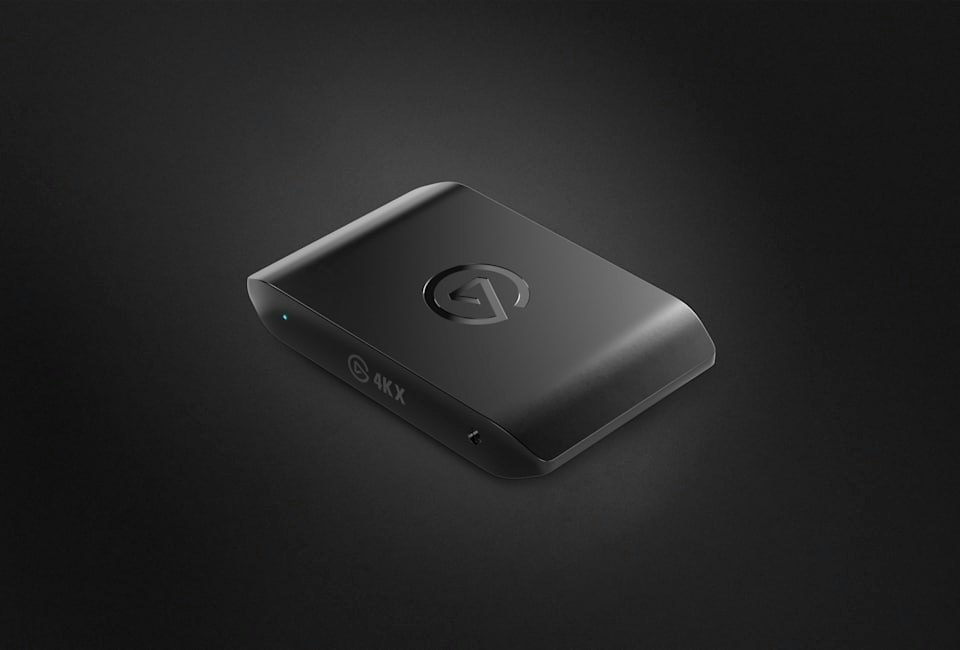
Explore this need in the finder →Game Capture 4K X is Elgato’s external HDMI 2.1 model for people who want a high-refresh display path without installing a card inside the computer. The manufacturer’s US listing identifies SKU 10GBH9901 and a package containing the unit, a 150 cm USB-C cable and a 200 cm HDMI cable. Its strongest case is not simply “4K”; it is the combination of HDMI 2.1 passthrough, USB capture, variable refresh support and a portable host connection. Those features still depend on the source, screen, USB link, app and selected capture format agreeing with one another.
External capture with a faster host link
The X connects to a computer over USB-C, but the connector shape alone does not describe its bandwidth. Elgato specifies USB 3.2 Gen 2 at 10 Gbps for its fullest set of formats. A 5 Gbps USB 3.0 or USB 3.2 Gen 1 connection is also supported, with fewer format choices; the detailed table shows that the available codec and rate vary by port. A suitable USB-A data port can work with a compatible cable, too. A dock or hub adds another point of uncertainty, so Elgato recommends a direct connection for best results.
This is the practical contrast with Game Capture 4K Pro. The X can travel between a desktop, a laptop and a USB-C iPad; the Pro is an internal PCIe card for a Windows desktop. The 4K X therefore suits a creator who values flexibility more than an internal installation. It is also distinct from 4K S: the X uses HDMI 2.1 and reaches higher refresh modes, while the S is an HDMI 2.0, 5 Gbps external option. Those are different products, not merely alternate package names.
Separate the display signal from the recording
Elgato lists passthrough up to 4K144, 1440p240 and 1080p240, with HDR10 and VRR support. A display that uses Display Stream Compression (DSC) for its top mode is a significant exception: Elgato says 4K X does not support capturing DSC signals, and its product page notes that passthrough is limited to 4K120 on screens using DSC. Confirm the monitor’s mode and whether it relies on DSC rather than treating the HDMI 2.1 label as a blanket promise.
Capture is a separate output to the computer. The current support matrix shows that some incoming signals can be recorded at their matching resolution and rate in SDR, while other combinations downscale or are unsupported. In the codec table, MJPG reaches 4K144 over either listed USB speed; the higher-bandwidth connection offers additional options for formats such as 10-bit P010, RGB and YUY2. That distinction matters if “4K144 capture” means a particular color format or compression quality to you. Check the current table for both the source input and the output codec you intend to use. The top line is not a promise that every format is available in every app.
HDR is useful, but platform-dependent
4K X passes HDR10 through to a compatible display and can capture HDR on Windows. Elgato’s mode table lists HDR capture up to 4K30, 1440p60 or 1080p120, with the combination tied to the incoming signal and software. HDR recording is not available on macOS in the manufacturer’s support guidance; there, HDR input is converted to SDR before it reaches the Mac. The product is listed for iPad capture through Elgato Capture, but the material reviewed here does not give a complete per-iPad resolution and codec matrix. Treat iPad support as a supported workflow, not proof of every desktop capture mode.
For Windows HDR recording, hardware also matters. Elgato’s requirements distinguish its 4K Capture Utility encoding needs from other programs: its guidance calls for a newer NVIDIA GPU for HDR capture in that utility. A computer that recognizes the card is not automatically a computer that can encode the exact HDR mode you want.
Who gets the most from it?
The 4K X is a strong candidate for a high-refresh console or PC setup when the display path must remain external and the host might be a laptop or tablet. Its 3.5 mm stereo line input is relevant when a separate analog chat-audio route is part of the console setup. The included HDMI cable is listed as an 8K-rated cable; the source still needs a compatible HDMI output, and an unusual mini- or micro-HDMI camera port may need its own adapter.
It is a less direct fit for a simple 1080p60 stream, a user who needs an internal card, or a workflow where the monitor’s highest refresh depends on DSC. In those cases, paying for HDMI 2.1 capability may not improve the actual setup. A lower-cost or different-interface model can be more sensible if its documented modes already match the source and display.
Check the whole signal chain before choosing a mode
Start with the output the console or PC can really send, then check the display’s input mode, HDR/VRR settings and DSC behavior. Next, confirm the computer’s USB data rate, operating system, capture application and codec. Finally, compare the desired recording format with Elgato’s input-to-capture matrix. A 4K120 HDR gaming signal, for example, can be passed to a compatible display while the supported HDR recording is a lower-resolution output; the play format and recording format need not be identical.
This assessment is based on manufacturer specifications and support material, not hands-on testing. It does not promise a particular latency measurement, compatibility with protected HDMI sources, or that an advertised mode works in every software version. Check the exact USB port, display mode, app and package before relying on a specific capture combination.
Key specifications
Key details at a glance
| Signal input | hdmi_2_1_unencrypted |
|---|---|
| HDMI generation | HDMI 2.1 |
| Confirmed capture formats | 4K144 SDR / 1440p240 SDR / 1080p240 SDR / 4K30 HDR / 1440p60 HDR / 1080p120 HDR |
| Confirmed passthrough formats | 4K144 / 1440p240 / 1080p240 / HDR10 / VRR / ALLM |
| Computer connection | Usb c 3 2 gen2 10gbps |
| HDR recording | Windows only; official matrix lists up to 4k30, 1440p60 or 1080p120 hdr depending on input, codec, usb link and software |
| VRR passthrough | Yes |
| Analog audio input | 3.5 mm trs stereo line-in |
Use the exact model’s instructions for operating limits, supplied equipment and version differences.
Sources for this review
Sources for this assessment
Check your complete signal path
Choose the source format, desired captured signal, passthrough target, computer connection and software together. A single device must support that whole arrangement.