
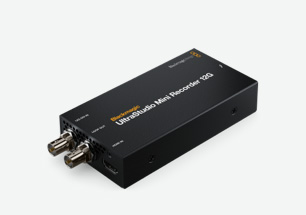
Your needs, this model
Does it fit your priorities?
Which sources can Mini Recorder 12G accept?
One HDMI 2.0 or one 12G-SDI source. There is an SDI loop output; it does not add an analog input or HDMI display output.
Explore this need in the finder →Does the 12G-SDI name mean 4K60 capture?
The current model specification lists SD/HD/UHD up to 2160p60 for both the SDI and HDMI input paths; verify the exact source timing and application.
Explore this need in the finder →What computer connection is required?
Thunderbolt 4 on the host. A USB-C connector without a compatible Thunderbolt 4 link is not enough.
Explore this need in the finder →UltraStudio Mini Recorder 12G is the compact UltraStudio to consider when you need HDMI or 12G-SDI capture through 2160p60 and already have a Thunderbolt 4 computer. It is more capable than its size suggests, but it is still a capture interface, not a complete gaming passthrough box. The one SDI loop connector is useful in a broadcast chain; it should not be mistaken for a documented HDMI-to-display pass-through feature.
Choose the source path, then check the mode
Blackmagic specifies one 12G-SDI input and one HDMI 2.0 input. The connections are multirate and support SD/HD/UHD standards up to 2160p60. HDMI carries embedded audio, and the SDI input supports embedded audio as well. That combination suits a camera or switcher that can present the signal on either digital connector, and it offers a compact way to ingest Ultra HD. However, the product does not add an analog video input, and a connector’s presence does not guarantee acceptance of every format, color mode or protected source. Check the source timing and the current supported-standard list.
The rear SDI loop output is coupled to the SDI input. It is a separate SDI path, not an HDMI output, and should not be represented as universal source-to-monitor passthrough. If a gaming or production setup needs a display to remain connected while capture is active, plan the source-side splitter, switcher or distinct output path and verify it against the console/camera and display. This is particularly important for HDR, variable refresh or copy-protected HDMI sources: none should be assumed from a 2160p60 headline.
Thunderbolt 4 is part of the specification
The computer interface is Thunderbolt 4. The official listing names Apple Silicon Macs, Windows and Linux, but the host, driver and software still have to be checked as a combination. A USB-C shaped port that only supports a slower USB mode is not sufficient evidence of a compatible host. The box is designed for a Thunderbolt laptop or desktop, so verify the correct port and cable instead of buying on connector shape alone. A Thunderbolt 4 requirement also distinguishes it from Thunderbolt 3-only UltraStudio HD Mini and from the USB4/TB4 Express Recorder 3G.
Blackmagic positions the Mini Recorder for live streaming and archiving from decks, and names DaVinci Resolve among compatible applications. The product specifications also identify popular video and live-streaming software, but app support can vary by system and mode. Confirm OBS support for the exact driver and recording format you plan to use rather than interpreting a generic software list as a verified configuration. The 10-bit connection specification and supported codec list do not establish the data rate or quality of every host/app combination.
Trade-offs in a small chassis
This is a focused capture device: one input source at a time, a single SDI loop path and no analog conversion or professional dual-channel playback outputs. UltraStudio Mini Replay 12G is the other small member of the family if the workflow requires SDI capture and playback, fill/key graphics or a dedicated SDI monitoring output. Express Recorder 3G is a lower-resolution alternative if the sources are HD and the host supports USB4/TB4. Compare the exact I/O diagram before selecting; model names within this family are not interchangeable.
Before buying, verify that you truly need 2160p60 capture, that the source and content are not protected, that the host supports Thunderbolt 4 and an appropriate OS/driver, and that the SDI loop is enough for the rest of the chain. Check the intended software’s exact mode support and plan a separate monitor path if HDMI display passthrough matters. This is a specification-led review, not a claim that the author owns, tested or measured this hardware.
Manufacturer reference: UltraStudio Mini technical specifications.
Key specifications
Key details at a glance
| Signal input | hdmi_2_0_unencrypted / sdi |
|---|---|
| Confirmed capture formats | 12G-SDI and HDMI 2.0, SD/HD/UHD through 2160p60; broadcast-quality 10-bit connections. |
| Confirmed passthrough formats | |
| Computer connection | Thunderbolt4 |
| Named compatible software | DaVinci Resolve / OBS Studio / Wirecast / vMix |
| HDR recording | No explicit hdr capture mode is assigned by the reviewed model page. |
Use the exact model’s instructions for operating limits, supplied equipment and version differences.
Sources for this review
Sources for this assessment

Check your complete signal path
Choose the source format, desired captured signal, passthrough target, computer connection and software together. A single device must support that whole arrangement.