
Your needs, this model
Does it fit your priorities?
Can the GC555 record 4K at 60 fps while the display also receives a 4K60 signal?
AVerMedia lists 2160p60 HDR as the recording and passthrough maximum and shows a 4Kp60 HDR input-to-display path with Thunderbolt 3 to the computer. The documented Windows/OBS plan requires the appropriate host/GPU and excludes HDCP-protected content; the published mode ceiling is not an independent performance test.
Explore this need in the finder →Will a USB-C port or USB 3 cable run this capture card?
No. The connector is Type-C shaped, but the manufacturer says the GC555 requires a Thunderbolt 3 port and does not function on a generic USB-C port or USB cable. Verify the host's exact Thunderbolt port; AVerMedia warns that some TB4/DisplayPort-combo ports and unqualified desktop add-in cards may not recognize it.
Explore this need in the finder →Is this a safe general recommendation for a current Mac or Apple-silicon host?
No general Mac match is assigned. AVerMedia's page lists older Intel Mac requirements but its GC555 FAQ says macOS 14 or later and Apple M-series systems are unsupported; it also says HDR recording is unavailable on Mac. Check the exact old Intel Mac and OS directly before relying on a used unit.
Explore this need in the finder →Document-based model assessment · Earlier reference · U.S. model GC555
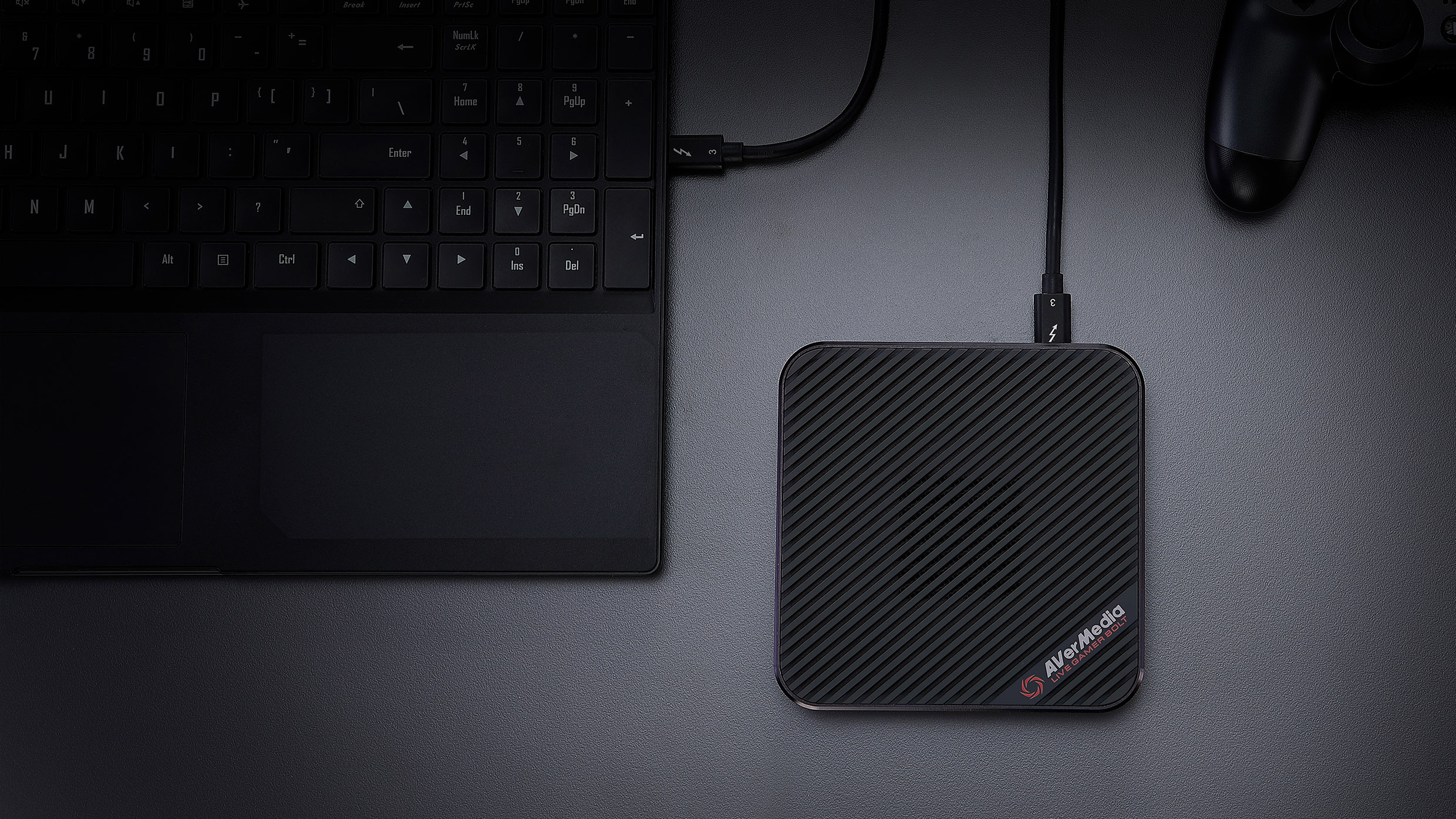
The Live Gamer BOLT is a square external HDMI capture unit built around a Thunderbolt 3 host connection, not a generic USB-C link. Its appeal is an unusually ambitious set of separate Windows capture and display modes: AVerMedia lists 4K60 HDR, 1440p144 and 1080p240. Those numbers should not be read as a promise that every maximum can run together. This assessment uses AVerMedia's model page, datasheet, Quick Guide and support notes; it is not a hands-on test, benchmark, or report of ownership.
Signal path first: HDMI 2.0 in, HDMI out, Thunderbolt 3 to the PC
GC555 has one HDMI 2.0 input and one HDMI 2.0 passthrough output. The third connection is a Type-C-shaped Thunderbolt 3 port. AVerMedia's Quick Guide is emphatic: the device does not work through a generic USB-C cable or a plain USB-C port. The supplied Thunderbolt 3 cable is part of the practical setup, and the host must expose Thunderbolt rather than merely the same connector shape. For a desktop without a native port, the manufacturer says to use a motherboard-qualified Thunderbolt expansion card and its designated port; its support FAQ warns that some Thunderbolt 4/DisplayPort-combo ports may not recognize the GC555. Confirm the exact computer or board before considering a used listing.
This distinction is the BOLT's main tradeoff against USB capture boxes. It avoids pretending that a USB 3.x data link is equivalent to Thunderbolt, but it narrows which computers can use it. The 3.5 mm jack is a Line In for audio, not analog-video input. HDMI is the only documented video source here, and AVerMedia says HDCP-protected signals cannot be viewed, recorded or streamed. The official GC555 OBS setup guide treats the picture source and Line-In audio as separate OBS sources, so plan a separate audio cable only when that input is actually needed.
Which modes are actually supported together?
The strongest specific use case is Windows capture of 4K60 HDR while the HDMI output also sends a 4K60 HDR signal to a display. The model datasheet shows that complete source-to-monitor-and-PC arrangement, and the manufacturer product page lists the same 2160p60 HDR maximum for recording and passthrough. That evidence is more useful than two isolated maxima because it identifies a concrete pairing. AVerMedia's stated computer requirements still matter: higher-rate or 4K/HDR recording calls for a substantially stronger CPU/GPU and memory configuration than its 1080p60 tier.
The same product page says the BOLT can record and passthrough Full HD at 240 fps, so a 1080p240-to-display/1080p240-capture setup is another documented high-refresh path. A separate Windows requirement tier names 1080p60 recording while supporting 4Kp60 HDR passthrough. The 1440p144 value appears as a maximum in the specification lists, but the reviewed sources do not provide a comparably explicit simultaneous capture-and-display matrix for it. Treat capture at 1440p144 and passthrough at 1440p144 as distinct choices unless a current model-specific support table confirms the combination; this review does not infer HDR at that rate.
The unit records MPEG-4. AVerMedia says H.264/H.265 encoding is provided by the host GPU and audio encoding by the operating system, so the BOLT's headline resolution is not a substitute for checking the host's encoding capability. The included 5.1/7.1 LPCM claim is for audio passthrough; it should not be upgraded into a multichannel recording promise.
Windows and software support are part of the purchase decision
AVerMedia supplies an exact-GC555 OBS guide that adds Live Gamer BOLT as a Video Capture Device and Line-In separately when needed. RECentral 4 also remains in the model's Windows download history; the listed v4.7.114.1 release names Windows 10 x64 and Windows 11. The same page notes that security-update support for that release ended on August 31, 2026. That is a relevant maintenance caveat, not proof that the hardware has been recalled or that every installed copy stops working.
Mac support is much narrower than a simple “Mac compatible” label would suggest. AVerMedia lists older Intel Mac requirements and historical Mac software, but its GC555-specific FAQ says macOS 14 or later and Apple M-series systems are unsupported; it also says HDR recording is not supported on Mac. Because the public finder only asks the broad question “Mac,” this assessment does not create a general Mac operating plan. If you have an older Intel Mac, check its exact macOS version and Thunderbolt port directly with AVerMedia before buying, and do not assume the Windows HDR mode carries over.
U.S. identity, package checks and generation
The U.S.-routed AVerMedia product page identifies Live Gamer BOLT / GC555, and U.S. reseller SHI lists manufacturer part GC555 as a black, single-unit video capture adapter. The evidence gathered here did not establish a separate U.S. manufacturer retail SKU or a current direct-store offer. The manufacturer page's listed box contents are the unit, HDMI 2.0 cable, Thunderbolt 3 cable, 3.5 m audio cable and quick guide. Older 2020 documents also show a CyberLink PowerDirector 15 key card, but AVerMedia says new serial numbers stopped being distributed in July 2025. Check the actual seller package rather than assuming an old key or every accessory will be present.
I treat the BOLT as an earlier-generation model because it is a 2020-era Thunderbolt 3 design beside newer AVerMedia capture generations; that label is not an EOL notice. The current manufacturer model/support pages remain available, and the retailer record is an identity bridge, not a guarantee of new stock, warranty or condition. Compare it with newer external devices only by input, host, app and mode together: USB-C ports are not interchangeable, and neither another model's speed nor software limits belong to GC555 by name association.
Bottom line
GC555 makes sense to investigate when the exact Windows computer has a compatible Thunderbolt 3 path, the source is unencrypted HDMI, and a documented 4K60 HDR or high-refresh route is essential. It is a poor fit for someone who only has USB-C/USB 3.x, expects an uncomplicated current Mac setup, needs analog video input, or assumes the maximum 1440p144 capture and passthrough modes are simultaneous. Before buying an earlier unit, verify the Thunderbolt port, the chosen OBS/RECentral mode, the specific box contents and seller return terms. None of those checks can be replaced by the “4K60 HDR” headline.
Sources: AVerMedia GC555 product and system requirements, GC555 datasheet, Quick Guide, GC555 OBS setup guide, Thunderbolt and Mac compatibility FAQ, GC555 downloads, and SHI model listing.
Key specifications
Key details at a glance
| Signal input | HDMI 2.0 (unencrypted source; HDCP-protected content is unsupported) |
|---|---|
| HDMI generation | HDMI 2.0 |
| Confirmed capture formats | 2160p60 HDR (manufacturer-listed Windows mode; host GPU requirements apply) / 1440p144 (manufacturer-listed maximum; no HDR recording mode inferred) / 1080p240 (manufacturer-listed maximum; host CPU/GPU requirements apply) / 1080p60 (manufacturer's separate Windows requirements tier) |
| Confirmed passthrough formats | 2160p60 HDR / 1440p144 / 1080p240 |
| Computer connection | Thunderbolt3 |
| Named compatible software | OBS Studio (manufacturer's exact-GC555 setup guide) / AVerMedia RECentral 4 on the listed Windows 10/11 release |
| HDR recording | 4kp60 hdr capture is listed by avermedia for the windows route. the page does not establish 1080p60 or 1440p144 hdr recording. hdr recording is explicitly unsupported on mac. |
| Analog audio input | Hdmi audio from the source plus a separate 3.5 mm line in for analog audio. line in is audio, not analog-video input. |
Use the exact model’s instructions for operating limits, supplied equipment and version differences.
Sources for this review
Sources for this assessment
- AVerMedia U.S.-routed Live Gamer BOLT GC555 product page
- AVerMedia GC555 Quick Guide
- AVerMedia GC555 Live Gamer BOLT datasheet
- AVerMedia: How to Set Up GC555 in OBS Studio
- AVerMedia: GC555 installation and Thunderbolt compatibility FAQ
- AVerMedia GC555 model downloads and release history
- AVerMedia RECentral software support and version list
- SHI U.S. GC555 Live Gamer BOLT product listing
Check your complete signal path
Choose the source format, desired captured signal, passthrough target, computer connection and software together. A single device must support that whole arrangement.