
Your needs, this model
Does it fit your priorities?
Can the GC553 record 1080p120 in OBS on Windows?
AVerMedia lists 1080p120 among capture ceilings and names OBS as supported recording software. It is an earlier USB 3.1 Gen 1 product, so confirm the exact host port, system and source format. This is different from the separate 1080p240 passthrough maximum.
Explore this need in the finder →Will the GC553 capture 4K60 while passing 4K60?
No 4K60 capture is documented: 2160p60 is the passthrough ceiling and the maximum captured format is 2160p30. The product page does not provide a complete simultaneous input/capture matrix for every combination, so a 4K60 capture requirement should exclude this model.
Explore this need in the finder →Does the GC553 provide 1080p240 capture?
The 1080p240 specification is a display passthrough mode. The maximum capture list reaches 1080p120; use the 1080p240 finder choice only when that high-refresh output, rather than the recorded file, is the required path.
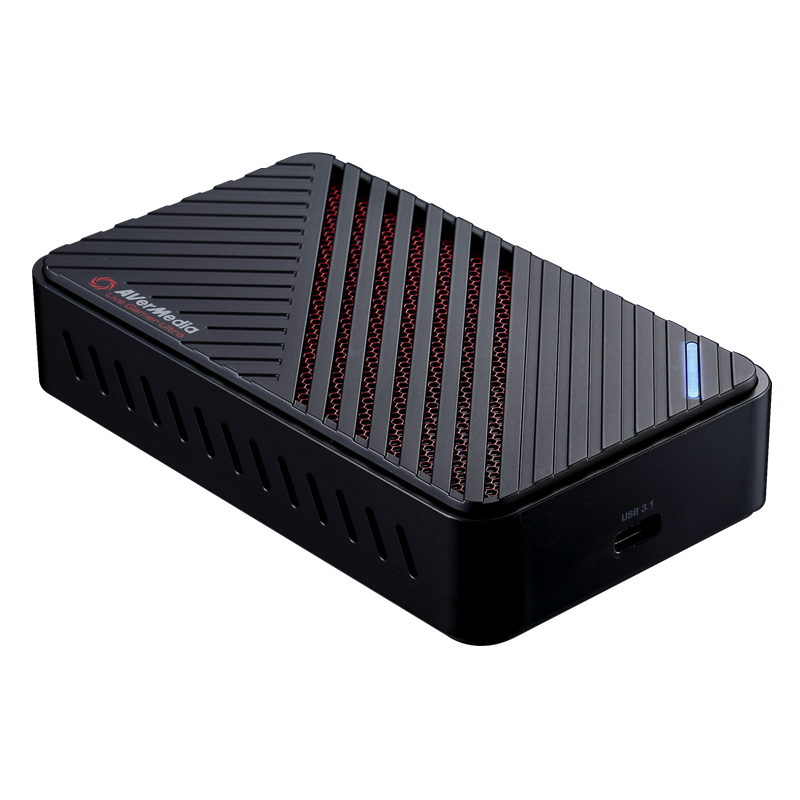
Explore this need in the finder →The AVerMedia GC553 Live Gamer ULTRA is an earlier-generation external HDMI 2.0 capture device, distinct from both the HDMI 2.1 GC553G2 and the newer GC553Pro. Its US listing identifies the product as GC553 with the same model number as its official technical page. AVerMedia still maintains product and support material for the model, but it represents a prior hardware generation; including it in this library is not a claim that it is new, in stock, or preferable to a current model.
The 4K60 number belongs to passthrough
The manufacturer's technical page and US datasheet give separate figures: HDMI 2.0 passthrough up to 2160p60 HDR, 1440p144 or 1080p240; capture up to 2160p30, 1440p60, 1080p120, or 1080p60 HDR. A short store-page phrase about “4Kp60 HDR gameplay recording” can easily blur those paths. The detailed technical table is explicit that 4K60 is a passthrough ceiling, while the captured 4K maximum is 30 fps. If 4K60 must reach the recording app, do not use the GC553's 4K60 display claim as evidence that it will do so.
The model's page also lists VRR passthrough to 4K60, 1440p120 and 1080p120, and a separate VRR-recording limit. AVerMedia says VRR pass-through/recording depends on a Windows firmware update, and VRR recording requires RECentral 4. Those conditions should not be collapsed into a general claim that OBS records a variable-refresh file. Nor does an HDR passthrough label mean the captured recording preserves HDR at the same resolution. The standard maximum-capture line names 1080p60 HDR, while the sources reviewed do not publish a complete input-to-recording matrix for every HDR and passthrough pair.
What the older USB route requires
The GC553 uses USB 3.1 Gen 1 Type-C and has HDMI 2.0 input/output. The manufacturer warns that it does not support USB 2.0 or USB 3.1 Gen 2 and recommends an Intel chipset. Its US package list includes the capture unit, an HDMI 2.0 cable, a Type-C-to-A cable and a quick guide. That package is useful context for a desktop or laptop hookup, but a buyer should still confirm the exact cable and host port in the offer, especially if an adapter, hub or dock will sit between card and computer.
AVerMedia names OBS and Streaming Center as recording software and documents a specific GC553-to-OBS setup. The official Mac compatibility FAQ reports Apple Silicon compatibility for this model group, while limiting the GC553 Mac capture path to 1080p60; do not infer that Mac hardware inherits its Windows high-frame or HDR ceilings. Windows requirements on older product materials call for a relatively capable discrete graphics system at 4K30 or 1080p120, with a separate floor for 1080p60. The exact OS and supported app version should be rechecked before buying older hardware.
HDCP-protected content is not supported. The manufacturer also states that it stopped distributing PowerDirector 15 serial numbers in July 2025 and that the old software no longer receives maintenance. A historic package image or old box contents do not promise a usable license today; treat that software key as unavailable unless the exact offer proves otherwise.
GC553 versus similar AVerMedia names
GC553 and GC553G2 share the “Live Gamer ULTRA” family wording, but their capabilities and physical connections differ. The GC553 is HDMI 2.0 and 5 Gbps USB with 4K30 capture; the GC553G2 moves to HDMI 2.1 and 10 Gbps USB and has Windows-only higher-rate capture modes tied to Streaming Center. GC553Pro is another separate HDMI 2.0/5 Gbps model; its published paired 4K60 SDR recording path is not the older GC553's 4K30 capture limit. Check the suffix on the card and exact model/SKU rather than relying on a search result that abbreviates the name.
Compared with a current external high-refresh card, the GC553 may still be relevant where an earlier product is acceptable and its documented 4K30 or 1080p120 capture modes align with the workflow. Its display passthrough can serve a higher-resolution or faster monitor path, but the lack of a published complete mode-pair chart is a real constraint when designing simultaneous capture and display settings. If a specific combined input, capture, HDR and passthrough arrangement is essential, require that exact cell in current manufacturer documentation before purchase.
This assessment uses AVerMedia's US listing, technical page, datasheet, quick guide and compatibility/support information. It does not report personal ownership, measured latency, test footage, image-quality rankings or a guarantee of future firmware and OS support. The reference remains in the earlier-model library so its documented distinctions are visible without presenting it as a current equivalent of the GC553G2.
Key specifications
Key details at a glance
| Signal input | hdmi_2_0_unencrypted |
|---|---|
| HDMI generation | HDMI 2.0 |
| Confirmed capture formats | 2160p30 (4K30) / 1440p60 / 1080p120 / 1080p60 HDR |
| Confirmed passthrough formats | 2160p60 HDR / 1440p144 / 1080p240 / VRR pass-through up to listed 4K60/1440p120/1080p120 modes after firmware update |
| Computer connection | External USB 3.x host link; check this model's stated generation and port rate |
| Named compatible software | AVerMedia Streaming Center / OBS Studio / RECentral 4 for VRR recording after firmware update |
| HDR recording | The specification lists 1080p60 hdr capture; this windows-oriented mode is kept separate from generic obs and passthrough plans because the reviewed sources do not provide a complete hdr/app/passthrough matrix. |
| VRR passthrough | Yes |
| Analog audio input | Hdmi 2.0 audio only; hdmi pass-through output. no analog line input is listed. |
Use the exact model’s instructions for operating limits, supplied equipment and version differences.
Sources for this review
Sources for this assessment
- GC553 Live Gamer ULTRA — AVerMedia US listing and exact product SKU
- GC553 Live Gamer ULTRA — AVerMedia technical product page, capture/passthrough limits and requirements
- GC553 datasheet: USB/HDMI, separate maximum capture and passthrough formats, package and system requirements
- GC553 Quick Guide, package, installation and RECentral setup
- AVerMedia compatibility FAQ for GC551G2, GC553 and other capture devices on Apple Silicon
- How to Set Up GC553 in OBS Studio — AVerMedia support FAQ
- GC553 product image from exact AVerMedia US listing

Check your complete signal path
Choose the source format, desired captured signal, passthrough target, computer connection and software together. A single device must support that whole arrangement.