
Your needs, this model
Does it fit your priorities?
Does 4Kp60 passthrough mean GC513 records 4K?
No. AVerMedia lists 1080p60 as the recording ceiling and describes the 4Kp60 figure as display passthrough while recording Full HD at 60 fps. The documented route is SDR: the manufacturer says HDR is not supported.
Explore this need in the finder →Can GC513 satisfy a USB 3.0-or-faster host requirement?
No. Its documented computer connection is USB 2.0 over Micro-USB. A USB 3.0-or-faster minimum excludes this device; do not mistake a USB-A-shaped cable end for the host protocol.
Explore this need in the finder →Can GC513 record an HDR signal?
AVerMedia expressly lists HDR as unsupported. A 1080p60 HDR-recording requirement is therefore outside this model’s documented fit, regardless of its 4Kp60 SDR display passthrough.
Explore this need in the finder →Does GC513 capture at 1080p120?
No. The manufacturer lists a maximum recording mode of 1080p60. The 4Kp60 passthrough figure is a separate display-path specification and does not raise the capture frame-rate ceiling.
Explore this need in the finder →The AVerMedia Live Gamer Portable 2 PLUS (GC513) is an earlier external HDMI capture device with a useful split between computer recording and stand-alone capture. Its headline combination is 1080p60 recording while a 4Kp60 signal continues to a display, but that does not make it a 4K recorder: AVerMedia explicitly says HDR is not supported. This assessment is based on the model page, manual, support material and a U.S. retail record; it is not a hands-on test.
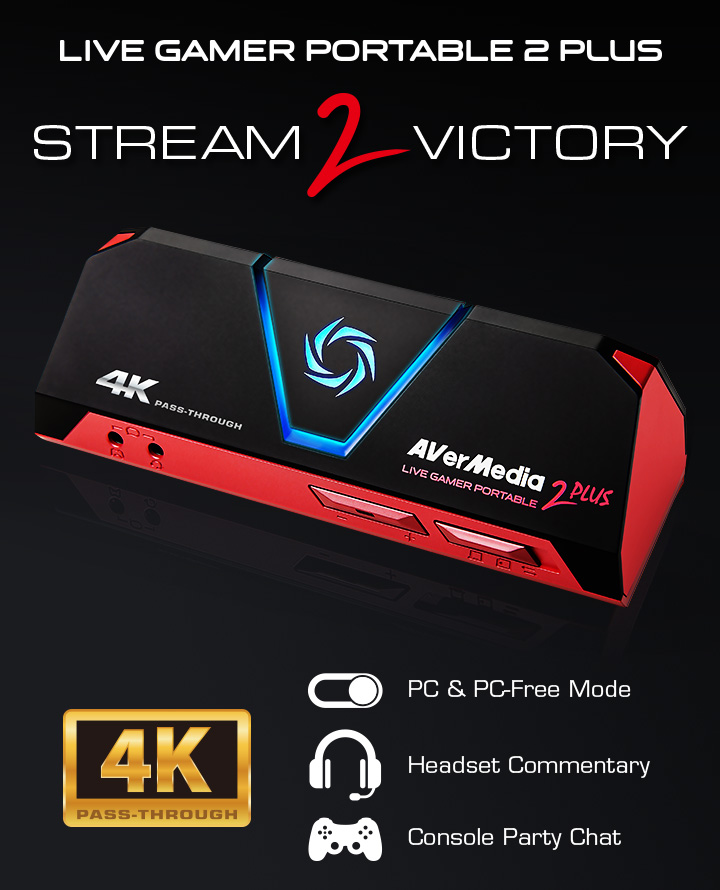
The U.S. retail trail is historical rather than a current offer. Best Buy identifies its black listing as model GC513B, retailer SKU 6288528, UPC 795522965905, and says the item is no longer available new. AVerMedia still has an exact GC513 model page and support files, but no current U.S. manufacturer price or stock was established. Check the seller’s actual model marking and bundle rather than treating an old listing as a live recommendation.
4K passthrough is not a 4K recording mode
GC513 accepts HDMI 2.0, connects to a computer over USB 2.0 Micro-USB, and has an HDMI display output. AVerMedia lists 1080p60 as the maximum recording resolution and describes 4Kp60 passthrough while recording Full HD at 60 frames per second. That is a sensible role for someone who wants a 4K SDR gaming display but only needs a 1080p stream or recording. It is not a fit for a 4K60 capture target, an HDR file, or a 4K HDR display chain: the manufacturer’s footnote says HDR is not supported.
The 1080p60 ceiling also sets the limit for high-refresh use. The published passthrough line includes 4Kp60 and 1080p60, not a current HDMI 2.1 or 120/144 Hz feature set. A lower captured resolution should not be mistaken for the display output, and a passthrough maximum should not be added to the capture table as though both were recording modes.
Three operating modes change what else you need
PC mode sends the HDMI source to capture software over the USB 2.0 host link. AVerMedia’s model-specific support article shows how to add the Live Gamer Portable 2 PLUS as a video capture device in OBS and configure audio monitoring. Match OBS’s requested resolution and frame rate to the source; the support page gives different examples for consoles and phones. USB 2.0 is the documented host interface, so this is not a substitute for a card whose plan specifically requires USB 3.x bandwidth.
PC-free mode instead records 1080p60 to microSD using the unit’s hardware encoder, without a computer. The card is not in the listed package: AVerMedia calls for a Class 10 microSD and documents support up to 128 GB. Its model page says FAT32 recordings split at each 4 GB file (about 25 minutes), while exFAT supports continuous recording. The third, storage/card-reader mode lets a computer access the inserted card. Confirm the mode switch and card format before relying on this workflow.
Old software needs a specific compatibility check
AVerMedia’s model page lists Windows 10/11 and older Intel Mac examples, and it expressly excludes Apple M1. A 2024 support release lists GC513 for RECentral Express on macOS 15, but the reviewed material does not provide a complete Mac mode table or a GC513/Mac 4K60 pairing. Treat Mac as an older-model compatibility lead, not a promise for every current Mac or Apple-silicon system.
For Windows, the official OBS FAQ identifies GC513 by name and walks through adding its video and audio devices. There is also a sharp version caveat: AVerMedia says its unpublished StreamEngine software can make Streaming Center or OBS malfunction on Windows 11 24H2, will not be updated, and directs users to remove AVerMediaEngine and restart. That warning is important for a used unit that may come with old software installed. The current driver/app combination should be checked against the exact computer rather than assumed from the old model’s plug-and-play description.
Audio and package details matter
The official specification lists HDMI audio and four-pole 3.5 mm audio connections for controller chat and commentary. The matching support FAQ recommends a CTIA four-pole headset and warns that Apple iPhone/iPad earphones can create noise in the device’s microphone port. Do not assume that a headset plug is wired the way a separate console or computer expects; check the audio routing in the actual setup.
The listed package contains GC513, an HDMI cable, a USB Micro-to-Type-A cable, a four-pole 3.5 mm audio cable and a Quick Guide. The enclosure is listed at 147 × 57 × 47 mm and 185.5 g. Protected HDMI content is not supported for viewing, recording or streaming. Neither a full seller bundle nor the present condition of a used unit is established by the historical retailer page.
Who should still consider it?
GC513 is an older-model option for a buyer who has confirmed a clean, unencrypted HDMI source, accepts 1080p60 as the recording limit, values either 4Kp60 SDR display passthrough or PC-free microSD recording, and can verify the host software before purchase. It is a poor fit when the essential requirement is USB 3.x, HDR, 4K recording, a 120 Hz passthrough path, or a current Apple-silicon workflow. For a second-hand listing, verify that it is the GC513 device rather than a similarly named capture card, check which cables are actually present, and confirm the memory card is separate. This review does not establish a live new or used offer.
Key specifications
Key details at a glance
| Signal input | hdmi_2_0_unencrypted |
|---|---|
| HDMI generation | HDMI 2.0 |
| Confirmed capture formats | 1080p60 maximum recording; do not describe 4K display passthrough as 4K capture |
| Confirmed passthrough formats | 4Kp60 HDMI 2.0 display passthrough (HDR not supported) / 1080p60 |
| Computer connection | Usb 2 |
| Named compatible software | OBS Studio (model-specific AVerMedia setup FAQ) / AVerMedia RECentral 4 v4.7.114.1 (Windows; model listed in 2024 release record) / AVerMedia RECentral Express v1.2.92 (macOS 15; model listed in 2024 release record) |
| HDR recording | No hdr capture mode is listed on the reviewed gc513 page; no hdr recording plan is assigned. |
| VRR passthrough | No |
| Analog audio input | Hdmi 2.0 audio and a four-pole 3.5 mm headset/controller path for commentary and party chat; avermedia recommends ctia wiring and warns apple iphone/ipad earbuds can cause noise. |
Use the exact model’s instructions for operating limits, supplied equipment and version differences.
Sources for this review
Sources for this assessment
- AVerMedia U.S. GC513 product page
- AVerMedia GC513 datasheet
- AVerMedia GC513 user manual
- How to set up OBS Studio with GC513
- AVerMedia end-of-service software downloads: RECentral versions
- AVerMedia StreamEngine Windows 11 24H2 compatibility FAQ
- Best Buy U.S. GC513B retail listing
- AVerMedia GC513 headset compatibility FAQ
- AVerMedia GC513 exact model product image
Check your complete signal path
Choose the source format, desired captured signal, passthrough target, computer connection and software together. A single device must support that whole arrangement.