
Your needs, this model
Does it fit your priorities?
Can the GC311 capture an unencrypted HDMI source at 1080p60 on a Windows OBS setup?
AVerMedia lists HDMI input and maximum 1080p60 capture, and its model-specific Windows FAQ shows GC311 as an OBS video source. The manufacturer separately lists 1080p60 HDMI pass-through. These are the published ceilings, not a promise that every source, display, app and USB connection will run both maxima at once.
Explore this need in the finder →Does 1080p60 pass-through make GC311 a 4K capture card, or does USB Micro mean USB 3?
No to both. GC311 is limited to 1080p60 capture and 1080p60 display pass-through, with no 4K/HDR/high-refresh modes listed. Its computer connection is USB 2.0 over Micro-USB; it does not meet a USB 3.0-or-faster requirement.
Explore this need in the finder →Are Mac and iPadOS platform names enough to guarantee an app and 1080p60 mode?
No. AVerMedia lists GC311 for Intel/M-series Macs and iPadOS 17+ USB-C iPads, but warns that Mac capture can be limited and supplies no GC311-specific Mac mode table. For iPadOS it lists no capture app, capture mode, pass-through mode or exact cable/power path. macOS 12 is explicitly listed as incompatible.
Explore this need in the finder →Can GC311 record HDCP-protected video or HDR?
No. AVerMedia expressly excludes HDCP-protected input and says GC311 does not support HDR. Protected content cannot be captured by changing a software setting or using another capture device; the source's content protection must be respected.
Explore this need in the finder →What should a Windows 11 24H2 buyer check before using OBS?
AVerMedia warns that its unpublished, unmaintained StreamEngine can cause Streaming Center and OBS to malfunction on Windows 11 24H2. If AVerMediaEngine is installed, the manufacturer says to uninstall it and restart. This warning does not prove that all current OBS installations fail.
Explore this need in the finder →The AVerMedia Live Gamer MINI GC311 is a small external HDMI capture device for a narrow, well-defined job: take an unencrypted HDMI source, send a display signal onward, and capture up to 1080p60 through a USB 2.0 Micro-USB connection. The key buying question is not whether it can pass a modern signal to a screen—it cannot pass beyond 1080p60—but whether Full HD capture is enough and the older host/software limits fit the computer you actually plan to use. This is a documentary assessment of manufacturer and retailer records, not a hands-on test or performance measurement.
What the GC311 is—and is not
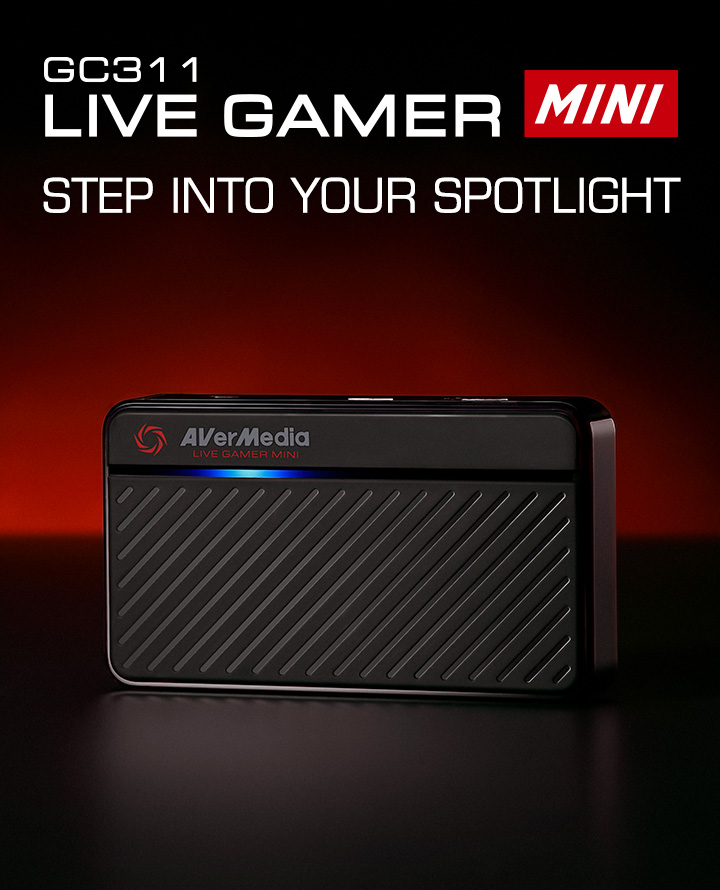
AVerMedia's product page identifies the unit as Live Gamer MINI, model GC311. The separate GC311G2 is a newer product with different USB and HDMI specifications; its capabilities must not be carried over to this original model. GC311 has one HDMI input and one HDMI output for pass-through, plus a Micro-USB host connector. Its current page lists 1080p60 as both the maximum recording resolution and maximum pass-through resolution, and names lower HDMI input formats down through 480i. The product description also calls out UVC support and an onboard H.264 hardware encoder. The listed dimensions are 100 × 57 × 18.8 mm and weight is 74.5 g; these are manufacturer specifications, not measurements I made.
The current GC311 page calls the interfaces HDMI without a version number. A linked 2019 datasheet and a 2025 Quick Guide whose diagrams identify GC311 specify HDMI 1.4. The Quick Guide's title refers to Live Gamer EXTREME, so its internal GC311 labels matter more than the title alone; the datasheet filename also contains “GC331,” while the PDF body identifies Live Gamer MINI GC311. Both document quirks are worth knowing when checking old files, though their model-specific technical content agrees with the current GC311 page.
Capture and display are separate paths
A 1080p60 display path is not a promise of 4K recording. Here, AVerMedia lists only 1080p60 for recording and pass-through, and explicitly says the device does not support 4K, HDR, wide-angle resolutions or high refresh. It also does not support capture of HDCP-protected signals. That last limitation is about content protection, not a software preference: a capture card is not a way to circumvent protected Blu-ray or streaming video.
The two 1080p60 maxima describe separate functions. A source, monitor, cable, USB port and application must still agree on an actual arrangement. The materials reviewed do not give a single detailed table guaranteeing every combination at both ceilings simultaneously. For a console, verify that its output is unencrypted and set to a mode no higher than Full HD 60 fps; then verify the display path and chosen application separately.
USB 2.0 and the Windows/OBS route
The computer link is USB 2.0 over Micro-USB. The manufacturer lists an included USB Micro-to-Type-A cable, not a USB 3.0 cable. A faster USB socket or a USB-C-shaped adapter does not upgrade the capture device's own USB 2.0 interface. Treat this as a hard boundary if you require USB 3.0 or faster, PCIe or Thunderbolt.
The clearest software path in the reviewed support material is Windows. AVerMedia's GC311-specific Windows FAQ shows the device as an OBS video source and “Microphone (Live Gamer Mini)” as an audio input. The current download listing also offers Streaming Center v1.9.4.5 BETA for Windows 10/11. The product page gives Windows 10/11 or later and CPU/GPU examples, but those dated hardware examples should not be assumed to be a modern, universal minimum; check the version of Windows, OBS and other software you intend to run.
There is a particular software caveat for Windows 11 24H2. AVerMedia reports that its StreamEngine component can cause Streaming Center and OBS to malfunction, says StreamEngine is unpublished and will not receive updates, and directs users to uninstall AVerMediaEngine if it is installed and restart. This warning is not evidence that every current OBS configuration fails, but it is a reason to check an old PC's installed AVerMedia software before planning a stream. The model download page also lists firmware 2.3.4.11 for specific Nintendo Switch 2 users and warns to proceed only when the PID matches the reference shown by AVerMedia; do not install it merely because the model name looks similar.
Mac and iPadOS listings need extra verification
AVerMedia lists Intel Macs on macOS 11 or later and M-series Macs on macOS 11 or later, with a prominent exception: macOS 12 is not compatible. A separate FAQ names GC311 among capture devices compatible with M1, M2, M3 and M4 MacBook Air, Mac mini and MacBook Pro models, but warns that Mac capture capabilities can differ from Windows. The FAQ's example of OBS Studio 31.0.3 on macOS 15.1 is a general Mac example, not a GC311-specific Mac mode table. I found no model-specific Mac recording matrix or Mac OBS setup in the inspected evidence. So the overall 1080p60 product ceiling should not be read as a promise of a particular Mac capture profile.
The product page also lists iPadOS 17 or later on a USB-C iPad. It does not name an iPad capture app, a supported capture or pass-through rate, or the exact Micro-USB-to-USB-C connection and power arrangement. That is platform-listing evidence, not a complete iPad workflow. Buyers should verify their specific iPad, app, cable and power needs with AVerMedia before treating the unit as plug-and-play on iPadOS.
What to check if considering an older unit
A Best Buy U.S. listing identifies a black GC311 and UPC 795522966018, but says it is no longer available in new condition. A separate Amazon listing identifies model GC311 and also shows UPC 795522966018; its package list names the unit, USB Micro-to-Type-A cable and Quick Guide. These pages establish the identity text of those listings, not present stock, seller condition, warranty, return terms or the completeness of an individual used package. AVerMedia's current page lists the same three included items; it does not list an HDMI cable. Do not assume a used unit comes with one, or that an old seller's bundle is complete.
AVerMedia still maintains a GC311 product and download page, so “earlier” here describes its place in this comparison, not a claim that support has formally ended. The download page's User Manual filter was visible, but the inspected model-specific files available to me were the Quick Guide and Datasheet rather than a separate user manual. I have not borrowed instructions for another AVerMedia model to fill that gap. The linked datasheet had PDF cross-reference warnings during inspection, although its readable model-specific information is corroborated by the current product page and Quick Guide.
GC311 makes sense to investigate if an exact, unencrypted HDMI source can be captured at up to 1080p60, the display can remain at that ceiling, a USB 2.0 link is acceptable, and Windows/OBS is the intended route. It is a poor match for 4K capture or pass-through, HDR, high-refresh output, HDCP-protected content or a mandatory USB 3.0 host. Mac buyers should verify chip, OS and capture mode; iPadOS buyers should first confirm the app and cable path. Check the device label, exact GC311 model, included Micro-USB cable, power/connection needs and the seller's return conditions before choosing any older or used offer. Best Buy says its exact black GC311 listing is no longer available in new condition; this does not establish current used stock or a formal manufacturer end-of-life notice. See the capture-versus-pass-through guide for why a display ceiling is not the recording ceiling, or find the same earlier-inclusive HDMI/1080p60/Windows/OBS scenario.
Key specifications
Key details at a glance
| Signal input | hdmi_1_4_unencrypted |
|---|---|
| HDMI generation | 1.4 in the linked 2019 datasheet and 2025 quick guide; the current product page only says hdmi |
| Confirmed capture formats | 1080p60 maximum; no 4K capture mode |
| Confirmed passthrough formats | 1080p60 maximum; no 4K, HDR or high-refresh pass-through |
| Computer connection | Usb 2 |
| Named compatible software | OBS Studio (model-specific Windows setup FAQ) / AVerMedia Streaming Center v1.9.4.5 BETA for Windows 10/11 (model download page; check current stability and the Windows 11 24H2 StreamEngine warning) |
| HDR recording | No hdr recording mode is listed; the current gc311 page expressly says hdr is unsupported. |
| VRR passthrough | No |
| Analog audio input | Hdmi audio input; the official windows obs faq also names microphone (live gamer mini) as an audio input. no analog audio port or separate commentary input is claimed. |
Use the exact model’s instructions for operating limits, supplied equipment and version differences.
Sources for this review
Sources for this assessment
- AVerMedia Live Gamer MINI GC311 product page
- AVerMedia GC311 Live Gamer MINI datasheet
- AVerMedia GC311 Quick Guide (2025)
- AVerMedia Windows OBS setup for GC311 and CAM 313
- AVerMedia Apple M-series capture-card compatibility FAQ
- AVerMedia HDCP capture FAQ
- AVerMedia Windows 11 24H2 StreamEngine compatibility FAQ
- AVerMedia GC311 downloads and release list
- Best Buy U.S. AVerMedia Live Gamer MINI listing
- Official GC311 product artwork
Check your complete signal path
Choose the source format, desired captured signal, passthrough target, computer connection and software together. A single device must support that whole arrangement.