
Your needs, this model
Does it fit your priorities?
Does BU113 record 4K60?
No. AVerMedia lists 2160p60 HDR as a supported video input signal but lists maximum recording at 2160p30 or 1080p60 HDR. Read the input and recording lines separately; the card does not turn the 4K60 input figure into 4K60 recording.
Explore this need in the finder →Can BU113 capture at 4K30 on a Mac?
AVerMedia's Mac compatibility FAQ specifically gives BU113 a maximum of 1920×1080 at 60p. Keep the 4K30 recording mode in the Windows plan and use the Mac 1080p60 ceiling unless a current, model-specific Mac mode source says otherwise.
Explore this need in the finder →Will the included USB cable work with a computer's USB 2.0 port?
No. BU113 uses USB 3.1 Gen 1 at 5 Gbps and its specification explicitly says USB 2.0 is unsupported. The included Type-C-to-Type-A cable does not remove the host-port speed requirement.
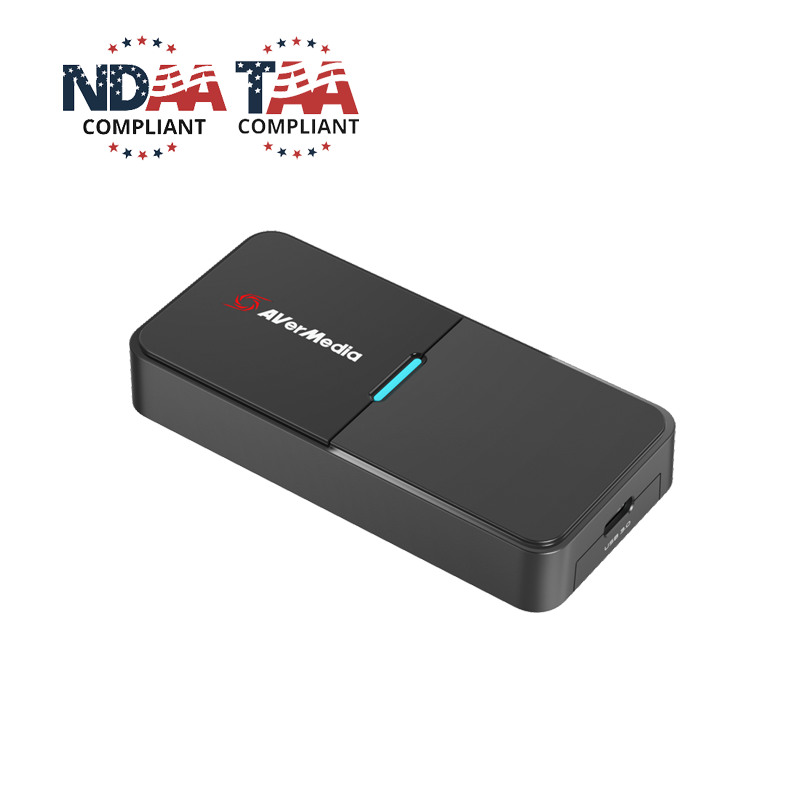
Explore this need in the finder →The BU113 Live Streamer CAP 4K is an external HDMI-to-USB capture device aimed at connecting a camera or camcorder to a computer. Its “4K” name describes more than one signal stage: AVerMedia's technical specification lists a 4K60 HDR maximum input signal, but the published maximum recording resolution is 4K30, with a separate 1080p60 HDR recording mode. That distinction is central to choosing it. This is not a 4K60 recorder, nor does its USB-C-shaped connection make it a pass-through gaming card. The exact US model is listed as BU113, separate from the later BU113G2.
A camera ingest path, not a display loop-through
The BU113 takes video through one HDMI 2.0 input and sends an uncompressed UVC video stream over USB 3.1 Gen 1 Type-C. The output connector is for the computer connection; AVerMedia does not list an HDMI output or monitor pass-through. A camera can therefore feed a video-call, recording or streaming computer, but a monitor should not be expected to connect through the BU113 as it would through a card with a dedicated HDMI OUT port. If monitoring the camera's direct signal is important, plan for the camera's own display path or another device. Its 2024 quick guide depicts the HDMI source, USB computer and included Type-C-to-A cable connections.
The manufacturer specifies incoming HDMI signals up to 2160p60 HDR, 1440p144 and 1080p60. Its recording maximum is 2160p30 or 1080p60 HDR. Input acceptance, computer capture and the encoded file are different stages: the 4K60 HDR incoming-signal figure does not authorize 4K60 recording, and an HDR signal rating should not be treated as proof that every resolution can be recorded in HDR. For the decision matcher, the conservative choices are 4K30 or 1080p60 capture on a Windows plan, with HDR recording claimed only for the documented 1080p60 Windows mode.
USB generation and computer limits matter
This is a USB 3.1 Gen 1 (5 Gbps) UVC device, and the manufacturer explicitly says it does not support USB 2.0. A cable may fit the port while still failing to provide the required data path. The US package listing includes a USB Type-C-to-Type-A cable; check the computer's USB 3.x port and avoid assuming that a hub or adapter retains the necessary link speed. The small enclosure weighs about 44.5 grams and measures about 94.2 by 45.4 by 16 millimetres in AVerMedia's current technical specifications, but those published dimensions do not establish its thermal behavior or sustained performance in a particular setup.
AVerMedia lists Windows 10 x64 or later and macOS 10.14 or later in the product requirements, and its later Mac compatibility FAQ specifically includes BU113 on Apple-silicon Macs while limiting its stated capture maximum to 1920×1080 at 60 frames per second. The FAQ's Mac context names OBS Studio 31.0.3 as the test environment; that is a model-and-version-specific reference, not a claim that all Mac software exposes every Windows mode. Although the specification page also lists iPadOS 17 or later, I found no matching model-specific app and mode confirmation strong enough to make an iPad finder plan. Treat generic OS text as a starting point, not a complete compatibility guarantee.
Plan the camera before choosing the card
For a camera setup, the source itself often creates the practical limit. Verify that it can output a clean HDMI image at the resolution and frame rate you want, whether overlays or menus can be hidden, what HDMI connector it uses, and whether it can remain powered for the length of a stream. AVerMedia's camera-compatibility list records model-by-model output and power notes, but that list does not certify an unlisted camera or every firmware setting. The BU113 cannot make a camera output a mode the camera does not provide, and its 4K60 input ceiling does not change the lower recording ceiling.
AVerMedia describes the unit as plug-and-play UVC hardware and names OBS among the software choices in its US product materials. Its support downloads include Windows and Mac software and firmware resources. That is useful evidence for a conventional webcam-style source, but it is not evidence that every listed application exposes identical capture controls or HDR behavior. If recording HDR matters, confirm the Windows capture mode, source output, application settings and file format as a single chain rather than relying on the card's HDR label alone.
Who should shortlist it
The BU113 is a reasonable earlier-generation reference for someone who needs to bring a single camera's HDMI feed into a USB 3.x computer, values UVC compatibility and can work within 4K30 or 1080p60 recording. It has a simpler connection story than an internal PCIe board and supports a documented Mac 1080p60 path. The tradeoffs are equally clear: no HDMI pass-through, no USB 2.0 fallback, no 4K60 recording, and a distinct Mac ceiling below the product's 4K input headline. Buyers comparing it with BU113G2 should check the exact printed model and not transfer the newer product's capture-format table or connectivity claims to this BU113.
This review is based on AVerMedia's US listing, technical specifications, quick guide and support materials. I did not use or test the device, measure latency or image quality, verify camera compatibility beyond the published table, or confirm any particular offer's package, condition, warranty or current availability. Before ordering, check the exact BU113 identity, included cable, host USB generation, camera's clean-HDMI settings, intended OS/app and the manufacturer's current mode guidance.
Key specifications
Key details at a glance
| Signal input | hdmi_2_0_unencrypted |
|---|---|
| Confirmed capture formats | Windows: up to 4K30 or 1080p60 HDR recording / macOS support FAQ: up to 1080p60 capture |
| Confirmed passthrough formats | |
| Computer connection | External USB 3.x host link; check this model's stated generation and port rate |
| Named compatible software | OBS Studio (US product listing; Mac compatibility FAQ shows OBS Studio 31.0.3 context) / AVerMedia CamEngine / Streaming Center utilities |
| HDR recording | The product page lists 1080p60 hdr recording. the mac compatibility faq caps bu113 at 1080p60 without a separate mac hdr claim. |
Use the exact model’s instructions for operating limits, supplied equipment and version differences.
Sources for this review
Sources for this assessment
- AVerMedia BU113 Live Streamer CAP 4K current US product listing
- AVerMedia BU113 technical specifications and UVC connection requirements
- AVerMedia Mac compatibility FAQ listing BU113 and OBS Studio 31.0.3 context
- AVerMedia BU113 camera compatibility table
- AVerMedia BU113 2024 quick guide
- AVerMedia BU113 model-specific downloads and software support
- AVerMedia BU113 2021 product datasheet
Check your complete signal path
Choose the source format, desired captured signal, passthrough target, computer connection and software together. A single device must support that whole arrangement.