
Your needs, this model
Does it fit your priorities?
What host generation does Io XT use?
AJA identifies Thunderbolt 1. A USB-C connector by itself is not evidence of a compatible host path; check the actual controller, cable and adapter chain.
Explore this need in the finder →Does its SDI input have a reviewed 1080p60 plan?
Yes. AJA’s exact product table documents HD modes through 1080p60, and the conservative assessment uses one SDI input rather than treating all available connectors as simultaneous maximum-rate channels.
Explore this need in the finder →Is Io XT still a current product?
No. AJA records Io XT as EOL and identifies Io X3 as successor. The existence of a legacy product page or Control Room device list does not establish current stock, warranty or current OS qualification.
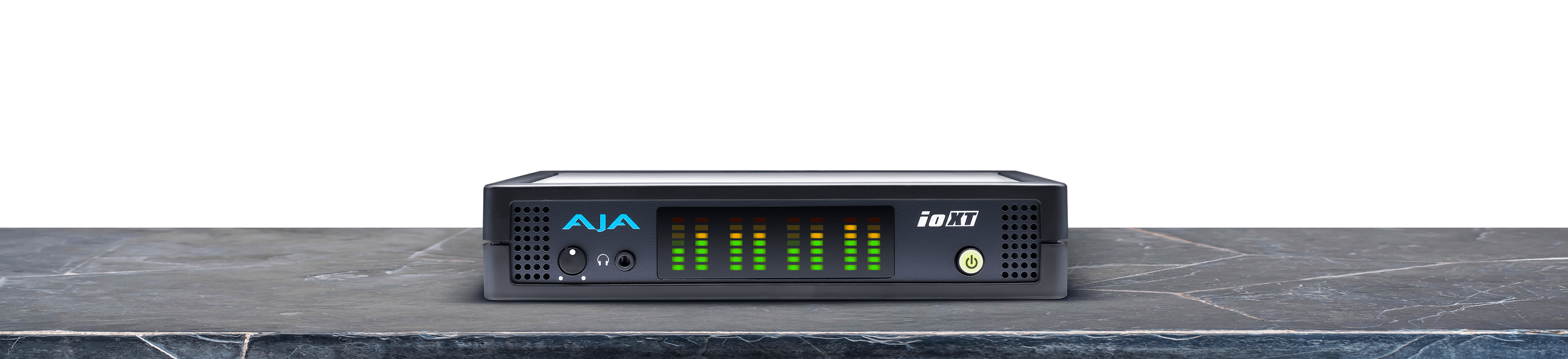
Explore this need in the finder →AJA Io XT is an earlier external Thunderbolt capture/playout device with two SDI inputs, two SDI outputs and a separate HDMI input/output. It differs from the neighboring Io 4K in its Thunderbolt generation and format scope: AJA lists standard HD and 2K timings, including 1080p60, rather than the larger 4K-focused workflow of the Io 4K. The NTV2 record dates the Io XT’s end of life to March 30, 2021 and names Io X3 as the successor. It is therefore a possible fit for an existing AJA workstation, not a current high-refresh HDMI passthrough pick.
Two SDI paths and one HDMI input
The device record identifies two SDI inputs and two outputs, one HDMI input and one HDMI output, plus analog component output and reference/LTC connections. That is a professional I/O layout with source selection and routing controlled by the AJA application. AJA’s product table covers SD, HD and 2K formats, with 1080p through 60. The HDMI input is not an HDCP bypass; AJA’s Io XT/4K manual says protected HDCP inputs are unsupported. We keep the finder plan to one 1080p60 source at a time instead of inferring that every connector can capture every listed mode simultaneously.
The exact input and output directions matter. A pair of SDI BNCs configured as outputs is not a capture input, and a monitor output does not establish a gamer-style loop-through guarantee. If a facility needs multiple channels, confirm the chosen firmware/driver settings, raster and frame-rate relationships, cable type, reference timing and application configuration. The hardware can be reconfigured, but a connector count by itself does not tell you which channels are active as inputs.
Thunderbolt I is a compatibility constraint
Two Thunderbolt 1 ports connect Io XT to the host and can support a chain of suitable devices, but they do not make the product USB-compatible. A computer with a newer Thunderbolt port may require an adapter or a specific driver path; confirm the exact host and cable with AJA’s support material before relying on backward compatibility. AJA’s SDK page supplies older Mac and Windows support history and firmware-recovery steps, yet it also describes the model as EOL and superseded. Treat those notes as evidence of an earlier platform, not a promise that a modern OS will accept the device.
AJA Control Room is a documented route for AJA capture and playout. This assessment does not assign OBS or Elgato software merely because the host computer could install them; the current questionnaire’s named software choices are separate from the manufacturer’s own I/O package. Likewise, the device’s professional outputs do not establish support for HDR, VRR or the high-refresh display combinations in consumer capture products.
When to keep it on the shortlist
Keep the Io XT in consideration if an existing workflow already uses AJA drivers, SDI source equipment, reference timing and Thunderbolt 1-compatible hosts, and if 1080p60 or lower is adequate. Compare it with the newer Io X3 only after checking the exact card and its supported release path; the successor is not the same product or a guarantee of identical input routing. For new streamers, a modern USB device with a clear software support matrix is likely less complex.
Before looking at a used unit, confirm the label says Io XT, inspect its power supply and Thunderbolt ports, identify the HDMI/SDI source and HDCP state, and check that current software can still see the hardware. Ask for the included cable and accessories, seller condition evidence, and return terms. This documentation review makes no claim of hands-on operation, measured performance, current stock, price or warranty.
Primary references: AJA Io XT technical page, the AJA NTV2 device record, and AJA Io 4K/Io XT manual.
Key specifications
Key details at a glance
| Signal input | 2 x SDI inputs; HDMI v1.3 input; separate SDI/HDMI outputs; analog component output |
|---|---|
| Confirmed capture formats | Standard SD/HD and 2K formats; 1080p through 60. |
| Confirmed passthrough formats | |
| Computer connection | Thunderbolt 1 external host interface |
| Named compatible software | AJA Control Room v16.0 documented |
| HDR recording | No named hdr recording mode is assigned in the reviewed model-specific table. |
Use the exact model’s instructions for operating limits, supplied equipment and version differences.
Sources for this review
Sources for this assessment

Check your complete signal path
Choose the source format, desired captured signal, passthrough target, computer connection and software together. A single device must support that whole arrangement.