
Your needs, this model
Does it fit your priorities?
Can Io 4K record 4K60 from an HDMI source?
No. AJA’s product table limits HDMI capture to 4K/UHD p30. The higher 4K/UHD 60p path is documented over SDI and depends on firmware mode and Thunderbolt bandwidth; this conservative HDMI plan therefore stops at 1080p60.
Explore this need in the finder →Which Windows HDMI arrangement is used in the conservative assessment?
AJA documents Io 4K with HDMI input, a Thunderbolt 2 host and AJA Control Room. The reviewed matcher uses 1080p60 rather than transferring its separate SDI 4K60 ceiling to HDMI.
Explore this need in the finder →Are Quad and UFC two separate Io 4K products?
No. They are firmware modes of the same model. The exact mode changes how the SDI connections are used, so verify the installed firmware state and the specific routing before relying on a multi-link or high-frame workflow.
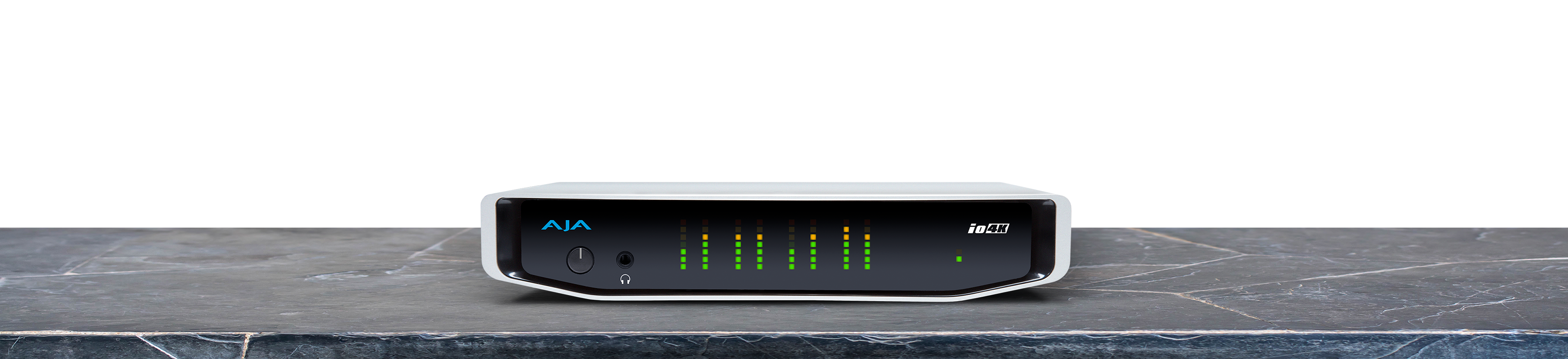
Explore this need in the finder →AJA Io 4K is an earlier external professional video I/O unit built around Thunderbolt 2, four bidirectional 3G-SDI connectors and separate HDMI 2.0 input/output. It is not simply a console capture dongle with a gaming-style display loop. The current product page points to the Io 4K Plus, and AJA’s NTV2 device record dates this model’s end of life to July 14, 2020. Its strongest case is an existing production chain that already uses AJA’s drivers, applications and SDI routing—not a new purchase chosen from a headline 4K label alone.
The input standard changes the actual ceiling
The model-specific specification lists full 4K and UltraHD formats through 60p, but that number does not apply identically to every socket. The SDI banks support multi-link professional signals, while the HDMI input/output path is limited to 4K/UltraHD at 30p. The older Io XT/4K manual also cautions that high-frame-rate support depends on Thunderbolt speed and that a host may not sustain every listed mode. AJA’s current page repeats the HDMI ceiling and describes four SDI BNC ports whose direction and link grouping depend on the selected application or firmware mode. I therefore keep the quiz assessment conservative at 1080p60 for either unencrypted HDMI or SDI rather than implying that the same 4K60 capture plan applies to both inputs.
That distinction matters if a source has only HDMI or if a project uses an SDI quad-link signal. Four physical connectors do not mean four independent full-rate records in every mode: firmware and app configuration determine whether links are grouped as one 4K stream or used as separate channels. The exact signal, pixel format, embedded audio and application must be agreed before a system is assembled. The HDMI path is not suitable for protected HDCP video; an output connector on this I/O unit is not evidence of a consumer-style passthrough promise.
A Thunderbolt 2 studio interface, not a current USB device
Io 4K has two Thunderbolt 2 ports and a high-bandwidth enclosure with its own power input. That is useful for an older Mac or workstation already designed around Thunderbolt chaining, but it is not interchangeable with USB-C just because a newer computer has a similar-shaped connector. Check the computer’s Thunderbolt generation, adapter chain, operating system, driver release, power arrangement and any other devices on the bus. The hardware is in AJA’s legacy-device documentation; later AJA Desktop Software releases are not all qualified for every end-of-life device. A current-looking download page does not erase that version caveat.
Who should compare it—and who should move on
For an existing AJA workflow, the combination of SDI, HDMI, reference/LTC and professional audio connections can be useful, and AJA’s Control Room line provides a documented capture/playback path. For a first-time streaming setup, however, an out-of-production Thunderbolt 2 unit brings more integration work than a current USB capture card. It does not add the gaming-focused high-refresh passthrough, HDR/VRR matrix or simple OBS workflow that many shoppers assume from “4K capture.” AJA’s OBS Quick Start Guide covers current products but does not make this older Io 4K a listed recommendation; check the exact driver/application version rather than inferring support from another Io model.
Before considering a used unit, confirm that the exact item is Io 4K rather than Io 4K Plus, inspect the power supply and port condition, identify the intended firmware mode, and match the source to either its SDI or HDMI limit. Ask which AJA software release and host OS the seller used, and verify return terms. The source pages establish technical identity and historical lifecycle, not present stock, unit condition, warranty, price or a successful test on your computer. This assessment is based on manufacturer documentation; no hands-on test is claimed.
Primary references: AJA Io 4K specifications, AJA NTV2 Io 4K device record, and AJA Io 4K/Io XT manual.
Key specifications
Key details at a glance
| Signal input | 4x bidirectional 3G-SDI BNC; HDMI 2.0 input; HDMI output; SDI monitor output |
|---|---|
| Confirmed capture formats | 4K/UHD through 60p is documented over SDI; HDMI I/O is limited to 4K/UHD p30; HD through 1080p60; host speed limits HFR. |
| Confirmed passthrough formats | |
| Computer connection | Thunderbolt 2 external host connection |
| Named compatible software | AJA Control Room v16.0 documented |
| HDR recording | No named hdr recording mode is assigned in the reviewed model-specific table. |
Use the exact model’s instructions for operating limits, supplied equipment and version differences.
Sources for this review
Sources for this assessment

Check your complete signal path
Choose the source format, desired captured signal, passthrough target, computer connection and software together. A single device must support that whole arrangement.